AI agent for sales managers
Broker Agent Productivity Review Agent
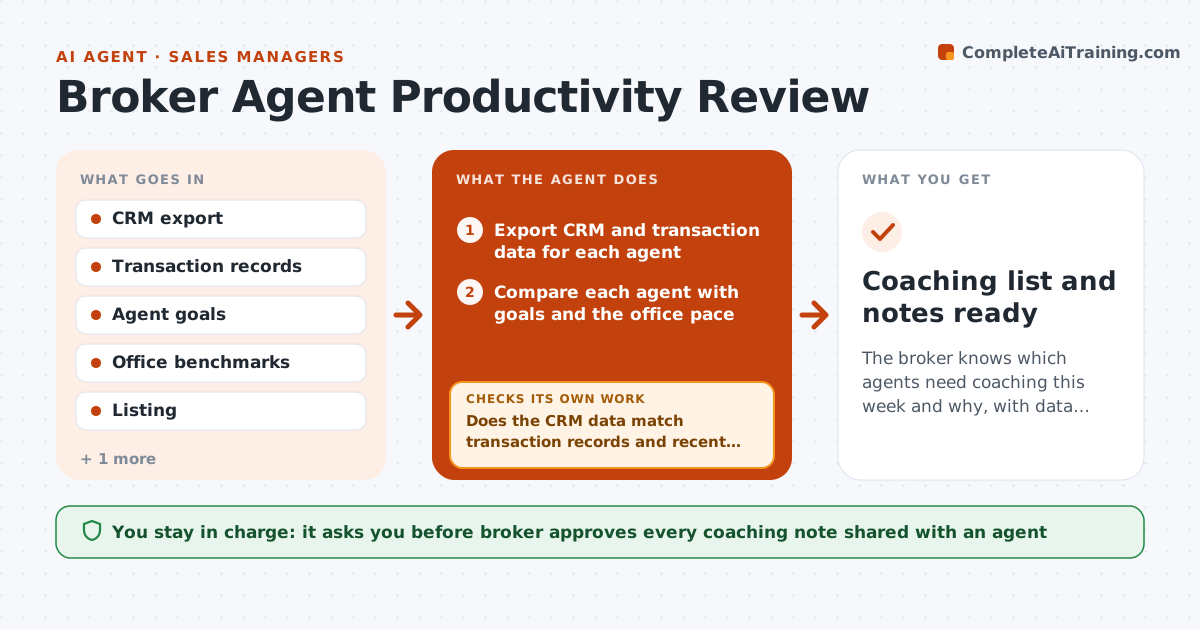
The broker knows which agents need coaching this week and why, with data that has been checked
What it does
A broker with 20 agents cannot read every pipeline, so coaching often goes to the loudest agents rather than those who need help. This agent reads CRM and transaction data for each agent weekly: leads, appointments, listings, offers and closings. It compares each with the agent's goals and the office pace, and flags stalled pipelines such as leads without contact, listings with no showings, or deals with no next step. It then checks its numbers against transaction records and the CRM log to be sure the data is current. It drafts coaching topics for each flagged agent with the evidence. The broker approves what is shared. Edge case: an agent looks idle because they log activity on paper, so the agent asks before flagging.
How it works
Follow the arrows from top to bottom. The orange dashed arrow is the loop: when a check fails, the agent goes back and tries again.
Read the steps as a list
- Weekly review begins
- Export CRM and transaction data for each agent
- Compare each agent with goals and the office pace
- List stalled leads, listings and deals with days idle
- Does the CRM data match transaction records and recent logs?If not: mark the agent as unverified and ask for an update before flagging. Back to step 2.
- Rank agents by need and pick one or two coaching topics each
- Draft a short coaching note with the evidence
- Is each flag based on current, verified data?If not: remove or soften the flag and note the reason. Back to step 6.
- Broker approves what is shared with each agentThe agent waits here for your OK.
- Coaching list and notes ready
How it decides
An agent is flagged when pace is under 70 percent of goal or a pipeline item has been idle for 14 days, and the data check confirms it. Stale data pauses the flag.
- Flag an agent under 70 percent of goal pace
- Flag a pipeline item idle for 14 days
- Do not flag when the data check shows missing records
- Limit to two topics per agent per week
Make it yours
Every agent is a starting point. You choose these settings for your own situation.
- Pace threshold (default 70% of goal)
- Idle days before a flag (default 14)
- Topics per agent
- Report day
What keeps you in control
It always asks you first
- Broker approves every coaching note shared with an agent
- Broker approves any action about an agent's standing
Hard limits
- Never share one agent's numbers with another
- Do not make decisions about pay or standing
- Mark unverified data clearly
It stops when
- Done: weekly list approved and sent
- Stop: data is too incomplete to judge and the broker is informed
Set it up
We guide you through the set-up, step by step
Members get the full set-up guide for this agent. No technical skills needed: you copy, paste and upload.
- One set of instructions to paste into your AI, with the clicks for ChatGPT, Claude, Microsoft 365 Copilot, Gemini and Grok
- The agent then walks you through connecting your own data, one source at a time
- A downloadable copy with the flow chart, the rules and the full guide