AI agent for business development managers
Partner Pipeline Revenue Forecast Agent
A partner revenue forecast built only from live deals and tied to the CRM
What it does
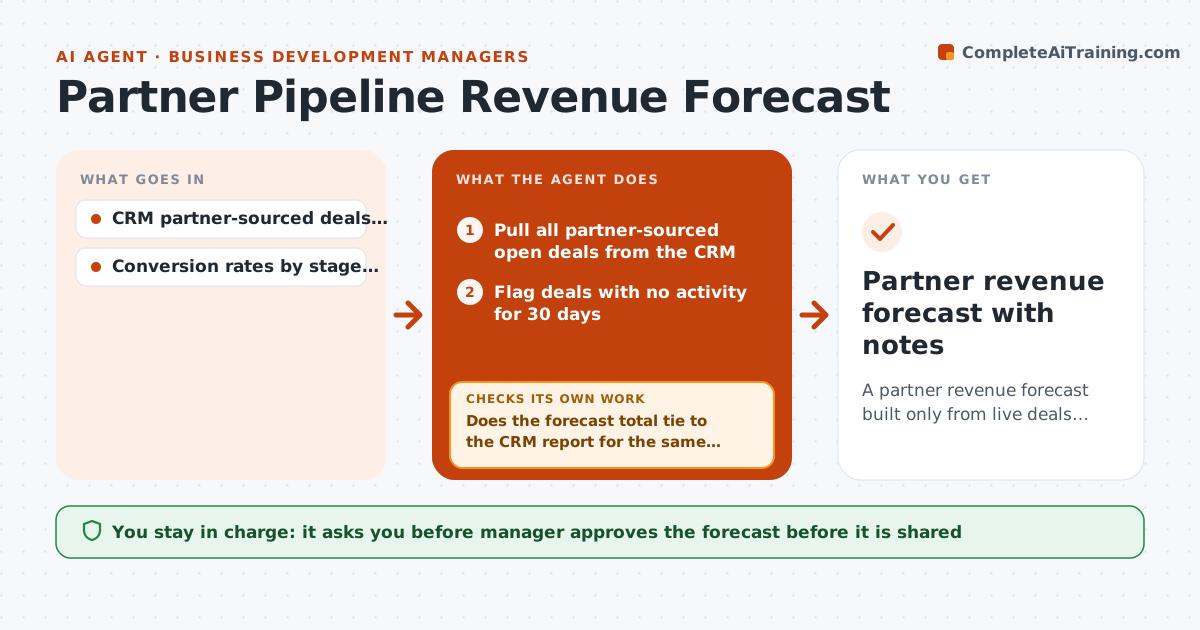
Partner-sourced deals are often over-counted in the forecast because old entries stay open long after anyone has touched them. Each week this agent reads every partner-sourced deal in the CRM, groups them by stage and applies the conversion rates from the last four quarters to estimate expected revenue. It flags entries with no activity for 30 days and sends the partner manager a list asking to confirm or close each one. After every answer it recomputes the forecast and shows the change. It also checks that the total ties to the CRM report for the same filters. The manager approves the forecast before it is shared. Edge case: a large deal has no logged activity but the partner confirms a contract is in legal review, so it stays with a note.
How it works
Follow the arrows from top to bottom. The orange dashed arrow is the loop: when a check fails, the agent goes back and tries again.
Read the steps as a list
- Weekly forecast run begins
- Pull all partner-sourced open deals from the CRM
- Flag deals with no activity for 30 days
- Send the manager a list to confirm or close
- Apply stage conversion rates to the confirmed deals
- Does the forecast total tie to the CRM report for the same filter?If not: find the missing or duplicate deal and rebuild. Back to step 2.
- Recompute after each answer and show the change
- Are all idle deals confirmed or closed?If not: remind the manager and keep them out of the forecast. Back to step 4.
- Manager approves the forecast before sharingThe agent waits here for your OK.
- Partner revenue forecast with notes
How it decides
Each stage amount is multiplied by its past conversion rate. Deals idle for 30 days are excluded until the manager confirms or closes them.
- Exclude deals idle for 30 days until confirmed
- Use conversion rates from the last four quarters
- Keep a confirmed idle deal with a written note and a review date
- Report the forecast as a range from low to high stage rates
Make it yours
Every agent is a starting point. You choose these settings for your own situation.
- Idle days limit (default 30)
- Quarters used for conversion rates
- Forecast range method
- Day of the week
What keeps you in control
It always asks you first
- Manager approves the forecast before it is shared
- Manager approves closing or reopening any deal
Hard limits
- Never close a deal without approval
- Do not edit the CRM without approval
- Show how each number was built
It stops when
- Done: forecast approved and filed
- Stop: CRM data is missing and the manager must fix it
Set it up
We guide you through the set-up, step by step
Members get the full set-up guide for this agent. No technical skills needed: you copy, paste and upload.
- One set of instructions to paste into your AI, with the clicks for ChatGPT, Claude, Microsoft 365 Copilot, Gemini and Grok
- The agent then walks you through connecting your own data, one source at a time
- A downloadable copy with the flow chart, the rules and the full guide