AI agent for finance and accounting specialists
Broker Commission Reconciliation Agent
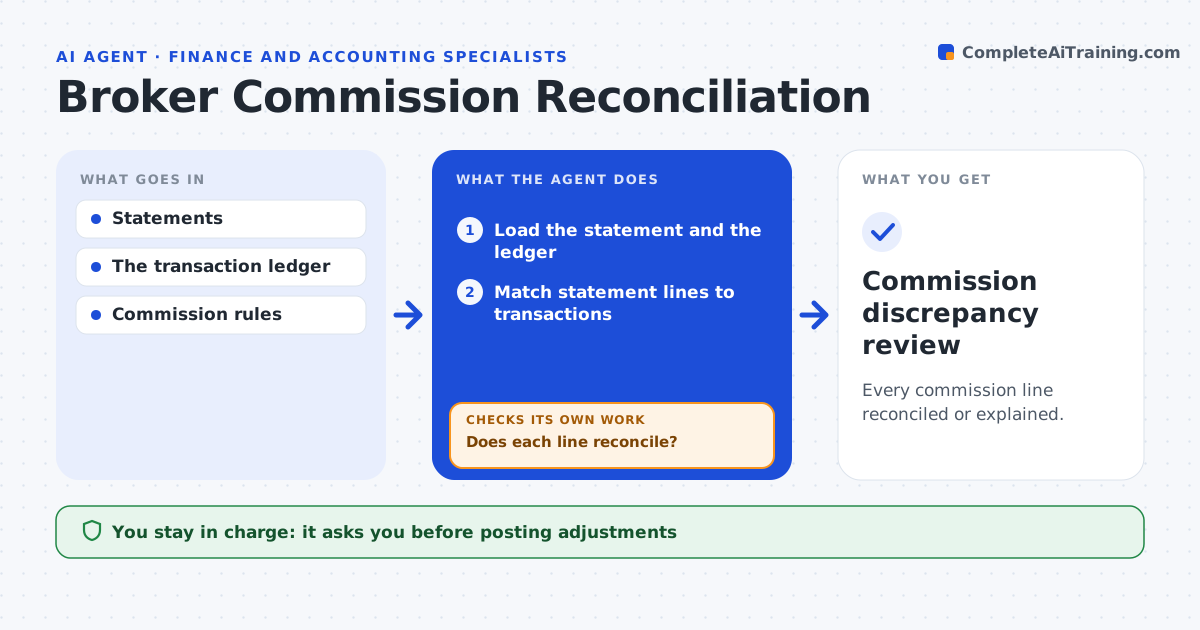
Every commission line reconciled or explained.
What it does
Commission statements from insurers often do not match the broker's transaction ledger. Finance staff then spend days explaining the residuals. When a statement arrives, this agent matches each line to ledger transactions by policy number, amount and date. For lines that do not reconcile, it looks at the pattern of the difference: a wrong rate, timing such as a late posting, or a cancellation reversal. It tests the likely explanation and matches again. Lines that still do not reconcile go into a workpaper with the evidence. Finance approves any adjustment or dispute; the agent never posts entries or contacts insurers. Edge case: a $640 shortfall is exactly 2% of premium, pointing to a rate change that the agent checks against the agreement.
How it works
Follow the arrows from top to bottom. The orange dashed arrow is the loop: when a check fails, the agent goes back and tries again.
Read the steps as a list
- Statement arrives
- Load the statement and the ledger
- Match statement lines to transactions
- Does each line reconcile?If not: test rate, timing and reversal explanations, then match again. Back to step 3.
- List unresolved lines with evidence
- Prepare the workpaper
- Finance approves adjustments or disputesThe agent waits here for your OK.
- Commission discrepancy review
How it decides
It chooses checks from the size and nature of each residual.
- Pick the explanation to test from the residual's pattern.
- Residuals below the threshold are cleared and listed.
- Unresolved lines are never adjusted by the agent.
Make it yours
Every agent is a starting point. You choose these settings for your own situation.
- Ledger and statement sources
- Residual below which lines are auto-cleared (default $5)
- Explanation types tested (default rate, timing, reversal)
- Who approves adjustments and disputes
What keeps you in control
It always asks you first
- Posting adjustments
- Insurer disputes
Hard limits
- No postings.
It stops when
- Done: all lines handled.
Set it up
We guide you through the set-up, step by step
Members get the full set-up guide for this agent. No technical skills needed: you copy, paste and upload.
- One set of instructions to paste into your AI, with the clicks for ChatGPT, Claude, Microsoft 365 Copilot, Gemini and Grok
- The agent then walks you through connecting your own data, one source at a time
- A downloadable copy with the flow chart, the rules and the full guide