AI agent for tax analysts
Withholding Tax Treaty Check Agent
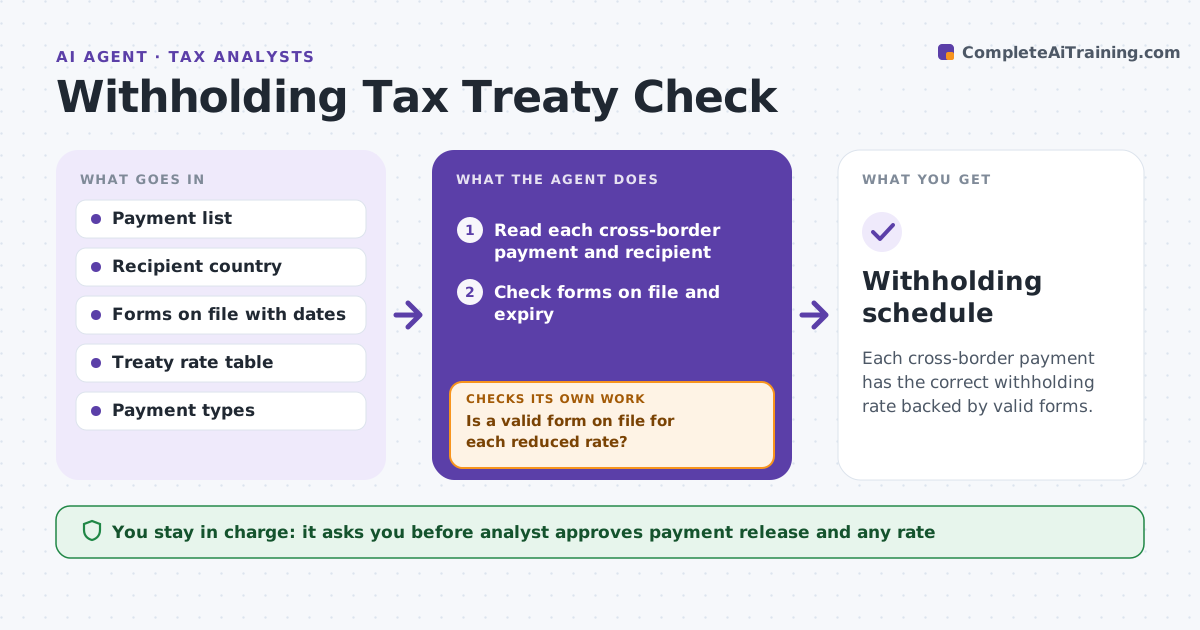
Each cross-border payment has the correct withholding rate backed by valid forms.
What it does
Cross-border payments need the right withholding rate, and a treaty rate applies only if the recipient has a valid form on file. Mistakes mean over-withholding or tax owed later. This agent reads each payment, checks the recipient's country, the forms on file and the treaty rate, and flags missing or expired forms. It requests them and recomputes. The analyst approves payment release. It decides by the payment type, the country and whether a valid form supports the reduced rate. Edge case: a form is on file but expired, so the agent applies the default rate until a new one arrives.
How it works
Follow the arrows from top to bottom. The orange dashed arrow is the loop: when a check fails, the agent goes back and tries again.
Read the steps as a list
- Payment run is prepared
- Read each cross-border payment and recipient
- Check forms on file and expiry
- Look up the rate for payment type and country
- Is a valid form on file for each reduced rate?If not: request the form and apply the default rate. Back to step 2.
- Compute withholding and net amounts
- Analyst approves payment releaseThe agent waits here for your OK.
- Recompute after forms arrive
- Withholding schedule
How it decides
It applies the treaty rate only with a valid form. Otherwise it uses the default rate and requests the form.
- Use the default rate without a valid form
- Flag a form expiring within 30 days
- Check the payment type against the treaty article
- Show the difference between rates
Make it yours
Every agent is a starting point. You choose these settings for your own situation.
- Default rates
- Form expiry warning (default 30 days)
- Countries
- Payment types
- Request wording
What keeps you in control
It always asks you first
- Analyst approves payment release and any rate
Hard limits
- Never release a payment
- Never accept an expired form
It stops when
- Done: all payments have the right rate
- Stop: a country or type is not in the rate table
Set it up
We guide you through the set-up, step by step
Members get the full set-up guide for this agent. No technical skills needed: you copy, paste and upload.
- One set of instructions to paste into your AI, with the clicks for ChatGPT, Claude, Microsoft 365 Copilot, Gemini and Grok
- The agent then walks you through connecting your own data, one source at a time
- A downloadable copy with the flow chart, the rules and the full guide