AI agent for operations managers
Claim Payment Document Reconciliation Agent
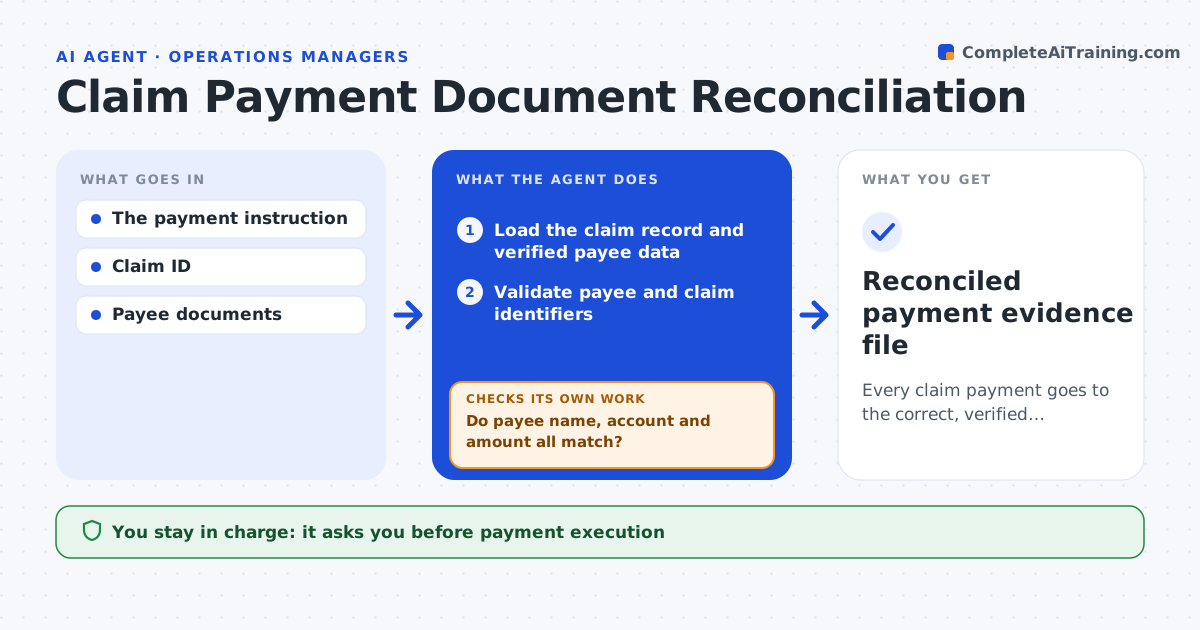
Every claim payment goes to the correct, verified payee.
What it does
Claim payment files sometimes carry payee details that do not match the claim, which can send money to the wrong person. After a payment instruction is approved, this agent validates the claim number, the payee name, the bank account and the amount against the claim record and verified payee data. If any of these do not match, the payment draft stays blocked and the mismatch is flagged with the evidence, even when the claim number is correct. Matched payments get a review packet for claims finance. The agent never executes a payment or changes entitlement. Edge case: the claim number and amount match, but the bank account was changed by email two days earlier and has not been verified, so the draft stays blocked.
How it works
Follow the arrows from top to bottom. The orange dashed arrow is the loop: when a check fails, the agent goes back and tries again.
Read the steps as a list
- Payment instruction approved
- Load the claim record and verified payee data
- Validate payee and claim identifiers
- Do payee name, account and amount all match?If not: block the draft, flag the mismatch and wait for verification. Back to step 3.
- Check for recent bank detail changes
- Assemble the payment review packet
- Claims finance executes paymentThe agent waits here for your OK.
- Reconciled payment evidence file
How it decides
It checks identity and amount discrepancies first and blocks on any mismatch.
- Block on any mismatch, even with a correct claim number.
- Bank details changed in the recent window need independent verification.
- Payments above the threshold need a second reviewer.
Make it yours
Every agent is a starting point. You choose these settings for your own situation.
- Fields that must match (default claim number, payee, account, amount)
- Recent bank change window that requires verification (default 30 days)
- Amount above which a second reviewer is needed (default $25,000)
- Who executes payments
What keeps you in control
It always asks you first
- Payment execution
- Entitlement decisions
Hard limits
- Never executes payments.
It stops when
- Done: verified or blocked.
Set it up
We guide you through the set-up, step by step
Members get the full set-up guide for this agent. No technical skills needed: you copy, paste and upload.
- One set of instructions to paste into your AI, with the clicks for ChatGPT, Claude, Microsoft 365 Copilot, Gemini and Grok
- The agent then walks you through connecting your own data, one source at a time
- A downloadable copy with the flow chart, the rules and the full guide