AI agent for tax analysts
Year-End Tax Provision Rollforward Agent
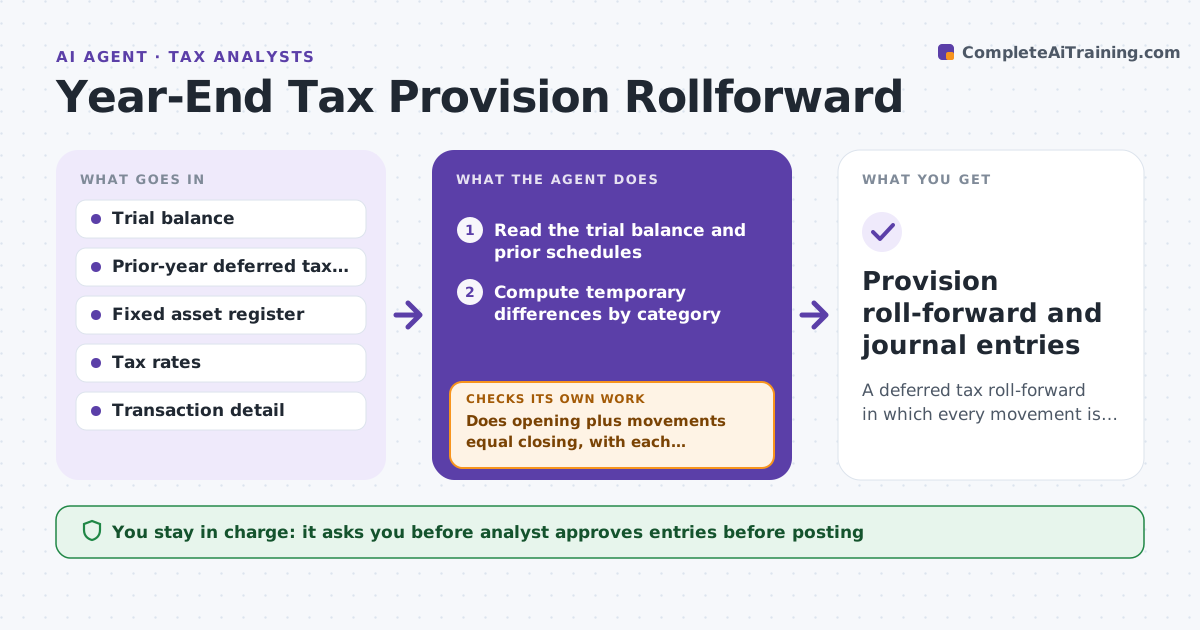
A deferred tax roll-forward in which every movement is tied to a transaction.
What it does
Deferred tax balances are rolled forward from the prior year by hand, with schedules that break if one row is wrong. This agent reads the trial balance and prior-year schedules, computes temporary differences, checks each movement against the underlying transactions and flags unusual items. After corrections it rechecks the roll-forward from the beginning. It decides from the rule that the closing balance equals the opening plus movements, with each movement tied to a transaction. The analyst approves the entries before posting. Edge case: a depreciation difference moves more than the asset additions explain, so the agent asks for the disposal.
How it works
Follow the arrows from top to bottom. The orange dashed arrow is the loop: when a check fails, the agent goes back and tries again.
Read the steps as a list
- Year-end close begins
- Read the trial balance and prior schedules
- Compute temporary differences by category
- Apply tax rates and compute the closing balance
- Tie each movement to transactions
- Flag unusual or untied items
- Analyst reviews and approves the entriesThe agent waits here for your OK.
- Recompute the roll-forward after corrections
- Does opening plus movements equal closing, with each movement tied?If not: list the untied items and return them. Back to step 4.
- Provision roll-forward and journal entries
How it decides
It rebuilds the balance from temporary differences and tax rates and flags movements it cannot tie.
- Flag a movement over 10% without a transaction
- Check the tax rate used against the enacted rate
- Check that opening balances equal last year's closing
- Flag items with no support
Make it yours
Every agent is a starting point. You choose these settings for your own situation.
- Materiality threshold (default 10%)
- Tax rates by entity
- Categories
- Schedules used
- Output format
What keeps you in control
It always asks you first
- Analyst approves entries before posting
Hard limits
- Never post entries
- Never use a rate that is not enacted
It stops when
- Done: the roll-forward ties
- Stop: a movement cannot be supported
Set it up
We guide you through the set-up, step by step
Members get the full set-up guide for this agent. No technical skills needed: you copy, paste and upload.
- One set of instructions to paste into your AI, with the clicks for ChatGPT, Claude, Microsoft 365 Copilot, Gemini and Grok
- The agent then walks you through connecting your own data, one source at a time
- A downloadable copy with the flow chart, the rules and the full guide