AI agent for facilities managers
Building Energy Anomaly Agent
Find and fix energy waste quickly
What it does
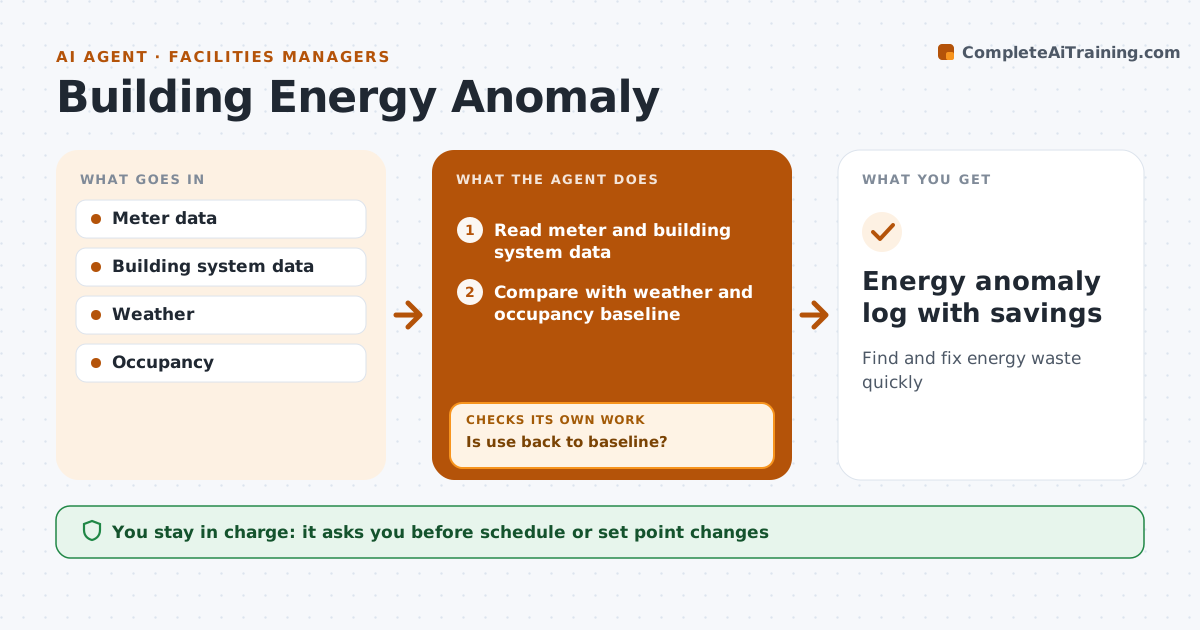
Energy waste often comes from equipment running at night, heating and cooling fighting each other, or a broken sensor, and it hides in a monthly bill. Each day this agent reads meter and building management data and compares use with a baseline adjusted for weather and occupancy. Planned events and holidays are excluded. It flags use more than 15 percent above baseline for three days in a row, broken down by time and system, and checks night use against schedules. It suggests the most likely cause and a check for the technician. The facilities manager approves the technician check and any change to schedules or set points. After the fix, it compares use again. If waste continues, it suggests the next likely cause and loops back. Edge case: a sensor reading that jumps to an impossible value is treated as a sensor fault first.
How it works
Follow the arrows from top to bottom. The orange dashed arrow is the loop: when a check fails, the agent goes back and tries again.
Read the steps as a list
- Daily run
- Read meter and building system data
- Compare with weather and occupancy baseline
- Flag unusual use and suggest causes
- Facilities manager approves the technician check or schedule changeThe agent waits here for your OK.
- Compare use after the fix
- Is use back to baseline?If not: suggest the next likely cause. Back to step 4.
- Energy anomaly log with savings
How it decides
It flags use more than 15 percent above the weather-adjusted baseline for three days in a row.
- 15 percent over baseline for three days
- Events and holidays excluded
- Night use checked against schedules
Make it yours
Every agent is a starting point. You choose these settings for your own situation.
- Baseline method
- Threshold (default 15 percent)
- Excluded dates
- Buildings in scope
What keeps you in control
It always asks you first
- Schedule or set point changes
- Technician call-outs
Hard limits
- Never changes building system settings itself
- Never overrides life safety systems
It stops when
- Done: use back to baseline
- Stop: needs capital repair
Set it up
We guide you through the set-up, step by step
Members get the full set-up guide for this agent. No technical skills needed: you copy, paste and upload.
- One set of instructions to paste into your AI, with the clicks for ChatGPT, Claude, Microsoft 365 Copilot, Gemini and Grok
- The agent then walks you through connecting your own data, one source at a time
- A downloadable copy with the flow chart, the rules and the full guide