AI agent for head of operations
Operational Form Completion Agent
Complete, consistent operational forms.
What it does
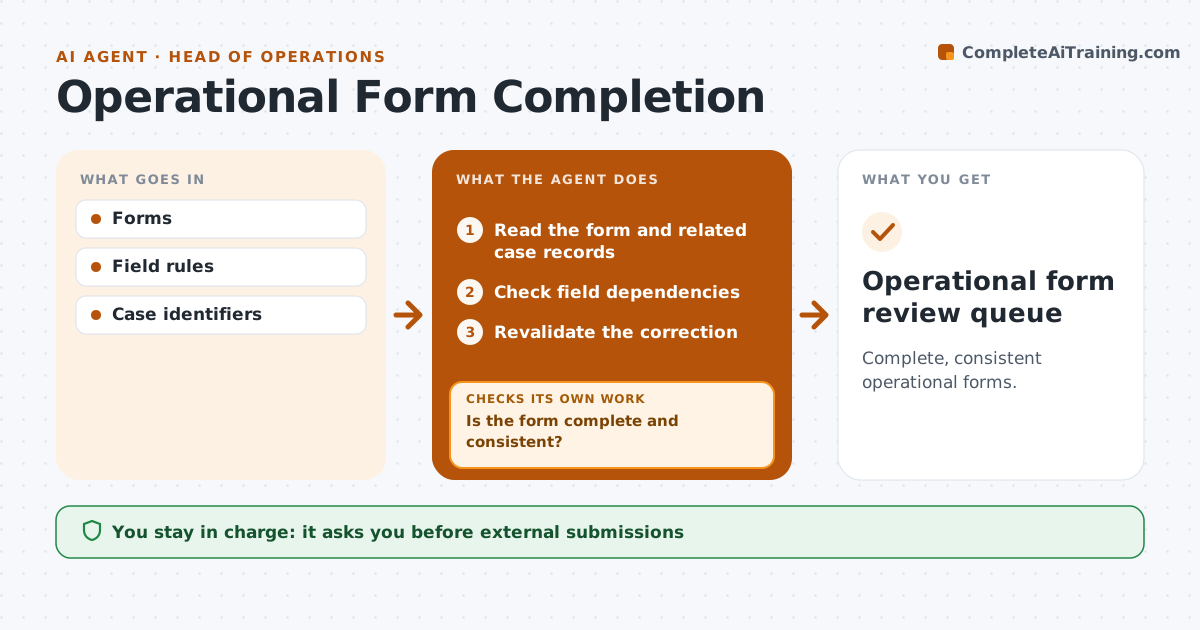
Operational forms such as incident reports or work orders often arrive incomplete or with fields that contradict each other. When a form is submitted, this agent checks fields that depend on each other, such as dates against the case timeline or IDs against the case record. When something is missing or inconsistent, it sends the submitter a targeted question about that field. It then rechecks the correction. If the correction creates a new conflict, it asks again about that specific conflict. Complete forms move to the review queue. The agent never submits forms externally or makes case decisions. Edge case: a correction fixes the date but changes the case ID, so the agent asks which case is correct.
How it works
Follow the arrows from top to bottom. The orange dashed arrow is the loop: when a check fails, the agent goes back and tries again.
Read the steps as a list
- Form submitted
- Read the form and related case records
- Check field dependencies
- Is the form complete and consistent?If not: ask a targeted question. Back to step 3.
- Revalidate the correction
- Is the correction free of new conflicts?If not: ask again about the specific conflict. Back to step 5.
- Reviewer accepts the formThe agent waits here for your OK.
- Operational form review queue
How it decides
It checks dependent fields and re-checks every correction.
- Dependencies decide which fields to check together.
- Every correction is rechecked in full.
- After the maximum rounds, escalate to the form owner.
Make it yours
Every agent is a starting point. You choose these settings for your own situation.
- Field dependency rules per form type
- How questions are sent (email, chat, form comment)
- Maximum question rounds before escalation (default 3)
- Who owns the review queue
What keeps you in control
It always asks you first
- External submissions
- Case decisions
Hard limits
- No case decisions.
It stops when
- Done: valid.
Set it up
We guide you through the set-up, step by step
Members get the full set-up guide for this agent. No technical skills needed: you copy, paste and upload.
- One set of instructions to paste into your AI, with the clicks for ChatGPT, Claude, Microsoft 365 Copilot, Gemini and Grok
- The agent then walks you through connecting your own data, one source at a time
- A downloadable copy with the flow chart, the rules and the full guide