AI agent for diplomats
Cable and Report Distribution Check Agent
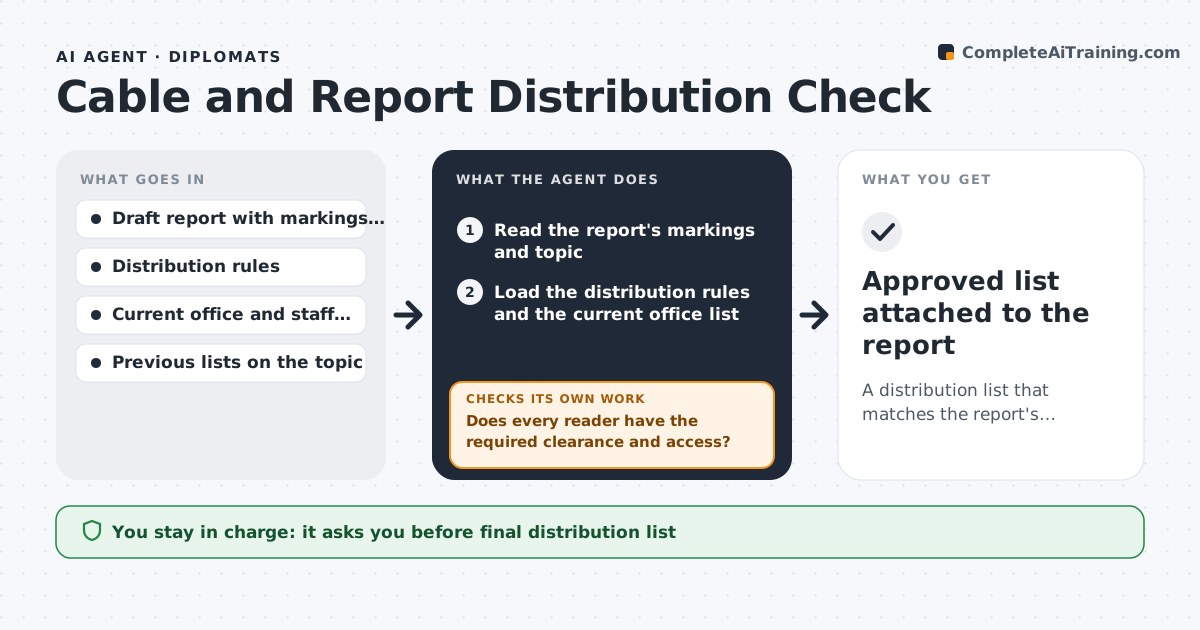
A distribution list that matches the report's markings, topic and the current office roster
What it does
A report can reach someone who should not see it, or miss the office that needs it, because the list was copied from the last one. Before a report is sent, this agent reads its markings and topic and compares them with the distribution rules and the current office list. It flags readers who lack the needed clearance or access and offices that should receive it but are missing. It then revises the list and checks it again against the rules, including any changes since the last report on the same topic. It also checks that the list reflects recent staff changes, such as people who moved posts. The officer approves the list before sending. Edge case: a report on a trade dispute needs the commercial section, which the last list for a political topic did not include.
How it works
Follow the arrows from top to bottom. The orange dashed arrow is the loop: when a check fails, the agent goes back and tries again.
Read the steps as a list
- Officer marks the report ready to send
- Read the report's markings and topic
- Load the distribution rules and the current office list
- Build the list of required readers by topic
- Compare the proposed list with the clearance of each reader
- Does every reader have the required clearance and access?If not: remove or flag the reader and suggest an allowed alternative. Back to step 4.
- Is every required office on the list?If not: add the missing office and check its readers. Back to step 4.
- Check the list for staff who have moved posts
- Officer approves the final distribution listThe agent waits here for your OK.
- Approved list attached to the report
How it decides
A reader is allowed when the clearance and need-to-know rules allow the markings. An office is added when the topic rules say it must receive the report.
- Remove any reader whose clearance is below the report's marking
- Add the offices named for the topic in the distribution rules
- Flag a reader who changed posts in the last 60 days for confirmation
- Never add a reader outside the mission without explicit approval
Make it yours
Every agent is a starting point. You choose these settings for your own situation.
- Distribution rules by topic
- Recheck period for staff moves (default 60 days)
- Directory source
- Who approves
What keeps you in control
It always asks you first
- Final distribution list
Hard limits
- Never sends the report
- Never changes a marking
It stops when
- Done: the list passes all checks and is approved
- Stop: the report has no marking
Set it up
We guide you through the set-up, step by step
Members get the full set-up guide for this agent. No technical skills needed: you copy, paste and upload.
- One set of instructions to paste into your AI, with the clicks for ChatGPT, Claude, Microsoft 365 Copilot, Gemini and Grok
- The agent then walks you through connecting your own data, one source at a time
- A downloadable copy with the flow chart, the rules and the full guide