AI agent for customer service managers
Call Escalation Callback Agent
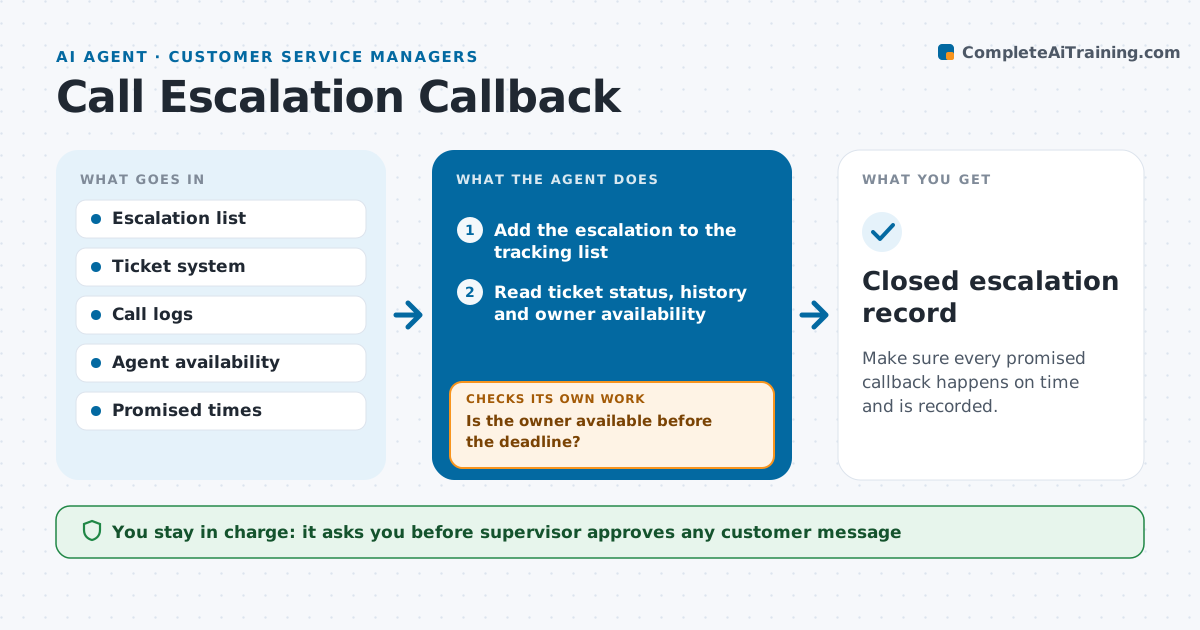
Make sure every promised callback happens on time and is recorded.
What it does
A customer was promised a call back by 3 pm, and at 5 pm they call again, angrier. This agent keeps track of every open escalation. It lists them with the promised time, owner and ticket status. Before each deadline it reminds the owner and gathers the context for the callback: the ticket history, the earlier calls, the order or account details and what was promised. After the callback time passes, it checks that the call happened and that the ticket was updated with the outcome. If it was not, it escalates to the supervisor with the full context. If a customer needs a message, it drafts one, and the supervisor approves it. Edge case: the owner is on leave, so the agent reassigns the callback to the next available agent.
How it works
Follow the arrows from top to bottom. The orange dashed arrow is the loop: when a check fails, the agent goes back and tries again.
Read the steps as a list
- Call is escalated with a promised time
- Add the escalation to the tracking list
- Read ticket status, history and owner availability
- Is the owner available before the deadline?If not: propose another agent and ask the supervisor to approve the reassignment. Back to step 3.
- Send the owner a reminder with a context summary
- Check call logs after the promised time
- Is there a logged call and an updated ticket note?If not: alert the supervisor and send the owner a second reminder. Back to step 6.
- Draft a message for the customer if the callback is late
- Supervisor approves any customer message or reassignmentThe agent waits here for your OK.
- Closed escalation record
How it decides
It reminds owners 60 minutes before the promise. A callback counts as done only when a call is logged and the ticket has a note after it.
- Remind the owner 60 minutes before the promised time
- Escalate to the supervisor 15 minutes after a missed promise
- Count a callback as done only when the call log and ticket note both exist
- Reassign if the owner is absent and no handover note exists
Make it yours
Every agent is a starting point. You choose these settings for your own situation.
- Reminder lead time (default 60 minutes)
- Time before a supervisor is alerted (default 15 minutes)
- Which tickets count as escalations
- Customer message tone
- Reassignment rules
What keeps you in control
It always asks you first
- Supervisor approves any customer message
- Supervisor approves reassignment of an escalation
Hard limits
- Never send a message to a customer without supervisor approval
- Never close an escalation without a ticket note
It stops when
- Done: callback made and ticket updated
- Stop: customer cannot be reached after three attempts, so the supervisor decides next steps
Set it up
We guide you through the set-up, step by step
Members get the full set-up guide for this agent. No technical skills needed: you copy, paste and upload.
- One set of instructions to paste into your AI, with the clicks for ChatGPT, Claude, Microsoft 365 Copilot, Gemini and Grok
- The agent then walks you through connecting your own data, one source at a time
- A downloadable copy with the flow chart, the rules and the full guide