AI agent for customer support representatives
Support Incident Follow-up Agent
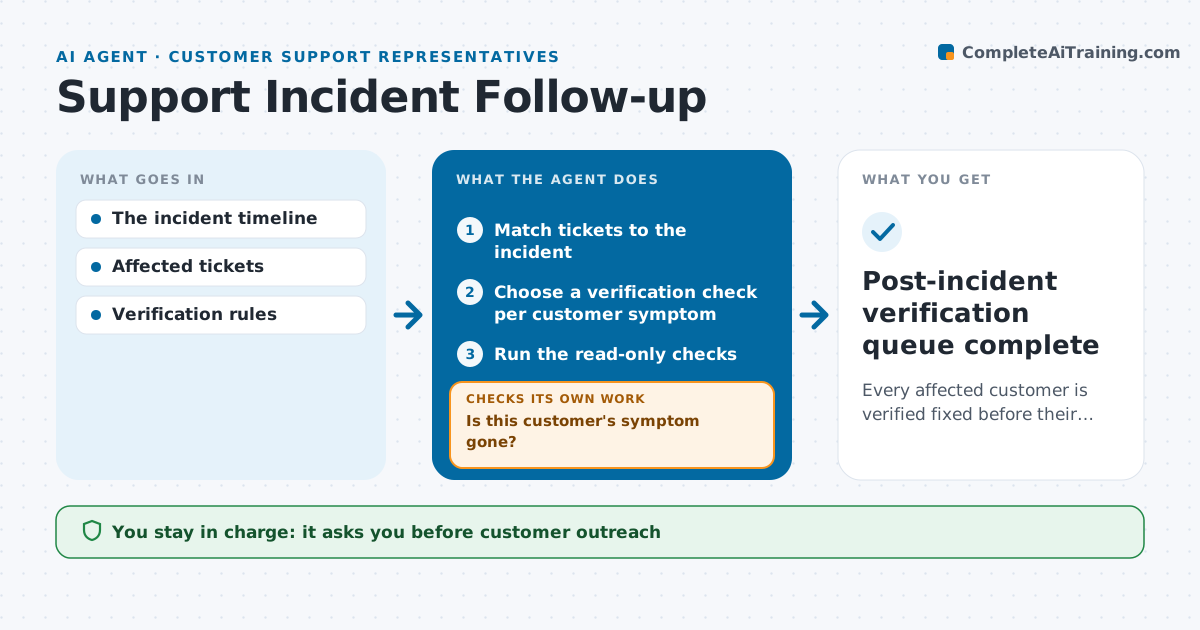
Every affected customer is verified fixed before their ticket is closed.
What it does
After an incident is fixed, the customers who reported it are often closed in bulk, even if some still have the problem. Those customers come back angrier. This agent matches tickets to the resolved incident and picks a verification check for each customer's own symptom, rather than one global check. It runs the checks read-only. Customers whose symptom is gone get a follow-up draft confirming the fix. Customers whose check still fails get a separate internal investigation, because the cause may be on their side or a different problem. The support lead approves outreach and closures. Edge case: a customer whose environment cannot be checked gets a message asking them to confirm, instead of an automatic close.
How it works
Follow the arrows from top to bottom. The orange dashed arrow is the loop: when a check fails, the agent goes back and tries again.
Read the steps as a list
- Incident marked resolved
- Match tickets to the incident
- Choose a verification check per customer symptom
- Run the read-only checks
- Is this customer's symptom gone?If not: open a separate internal investigation. Back to step 4.
- Prepare follow-up drafts
- Support lead approves outreach and closuresThe agent waits here for your OK.
- Post-incident verification queue complete
How it decides
It chooses a check per customer symptom; persistent local failures split off into their own investigation instead of blanket closure.
- Check per symptom: choose a verification for each customer's reported problem, not one global check.
- Close or investigate: by the customer-specific result.
- Unreachable environment: ask the customer to confirm rather than close.
- Match to incident: by time window and affected service, reviewed when uncertain.
Make it yours
Every agent is a starting point. You choose these settings for your own situation.
- Verification checks per incident type (default read-only only)
- Time window for matching tickets to an incident (default 2 hours before the start until resolution)
- Follow-up template and tone
- Days to wait for customer confirmation before closing (default 3)
- Who approves outreach and closures (default the support lead)
What keeps you in control
It always asks you first
- Customer outreach
- Ticket closure
Hard limits
- Read-only checks.
It stops when
- Done: all tickets verified or investigated.
Set it up
We guide you through the set-up, step by step
Members get the full set-up guide for this agent. No technical skills needed: you copy, paste and upload.
- One set of instructions to paste into your AI, with the clicks for ChatGPT, Claude, Microsoft 365 Copilot, Gemini and Grok
- The agent then walks you through connecting your own data, one source at a time
- A downloadable copy with the flow chart, the rules and the full guide