AI agent for recruiters
Candidate Sourcing Outreach Sequence Agent
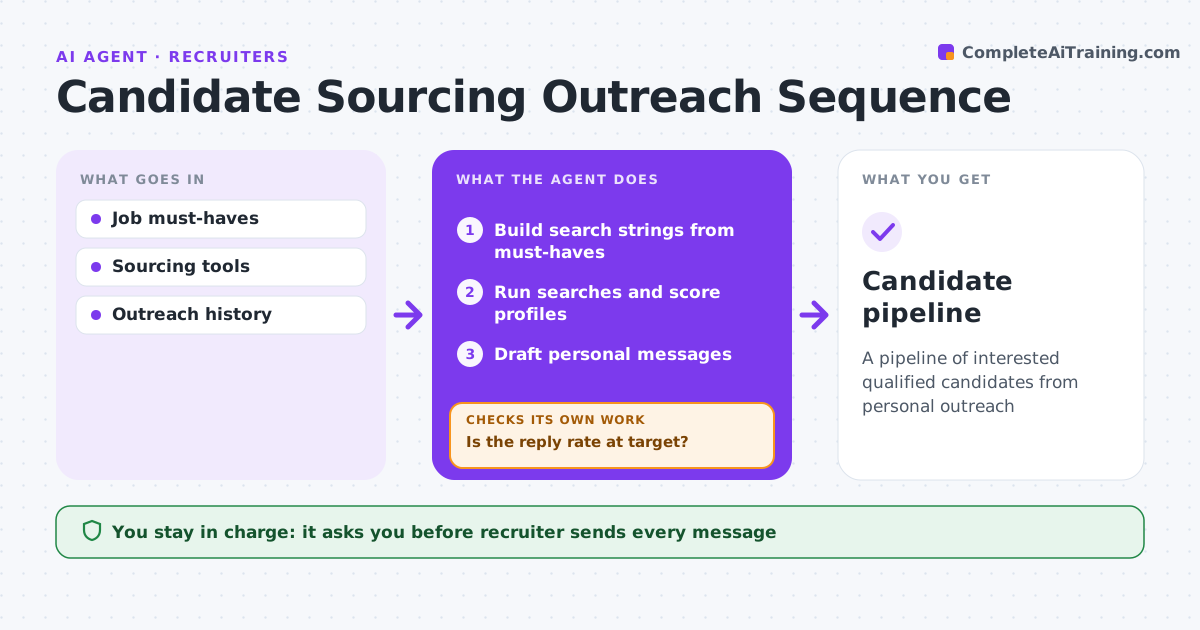
A pipeline of interested qualified candidates from personal outreach
What it does
Recruiters search for passive candidates and send outreach that is often ignored. When a requisition opens, this agent builds search strings from the job's must-haves, runs them in the recruiter's sourcing tools and scores profiles against the role. Every must-have is required. It skips people who opted out or were contacted in the last 6 months. It drafts personal first messages and follow-ups, and the recruiter approves and sends each batch. It tracks replies and checks whether the reply rate reaches the 20% target. If not, it adjusts the search or the message and tries again. Edge case: a candidate who asks not to be contacted again is added to the opt-out list at once and never messaged by any later batch.
How it works
Follow the arrows from top to bottom. The orange dashed arrow is the loop: when a check fails, the agent goes back and tries again.
Read the steps as a list
- Requisition opens
- Build search strings from must-haves
- Run searches and score profiles
- Draft personal messages
- Recruiter approves and sends batchThe agent waits here for your OK.
- Track replies
- Is the reply rate at target?If not: adjust search or message. Back to step 2.
- Candidate pipeline
How it decides
Profiles are scored on must-haves. Reply rate below target triggers changes.
- Must-haves required
- Skip opted-out and recent contacts
- Reply target 20%
Make it yours
Every agent is a starting point. You choose these settings for your own situation.
- Reply target
- Batch size
- Recontact window
- Message tone
What keeps you in control
It always asks you first
- Recruiter sends every message
Hard limits
- Never sends messages itself
- Follows opt-outs
It stops when
- Done: enough interested candidates
- Stop: role closed
Set it up
We guide you through the set-up, step by step
Members get the full set-up guide for this agent. No technical skills needed: you copy, paste and upload.
- One set of instructions to paste into your AI, with the clicks for ChatGPT, Claude, Microsoft 365 Copilot, Gemini and Grok
- The agent then walks you through connecting your own data, one source at a time
- A downloadable copy with the flow chart, the rules and the full guide