AI agent for founders
Cap Table and Equity Scenario Agent
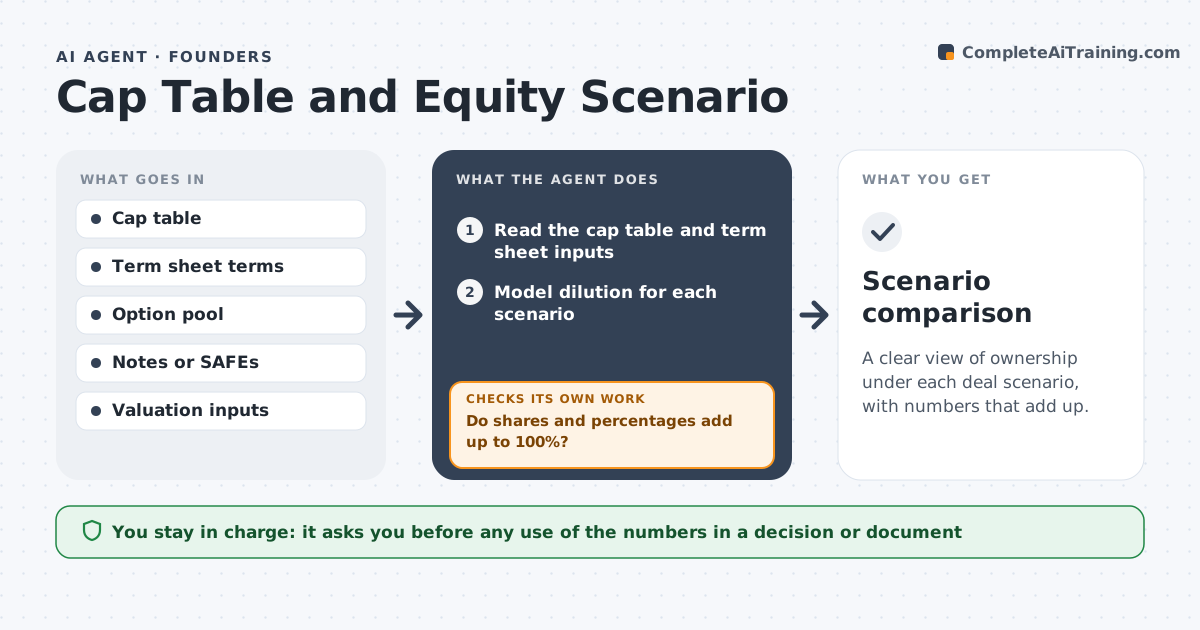
A clear view of ownership under each deal scenario, with numbers that add up.
What it does
A term sheet says a 20% raise with a 10% pool, and the founder cannot tell what each person will own afterward. This agent reads the cap table and term sheet inputs and models dilution under several scenarios. It checks that totals add up to 100% and flags inconsistencies, such as options counted twice. It reruns on changed terms. It also shows what each holder owns after each scenario, including the founders, early employees and the new investor, so the effect of the option pool is visible. Numbers are rechecked by hand-calculating one holder's stake. Edge case: a convertible note converts at a discount, so the agent models both with and without the cap. The founder reviews with a lawyer before any decision.
How it works
Follow the arrows from top to bottom. The orange dashed arrow is the loop: when a check fails, the agent goes back and tries again.
Read the steps as a list
- Founder shares terms and cap table
- Read the cap table and term sheet inputs
- Model dilution for each scenario
- Do shares and percentages add up to 100%?If not: find the double count or error and fix it. Back to step 3.
- Include notes, SAFEs and pool changes
- Do results match a manual check of one holder?If not: trace the difference and rerun. Back to step 3.
- Compare scenarios side by side
- Founder reviews with a lawyerThe agent waits here for your OK.
- Scenario comparison
How it decides
It builds each scenario from the same base and rejects any table where shares or percentages do not sum correctly.
- Totals must equal 100% to the rounding limit.
- Model notes both with and without caps.
- Option pool top-ups count before the new money.
- Show the effect for each holder.
Make it yours
Every agent is a starting point. You choose these settings for your own situation.
- Scenarios
- Rounding
- Pool size
- Note terms
- Output format
What keeps you in control
It always asks you first
- Any use of the numbers in a decision or document
Hard limits
- Do not give legal or financial advice.
- Do not share the cap table.
It stops when
- Done: scenarios reconcile and the founder reviews them
- Stop: terms are unclear, so the agent lists the questions
Set it up
We guide you through the set-up, step by step
Members get the full set-up guide for this agent. No technical skills needed: you copy, paste and upload.
- One set of instructions to paste into your AI, with the clicks for ChatGPT, Claude, Microsoft 365 Copilot, Gemini and Grok
- The agent then walks you through connecting your own data, one source at a time
- A downloadable copy with the flow chart, the rules and the full guide