AI agent for online course creators
Course Launch Readiness Agent
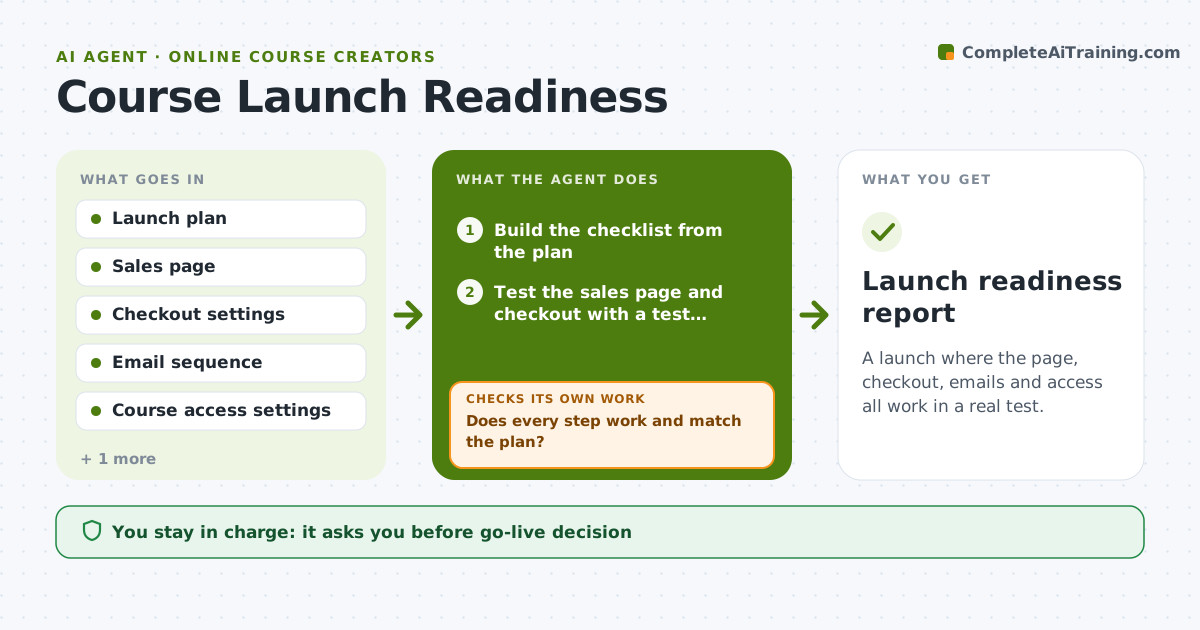
A launch where the page, checkout, emails and access all work in a real test.
What it does
The big launch is in three days, and nobody has noticed the checkout link points to last year's price or the bonus download is missing. This agent builds a launch checklist from your plan and then actually tests the pieces: the sales page, checkout with a test purchase, the welcome email and course access. It logs every failure, waits for fixes and retests. It also checks that bonuses, payment links and email sequences match the plan. Edge case: the welcome email links to a lesson that is still hidden, so the agent flags it. The creator approves going live.
How it works
Follow the arrows from top to bottom. The orange dashed arrow is the loop: when a check fails, the agent goes back and tries again.
Read the steps as a list
- Launch plan finalized
- Build the checklist from the plan
- Test the sales page and checkout with a test purchase
- Check the welcome email and course access after purchase
- Does every step work and match the plan?If not: log the failures and ask the creator to fix them. Back to step 2.
- Check bonuses, pricing and email sequence against the plan
- Retest the failed items
- Are all blockers cleared?If not: list what remains and set a recheck time. Back to step 7.
- Creator approves going liveThe agent waits here for your OK.
- Launch readiness report
How it decides
It fails any item that differs from the plan or does not work in the test purchase, and holds the launch until all blockers pass.
- Any broken checkout or access issue is a blocker.
- Prices on the page, checkout and emails must match the plan.
- Test purchases use a test mode or a refunded order.
- Retest every fix before marking it passed.
Make it yours
Every agent is a starting point. You choose these settings for your own situation.
- Launch date
- Checklist items
- Test purchase method
- Who fixes each item
- Recheck timing
What keeps you in control
It always asks you first
- Go-live decision
- Any change to live pricing or emails
Hard limits
- Do not use a real customer's payment in a test.
- Do not change live settings itself.
It stops when
- Done: all blockers cleared and the creator approved
- Stop: the payment system cannot be tested, so the agent asks the creator
Set it up
We guide you through the set-up, step by step
Members get the full set-up guide for this agent. No technical skills needed: you copy, paste and upload.
- One set of instructions to paste into your AI, with the clicks for ChatGPT, Claude, Microsoft 365 Copilot, Gemini and Grok
- The agent then walks you through connecting your own data, one source at a time
- A downloadable copy with the flow chart, the rules and the full guide