AI agent for fashion designers
Care Label and Compliance Check Agent
Label text and care instructions that fit the garment and meet each target country's rules
What it does
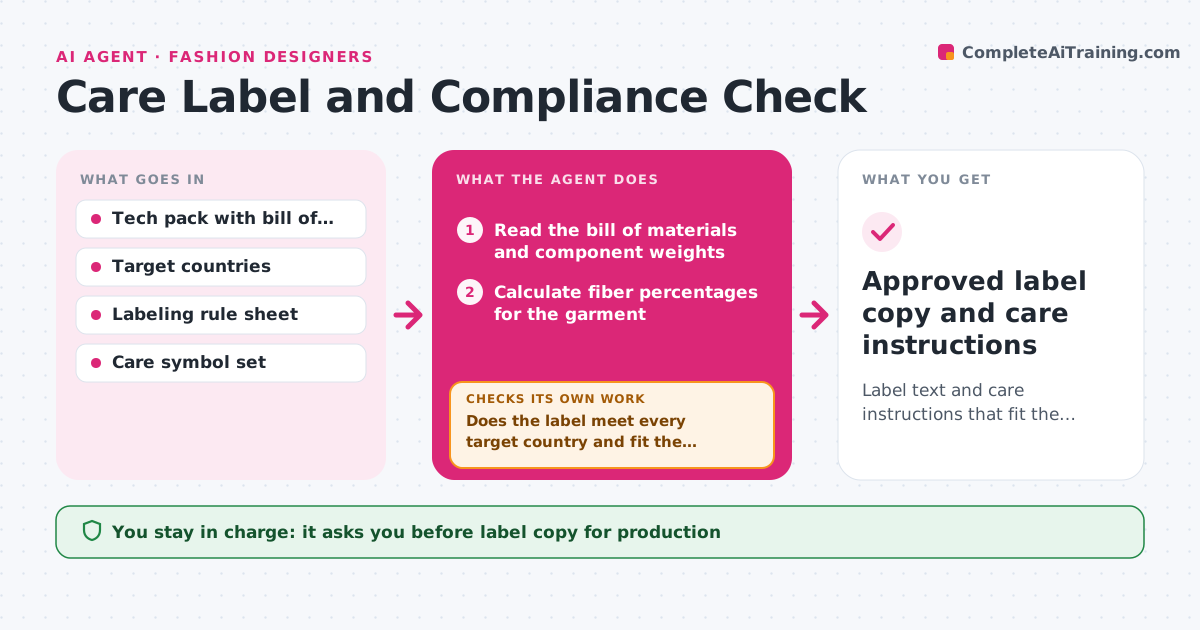
Fiber content, care symbols and origin labels are often wrong or missing for the target market, which causes trouble at the border or at the retailer. This agent reads the tech pack bill of materials and calculates fiber percentages across all components. It assigns care instructions that suit every component, using the most delicate material to set the limit. Then it checks the label text against the rules of each selling country, such as fiber naming, order, origin wording and size. If a component conflicts, for example a trim that cannot be washed on a washable garment, it sends the conflict back to the designer with options and checks again after the change. The designer approves the label copy before production. Edge case: a garment with a leather trim needs separate fiber lines.
How it works
Follow the arrows from top to bottom. The orange dashed arrow is the loop: when a check fails, the agent goes back and tries again.
Read the steps as a list
- Tech pack ready for production
- Read the bill of materials and component weights
- Calculate fiber percentages for the garment
- Assign care instructions limited by the most delicate component
- Check label text against each target country's rules
- Does the label meet every target country and fit the components?If not: send the conflict to the designer with options and recheck after the change. Back to step 3.
- Draft the label copy and symbol set
- Do fiber percentages total 100% and stay consistent with the bill of materials?If not: recalculate and fix the label. Back to step 3.
- Designer approves the label copyThe agent waits here for your OK.
- Approved label copy and care instructions
How it decides
Care instructions follow the most restrictive component. A label passes when its fiber list, care and origin wording meet every target country's rule.
- Set care by the most restrictive component
- Require fiber percentages to total 100% within rounding
- List fibers in descending order where required
- Check each country separately, not an average
Make it yours
Every agent is a starting point. You choose these settings for your own situation.
- Target countries
- Care wording style
- Rounding rule for percentages
- Label languages
What keeps you in control
It always asks you first
- Label copy for production
- Changing a component to resolve a conflict
Hard limits
- Never states a rule it cannot find in the rule sheet
- Never submits labels to the factory
It stops when
- Done: label passes all target countries and is approved
- Stop: rules for a target country are not available
Set it up
We guide you through the set-up, step by step
Members get the full set-up guide for this agent. No technical skills needed: you copy, paste and upload.
- One set of instructions to paste into your AI, with the clicks for ChatGPT, Claude, Microsoft 365 Copilot, Gemini and Grok
- The agent then walks you through connecting your own data, one source at a time
- A downloadable copy with the flow chart, the rules and the full guide