AI agent for industrial designers
Product Design Brief to Spec Gap Agent
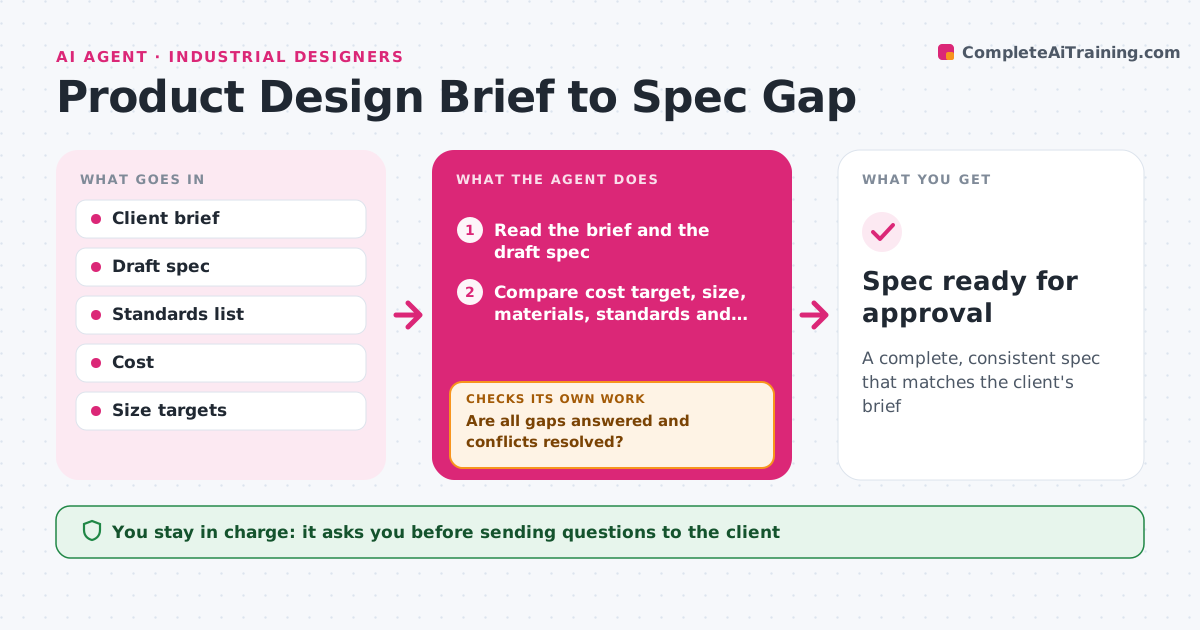
A complete, consistent spec that matches the client's brief
What it does
Specs miss the client's constraints, which leads to expensive redesign later. This agent compares the client's brief with the draft spec on cost target, size, materials, standards and use cases. It lists every gap, such as no stated weight limit or an unspecified market. It then writes questions for the client and updates the spec as answers come in. After each update it checks for conflicts between requirements, such as a low cost target with a premium material. It repeats until there are no gaps and no conflicts, or it lists those that need a decision. The lead approves the spec. Edge case: when the client's brief and answers contradict each other, the agent shows both and asks which wins.
How it works
Follow the arrows from top to bottom. The orange dashed arrow is the loop: when a check fails, the agent goes back and tries again.
Read the steps as a list
- Draft spec written
- Read the brief and the draft spec
- Compare cost target, size, materials, standards and use cases
- List gaps and write questions for the client
- Lead approves sending the questionsThe agent waits here for your OK.
- Update the spec with the client's answers
- Check requirements for conflicts such as cost against material
- Are all gaps answered and conflicts resolved?If not: list the open items and ask the client or the lead for a decision. Back to step 2.
- Spec ready for approval
How it decides
A gap is any brief item missing from the spec. A conflict is any pair of requirements that cannot both be met, based on cost or physical limits.
- Treat a missing brief item as a gap
- Flag a conflict when cost or size cannot be met by the chosen material
- Show both versions when answers contradict the brief
- Never fill a gap with a guess
Make it yours
Every agent is a starting point. You choose these settings for your own situation.
- Spec sections to check
- Format of the questions
- Cost tolerance
- Standards for the market
What keeps you in control
It always asks you first
- Sending questions to the client
- Approving the final spec
Hard limits
- Never contacts the client without approval
- Never invents requirements
It stops when
- Done: no open gaps or conflicts and the lead approved
- Stop: the client does not answer key questions
Set it up
We guide you through the set-up, step by step
Members get the full set-up guide for this agent. No technical skills needed: you copy, paste and upload.
- One set of instructions to paste into your AI, with the clicks for ChatGPT, Claude, Microsoft 365 Copilot, Gemini and Grok
- The agent then walks you through connecting your own data, one source at a time
- A downloadable copy with the flow chart, the rules and the full guide