
AI agent for social workers
Case Closure Review Agent
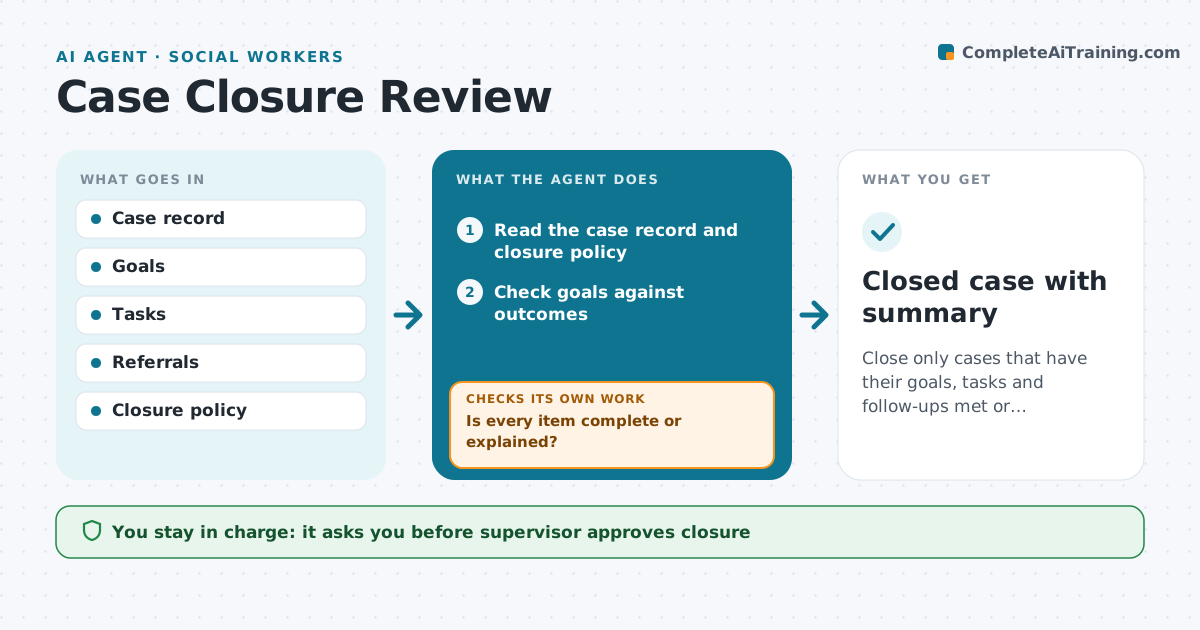
Close only cases that have their goals, tasks and follow-ups met or explained.
What it does
Cases sometimes close with open tasks, an unmet goal or a missing follow-up. When a worker proposes to close a case, this agent reads the record. It checks the goals against the outcome, lists open tasks and referrals, checks required follow-ups such as a final visit or a letter, and flags gaps. If there is an open item, it sends the case back to the worker with the list. After the worker fixes or explains each item, it rechecks. When all items are met, it drafts the closure summary for the supervisor. The supervisor approves closure. Edge case: a referral was made but never acknowledged, so the agent flags it as unconfirmed.
How it works
Follow the arrows from top to bottom. The orange dashed arrow is the loop: when a check fails, the agent goes back and tries again.
Read the steps as a list
- Worker proposes closure
- Read the case record and closure policy
- Check goals against outcomes
- List open tasks, referrals and follow-ups
- Is every item complete or explained?If not: return the case to the worker with the list. Back to step 4.
- Recheck after the worker's update
- Draft the closure summary
- Supervisor approves closureThe agent waits here for your OK.
- Record closure and schedule any post-closure check
- Closed case with summary
How it decides
A case passes when every goal, task and follow-up is complete or has a documented reason.
- Return the case if any task is open without a reason
- Flag a referral without a response after 14 days
- Require a final contact for the family unless documented
- Include a post-closure check at 30 days when the policy says so
Make it yours
Every agent is a starting point. You choose these settings for your own situation.
- Closure checklist
- Referral wait (default 14 days)
- Post-closure check
- Who approves
What keeps you in control
It always asks you first
- Supervisor approves closure
Hard limits
- Never close a case itself
- Never change goals in the record
It stops when
- Done: closure approved
- Stop: supervisor reopens the case
Set it up
We guide you through the set-up, step by step
Members get the full set-up guide for this agent. No technical skills needed: you copy, paste and upload.
- One set of instructions to paste into your AI, with the clicks for ChatGPT, Claude, Microsoft 365 Copilot, Gemini and Grok
- The agent then walks you through connecting your own data, one source at a time
- A downloadable copy with the flow chart, the rules and the full guide



