AI agent for accounts receivable specialists
Cash Application Exception Agent
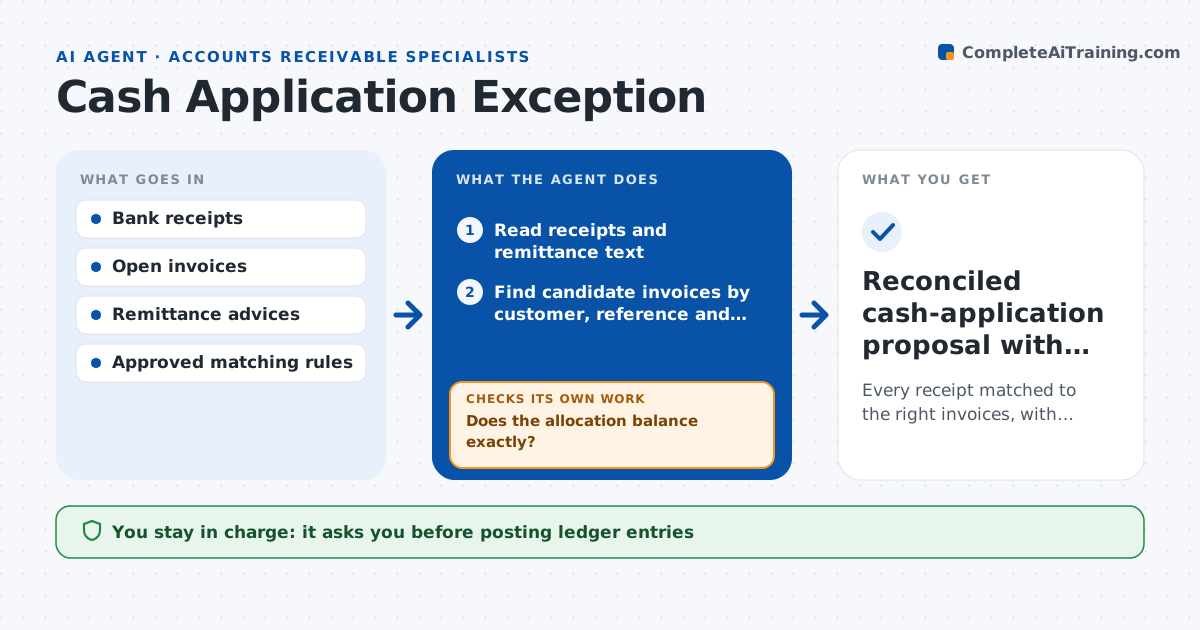
Every receipt matched to the right invoices, with exceptions clearly explained.
What it does
Customer payments often arrive with incomplete or fragmented remittance details, so receipts sit unmatched and customers get wrong reminders. When a bank file is imported, this agent reads each receipt and its remittance text, then finds candidate invoices by reference first, then exact amount, then customer and date. It builds the most likely allocation and checks it in a staging ledger. If the totals do not balance exactly, it looks at the next supporting reference, such as a known fee pattern, or leaves the remainder unapplied. Ambiguous allocations go to a reviewer. Nothing is posted to the books until the accountant approves. Edge case: a payment in a different currency is converted at the bank's rate before matching.
How it works
Follow the arrows from top to bottom. The orange dashed arrow is the loop: when a check fails, the agent goes back and tries again.
Read the steps as a list
- Bank file imported
- Read receipts and remittance text
- Find candidate invoices by customer, reference and amount
- Build the most likely allocation
- Check totals in the staging ledger
- Does the allocation balance exactly?If not: try the next supporting reference, or leave the remainder unapplied. Back to step 3.
- Route ambiguous allocations to a reviewer
- Accountant approves postingThe agent waits here for your OK.
- Reconciled cash-application proposal with exceptions
How it decides
It ranks candidate invoice combinations by evidence strength (reference numbers, amounts, customer), checks the totals, and only proposes allocations that balance or have an explained remainder.
- Candidate invoices: by reference first, then exact amount, then customer and date.
- Remainder: investigate up to two more references, then leave unapplied.
- Reviewer routing: any allocation below the confidence rule.
Make it yours
Every agent is a starting point. You choose these settings for your own situation.
- Matching order (default reference, amount, customer and date)
- Confidence below which allocations go to a reviewer (default 90%)
- Fee tolerance treated as bank charges (default up to $25)
- Bank files and accounts included
- Who approves posting (default the accountant)
What keeps you in control
It always asks you first
- Posting ledger entries
- Write-offs
- Customer communications
Hard limits
- Staging only; never posts.
- Never writes off amounts.
It stops when
- Done: all receipts allocated or routed.
- Blocked: bank file incomplete.
Set it up
We guide you through the set-up, step by step
Members get the full set-up guide for this agent. No technical skills needed: you copy, paste and upload.
- One set of instructions to paste into your AI, with the clicks for ChatGPT, Claude, Microsoft 365 Copilot, Gemini and Grok
- The agent then walks you through connecting your own data, one source at a time
- A downloadable copy with the flow chart, the rules and the full guide