AI agent for billing specialists
Study Billing and Sponsor Invoice Agent
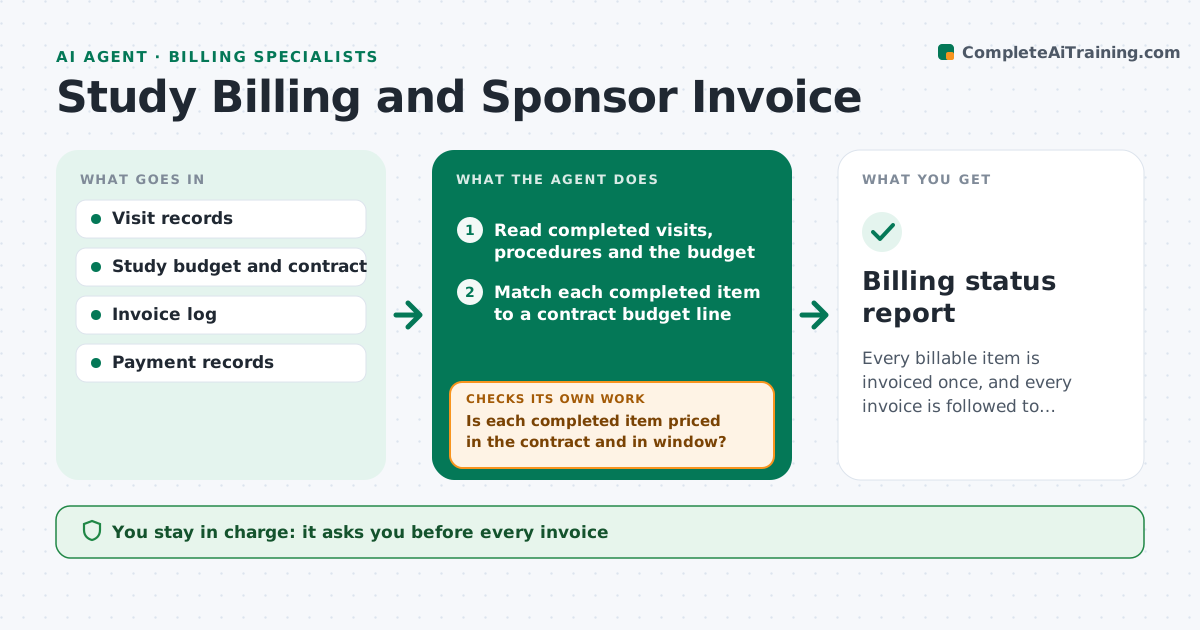
Every billable item is invoiced once, and every invoice is followed to payment.
What it does
Visits get completed, unscheduled procedures happen, and months later the site finds money it never invoiced. This agent matches completed visits and procedures from the study records to the contract budget, line by line. It flags unbilled items, including extra procedures and screen failures that the contract allows, and drafts an invoice list with the amount and the evidence for each. It tracks payments received and chases unpaid lines with a draft query to the sponsor. After a reply it updates the ledger. You approve every invoice. Edge case: a visit completed outside its window is held for review before billing.
How it works
Follow the arrows from top to bottom. The orange dashed arrow is the loop: when a check fails, the agent goes back and tries again.
Read the steps as a list
- Monthly run
- Read completed visits, procedures and the budget
- Match each completed item to a contract budget line
- Is each completed item priced in the contract and in window?If not: hold the item and list the question, such as out-of-window or no budget line. Back to step 3.
- Compare to the invoice log to find unbilled items
- Draft the invoice list with evidence
- Coordinator approves invoicesThe agent waits here for your OK.
- Read payment records against issued invoices
- Has each invoice been paid within terms?If not: draft a payment query to the sponsor for approval. Back to step 8.
- Update the ledger and the held items list
- Billing status report
How it decides
An item is billable when it is completed, in the contract and has not been invoiced. Items with doubts about window or approval are held.
- Visit completed and in the contract: bill at the budget rate
- Procedure not in the contract: hold and ask for sponsor approval
- Invoice unpaid 45 days past terms: draft a reminder
- Screen failure allowed in contract: bill at the screen failure rate
Make it yours
Every agent is a starting point. You choose these settings for your own situation.
- Invoice cycle
- Overdue limit in days (default 45)
- Budget line mapping
- Window rules
- Finance contact
What keeps you in control
It always asks you first
- Every invoice
- Queries to the sponsor
Hard limits
- Never issue an invoice or contact the sponsor without approval
- Never bill an item twice
It stops when
- Done: all items billed or held with a reason
- Stop: contract not available
Set it up
We guide you through the set-up, step by step
Members get the full set-up guide for this agent. No technical skills needed: you copy, paste and upload.
- One set of instructions to paste into your AI, with the clicks for ChatGPT, Claude, Microsoft 365 Copilot, Gemini and Grok
- The agent then walks you through connecting your own data, one source at a time
- A downloadable copy with the flow chart, the rules and the full guide