AI agent for category managers
Category Inventory Health Agent
Healthy stock with timely markdowns
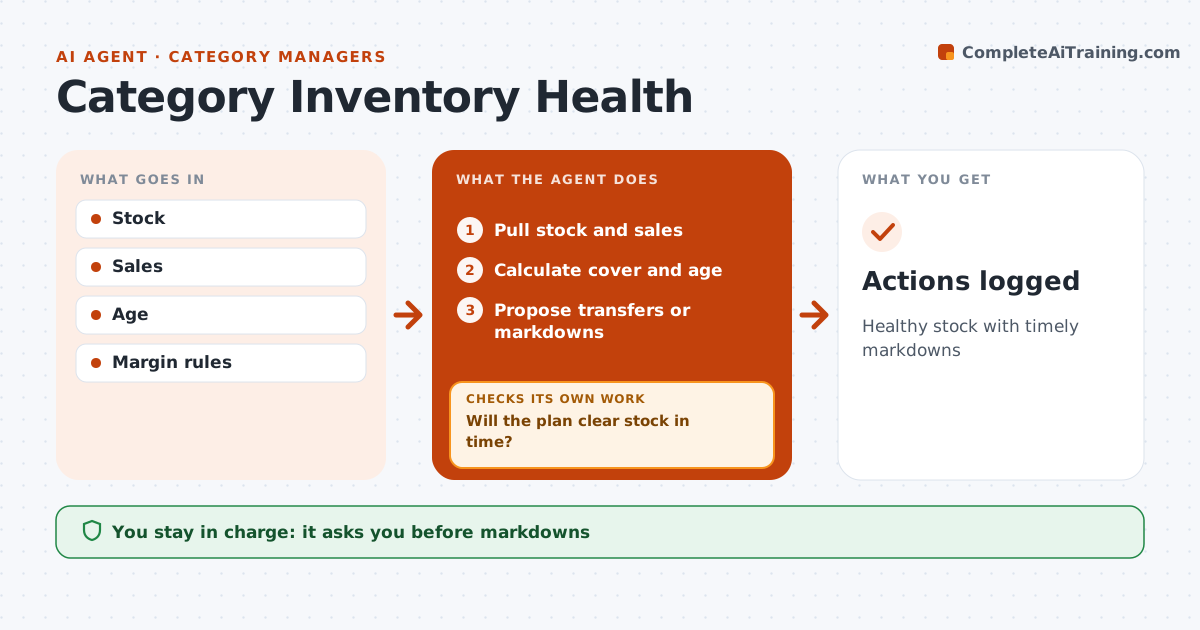
What it does
Category managers need stock balanced to demand, since overstock ties up cash and aging items end in deep markdowns. Each week this agent pulls stock and sales and calculates weeks of cover and stock age for each product. Anything over 12 weeks of cover is flagged as overstock, along with aging items. It suggests actions in order, starting with moving stock to stores that sell it faster, then markdowns. It checks each markdown against margin rules and tests the expected sell-through. If the plan will not clear stock in time, it suggests a deeper markdown or another channel and checks again. The category manager approves every markdown before it is applied. All actions are logged so next week's run can see what worked. Edge case: a seasonal product gets an earlier sell-through deadline so it clears before the season ends.
How it works
Follow the arrows from top to bottom. The orange dashed arrow is the loop: when a check fails, the agent goes back and tries again.
Read the steps as a list
- Weekly check
- Pull stock and sales
- Calculate cover and age
- Propose transfers or markdowns
- Will the plan clear stock in time?If not: propose deeper action. Back to step 4.
- Category manager approvesThe agent waits here for your OK.
- Actions logged
How it decides
It flags overstock and aging and checks plans clear stock in time.
- Cover over 12 weeks is overstock
- Seasonal items earlier deadline
- Margin rules respected
Make it yours
Every agent is a starting point. You choose these settings for your own situation.
- Cover threshold
- Season dates
- Markdown steps
- Frequency
What keeps you in control
It always asks you first
- Markdowns
- Transfers
Hard limits
- No live price changes
- Margin rules respected
It stops when
- Done: logged
- Stop: data missing
Set it up
We guide you through the set-up, step by step
Members get the full set-up guide for this agent. No technical skills needed: you copy, paste and upload.
- One set of instructions to paste into your AI, with the clicks for ChatGPT, Claude, Microsoft 365 Copilot, Gemini and Grok
- The agent then walks you through connecting your own data, one source at a time
- A downloadable copy with the flow chart, the rules and the full guide