AI agent for scrum masters
Ceremony Effectiveness Agent
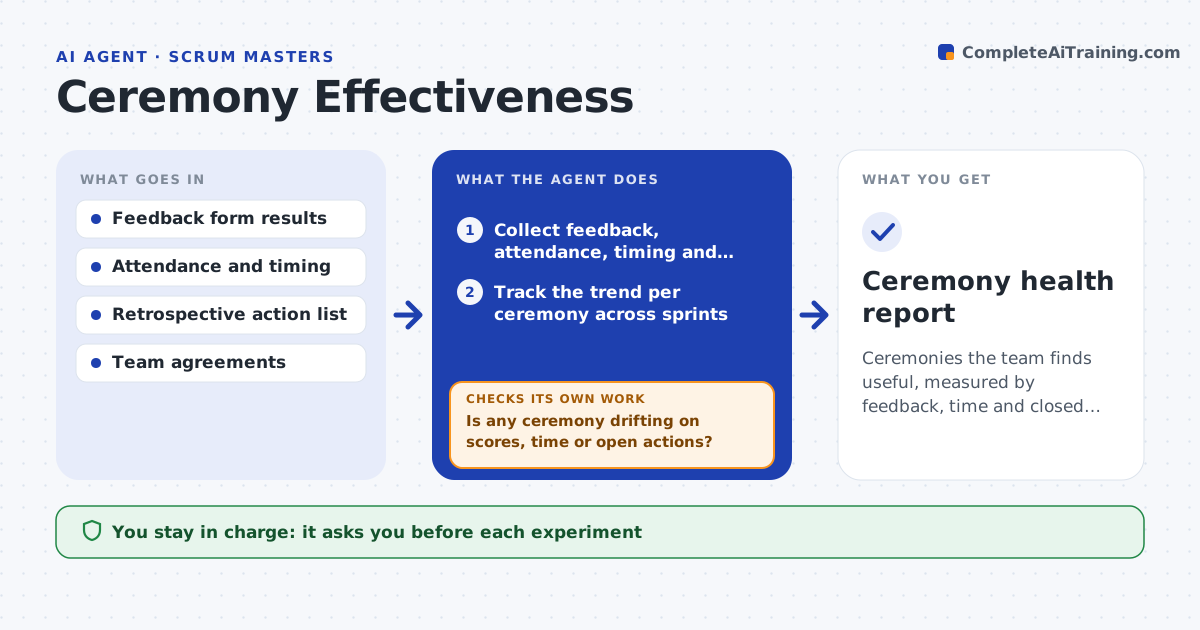
Ceremonies the team finds useful, measured by feedback, time and closed actions
What it does
After a few months, standups run long, retrospectives repeat the same points and planning feels like a chore. This agent collects a short feedback form after each ceremony and tracks attendance, start and end times and whether actions from the last retrospective were done. It looks for drift, such as falling scores, rising overrun, repeated action items, or people who stop speaking. For a ceremony that drifts, it proposes a small experiment, like a timer, a changed format or a rotating facilitator, and sets a measure for it. At the next cycle it reads the new feedback and numbers and compares them with the baseline. It keeps the experiment if it helped and suggests another if not. The scrum master approves each experiment. Edge case: feedback is positive but action items never close.
How it works
Follow the arrows from top to bottom. The orange dashed arrow is the loop: when a check fails, the agent goes back and tries again.
Read the steps as a list
- A ceremony ends and the feedback form is sent
- Collect feedback, attendance, timing and action status
- Track the trend per ceremony across sprints
- Is any ceremony drifting on scores, time or open actions?If not: keep collecting and keep the current format. Back to step 2.
- Propose a small experiment with a measure and a time limit
- Scrum master approves the experimentThe agent waits here for your OK.
- Run the experiment for one cycle and collect the same data
- Did the measure improve against the baseline?If not: stop the experiment and propose a different one. Back to step 5.
- Record what worked and update the team agreements
- Scrum master approves the updateThe agent waits here for your OK.
- Ceremony health report
How it decides
A ceremony is drifting when feedback falls two cycles in a row, time overruns by more than 20 percent, or more than half of its actions stay open.
- Treat two falling scores in a row as drift
- Treat an overrun above 20 percent as drift
- Flag a retrospective where over half the actions stay open
- Run only one experiment per ceremony at a time
Make it yours
Every agent is a starting point. You choose these settings for your own situation.
- Feedback questions
- Drift thresholds
- Experiment length (default one cycle)
- Which ceremonies it covers
What keeps you in control
It always asks you first
- Each experiment
- Changes to team agreements
Hard limits
- Feedback is anonymous
- Never judges individuals
It stops when
- Done: ceremonies stable and experiments recorded
- Stop: the team declines to give feedback
Set it up
We guide you through the set-up, step by step
Members get the full set-up guide for this agent. No technical skills needed: you copy, paste and upload.
- One set of instructions to paste into your AI, with the clicks for ChatGPT, Claude, Microsoft 365 Copilot, Gemini and Grok
- The agent then walks you through connecting your own data, one source at a time
- A downloadable copy with the flow chart, the rules and the full guide