AI agent for project managers
Team Retrospective Follow-through Agent
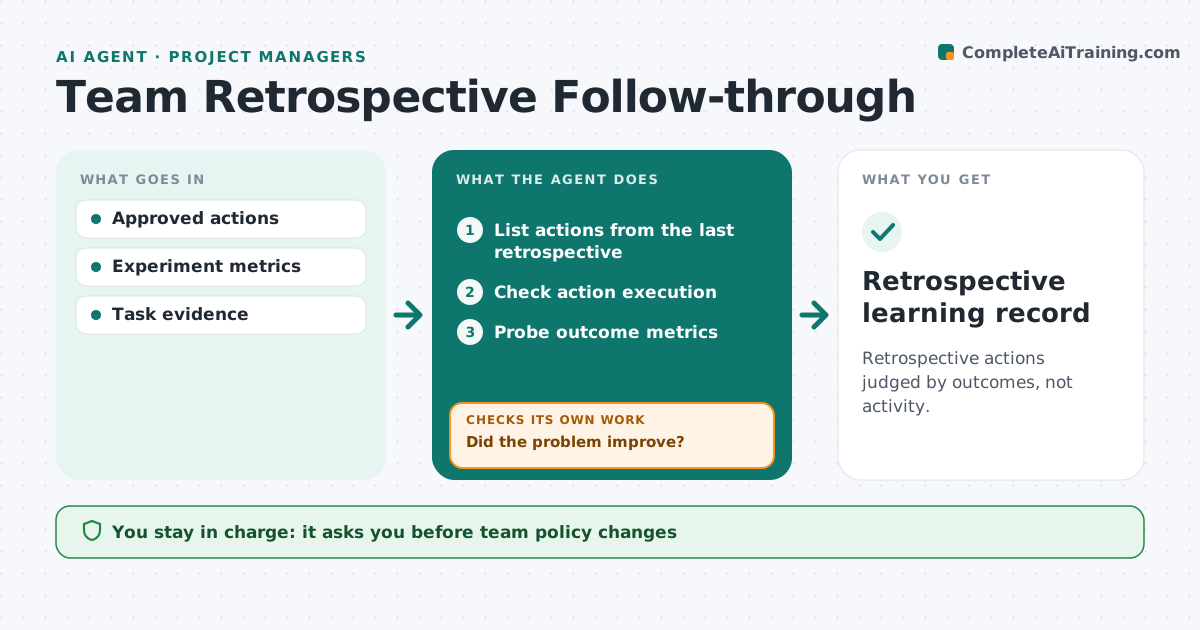
Retrospective actions judged by outcomes, not activity.
What it does
Retrospective actions often get marked done without anyone checking whether they solved the problem. Before each retrospective, this agent checks whether each agreed action was actually carried out, using tickets and records. Then it looks at the outcome metric linked to the original problem. If the action ran but the problem has not improved, it proposes a revised experiment with a clear measure. It prepares a learning review for the team. Policy changes and judgments about people stay with the team. Edge case: a new review checklist was adopted, but bug escape rates did not drop, so the agent proposes testing a different step.
How it works
Follow the arrows from top to bottom. The orange dashed arrow is the loop: when a check fails, the agent goes back and tries again.
Read the steps as a list
- Retrospective approaching
- List actions from the last retrospective
- Check action execution
- Probe outcome metrics
- Did the problem improve?If not: propose a revised experiment with a clear measure. Back to step 4.
- Prepare the learning review
- Team agrees on next experimentsThe agent waits here for your OK.
- Retrospective learning record
How it decides
It distinguishes done from effective and proposes a new experiment when needed.
- Done is not the same as effective.
- Judge outcomes only after the agreed time.
- Each revised experiment has one measure.
Make it yours
Every agent is a starting point. You choose these settings for your own situation.
- Outcome metric per action
- Time allowed before judging an outcome (default 4 weeks)
- Sources for execution evidence
- Format of the learning review
What keeps you in control
It always asks you first
- Team policy changes
- Personnel judgments
Hard limits
- No personnel judgments.
It stops when
- Done: review prepared.
Set it up
We guide you through the set-up, step by step
Members get the full set-up guide for this agent. No technical skills needed: you copy, paste and upload.
- One set of instructions to paste into your AI, with the clicks for ChatGPT, Claude, Microsoft 365 Copilot, Gemini and Grok
- The agent then walks you through connecting your own data, one source at a time
- A downloadable copy with the flow chart, the rules and the full guide