AI agent for court reporters
Certified Question Reading Check Agent
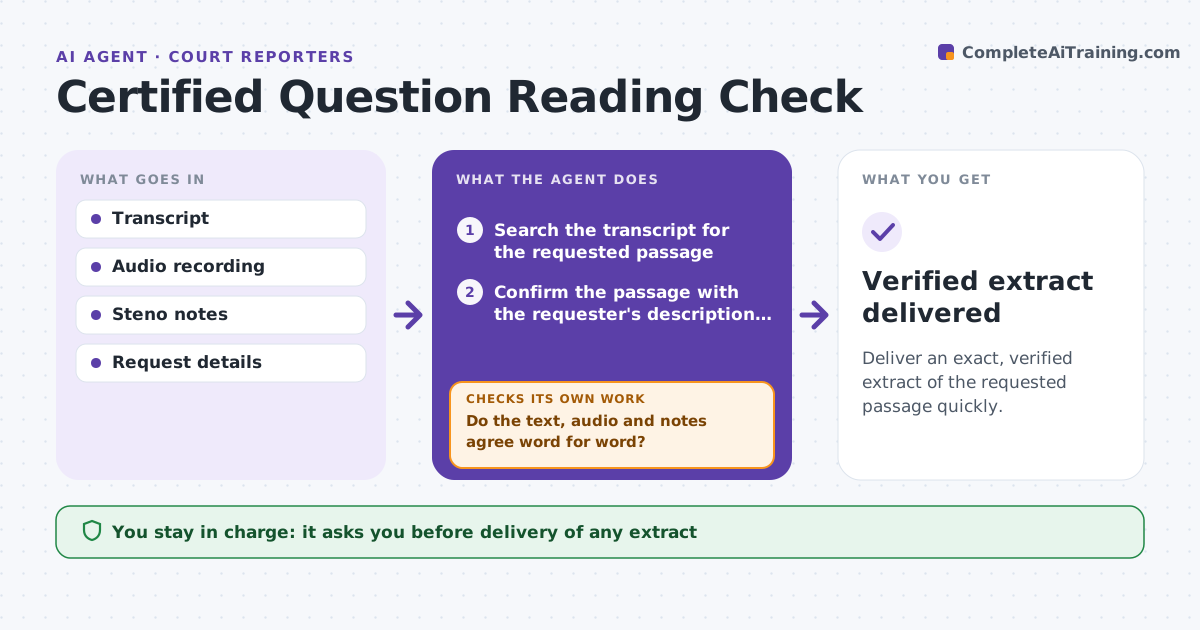
Deliver an exact, verified extract of the requested passage quickly.
What it does
In the middle of a hearing someone asks for a readback or a certified question, and the reporter must find the passage fast and be sure it is exact. Finding it in a long transcript is slow, and a mistake is serious. This agent locates the requested passage from a description or a time. It compares the text with the audio and the reporter's notes, flags differences, and prepares a clean extract with page and line numbers. If the reporter corrects the transcript, the agent rechecks the extract. The reporter approves delivery. Edge case: where the audio is unclear, the agent marks the words as unverified and does not guess.
How it works
Follow the arrows from top to bottom. The orange dashed arrow is the loop: when a check fails, the agent goes back and tries again.
Read the steps as a list
- A readback or certified question request arrives
- Search the transcript for the requested passage
- Confirm the passage with the requester's description or time
- Compare the text with the audio and steno notes
- Do the text, audio and notes agree word for word?If not: Mark the differences and ask the reporter to review the audio. Back to step 4.
- Prepare a clean extract with page and line numbers
- Reporter approves deliveryThe agent waits here for your OK.
- Apply any correction and recheck the extract
- Does the extract still match the corrected transcript?If not: Update the extract and flag the change. Back to step 6.
- Verified extract delivered
How it decides
Matches the request to passages by speaker, topic and time, and verifies words against audio; unclear words are marked, never filled in.
- Unclear audio is marked, never guessed
- Page and line numbers are checked against the final transcript
- Two possible passages are both shown, not chosen
- A corrected word triggers a full recheck of the extract
Make it yours
Every agent is a starting point. You choose these settings for your own situation.
- Audio and transcript sources
- Format of the extract
- Ways to describe a request
- How unclear words are marked
- Recipients
What keeps you in control
It always asks you first
- Delivery of any extract
- Any correction to the transcript
- Marking audio as unclear
Hard limits
- Never alter the transcript
- Never fill in unclear words
It stops when
- Done: extract delivered and matched
- Stop: audio missing
- Stop: dispute about the record
Set it up
We guide you through the set-up, step by step
Members get the full set-up guide for this agent. No technical skills needed: you copy, paste and upload.
- One set of instructions to paste into your AI, with the clicks for ChatGPT, Claude, Microsoft 365 Copilot, Gemini and Grok
- The agent then walks you through connecting your own data, one source at a time
- A downloadable copy with the flow chart, the rules and the full guide