AI agent for change managers
Change Resistance Hotspot Agent
Find the teams at risk of rejecting a change early and bring their adoption up
What it does
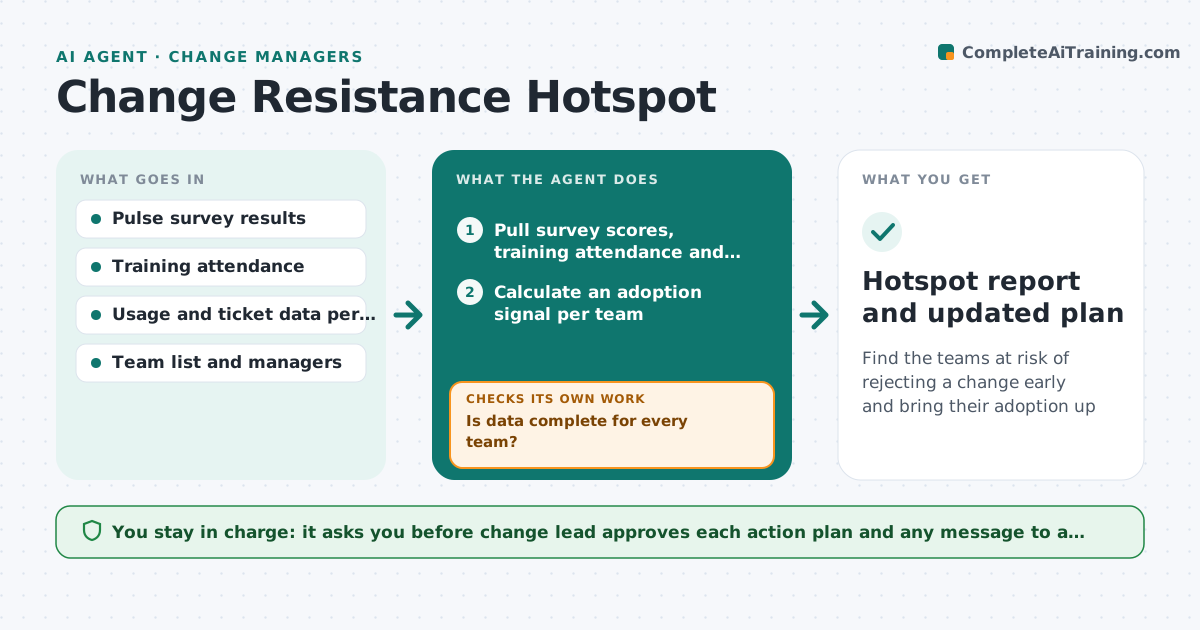
A new system launches and one department barely uses it, but the change lead finds out three months later. This agent finds those hotspots while there is still time to act. Each week it reads the pulse survey results, training attendance and ticket data per team, and calculates an adoption signal for each. It highlights teams with low attendance, negative comments or high ticket volume, and looks for common reasons, such as a manager who has not attended. It proposes targeted actions, such as a short clinic or a manager briefing, and rechecks adoption two weeks after the action. The lead approves every plan. Edge case: a team has low survey response. The agent treats it as a signal itself and checks other data.
How it works
Follow the arrows from top to bottom. The orange dashed arrow is the loop: when a check fails, the agent goes back and tries again.
Read the steps as a list
- Weekly adoption review starts
- Pull survey scores, training attendance and ticket counts per team
- Calculate an adoption signal per team
- Is data complete for every team?If not: Request missing data or mark the team as unknown and use other signals. Back to step 2.
- Rank teams and identify those with two weak signals
- Find the most likely cause for each hotspot
- Propose a targeted action and owner
- Change lead approves the planThe agent waits here for your OK.
- Did adoption rise two weeks after the action?If not: Pick a different cause and action, then recheck. Back to step 5.
- Hotspot report and updated plan
How it decides
A team is a hotspot when two of three signals are below the company median by more than a set margin. The proposed action matches the most common cause found.
- A hotspot has two of three signals more than 15 points below the median
- Missing survey response above 50 percent is itself a weak signal
- If the manager missed training, brief the manager first
- Do not repeat an action that failed twice
Make it yours
Every agent is a starting point. You choose these settings for your own situation.
- Gap to the median that makes a hotspot (default 15 points)
- Signals to use
- Review frequency
- Survey questions to track
- Recheck delay after action (default 2 weeks)
What keeps you in control
It always asks you first
- Change lead approves each action plan and any message to a team
Hard limits
- Reports at team level, never names individuals
- Never contacts teams on its own
It stops when
- Done: hotspot teams back within 15 points of the median
- Stop: a team shows a serious concern such as safety, escalate to the lead
Set it up
We guide you through the set-up, step by step
Members get the full set-up guide for this agent. No technical skills needed: you copy, paste and upload.
- One set of instructions to paste into your AI, with the clicks for ChatGPT, Claude, Microsoft 365 Copilot, Gemini and Grok
- The agent then walks you through connecting your own data, one source at a time
- A downloadable copy with the flow chart, the rules and the full guide