AI agent for claims adjusters
Claim Photo and Estimate Consistency Agent
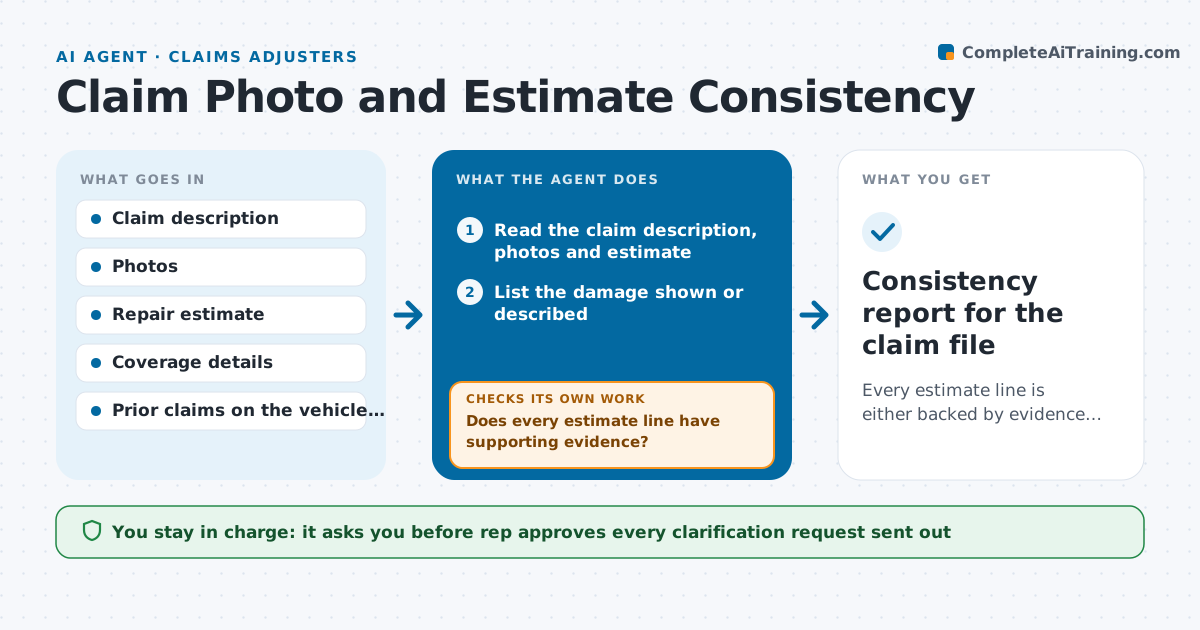
Every estimate line is either backed by evidence or flagged, and the rep has a clear mismatch list to decide on.
What it does
Adjusters and service reps often see a repair estimate that looks too high or too low for the damage in the photos, but comparing every line by eye is slow. The agent reads the claim description, the photos and the repair estimate. It lists the damage visible or described, then matches each estimate line to it and marks lines with no matching damage, and damage with no matching line. It scores each mismatch by dollar value and asks the claimant or shop for clarification. When replies or new photos arrive, it rechecks the whole file again. It never decides a referral or denial; the rep does. Edge case: a bumper replacement quoted when photos show only a scratch, where the shop later sends hidden damage photos.
How it works
Follow the arrows from top to bottom. The orange dashed arrow is the loop: when a check fails, the agent goes back and tries again.
Read the steps as a list
- Estimate received on a claim
- Read the claim description, photos and estimate
- List the damage shown or described
- Match each estimate line to the listed damage
- Does every estimate line have supporting evidence?If not: List unmatched lines and unmatched damage with dollar values. Back to step 4.
- Draft clarification requests to the claimant or shop
- Wait for replies and read new photos or revised estimates
- Rerun the matching on the updated file
- Are the remaining mismatches explained?If not: Keep unresolved items on the flag list and rerun after the next reply. Back to step 8.
- Rep decides whether to approve, query further or referThe agent waits here for your OK.
- Consistency report for the claim file
How it decides
It flags a line when no photo or description supports it, and ranks flags by dollar value so the rep sees the biggest gaps first.
- Flag any line over $250 without matching damage
- Flag damage in photos that has no estimate line
- Treat a revised estimate as new input and recheck everything
- Refer-ready only when open flags exceed 15% of estimate value
Make it yours
Every agent is a starting point. You choose these settings for your own situation.
- Dollar threshold for flagging a line (default $250)
- Which claim types it covers
- How long to wait for a reply before reminding (default 3 days)
- Format of the mismatch report
What keeps you in control
It always asks you first
- Rep approves every clarification request sent out
- Rep decides on any referral or denial
Hard limits
- Never state that a claim is fraudulent
- Do not send requests without rep approval
It stops when
- Done: all lines supported or the rep has decided
- Stop: photos are unreadable or missing and the rep must request them
Set it up
We guide you through the set-up, step by step
Members get the full set-up guide for this agent. No technical skills needed: you copy, paste and upload.
- One set of instructions to paste into your AI, with the clicks for ChatGPT, Claude, Microsoft 365 Copilot, Gemini and Grok
- The agent then walks you through connecting your own data, one source at a time
- A downloadable copy with the flow chart, the rules and the full guide