AI agent for insurance claims managers
Claim Reserve Review Agent
Reserves that match current facts and stay inside authority limits
What it does
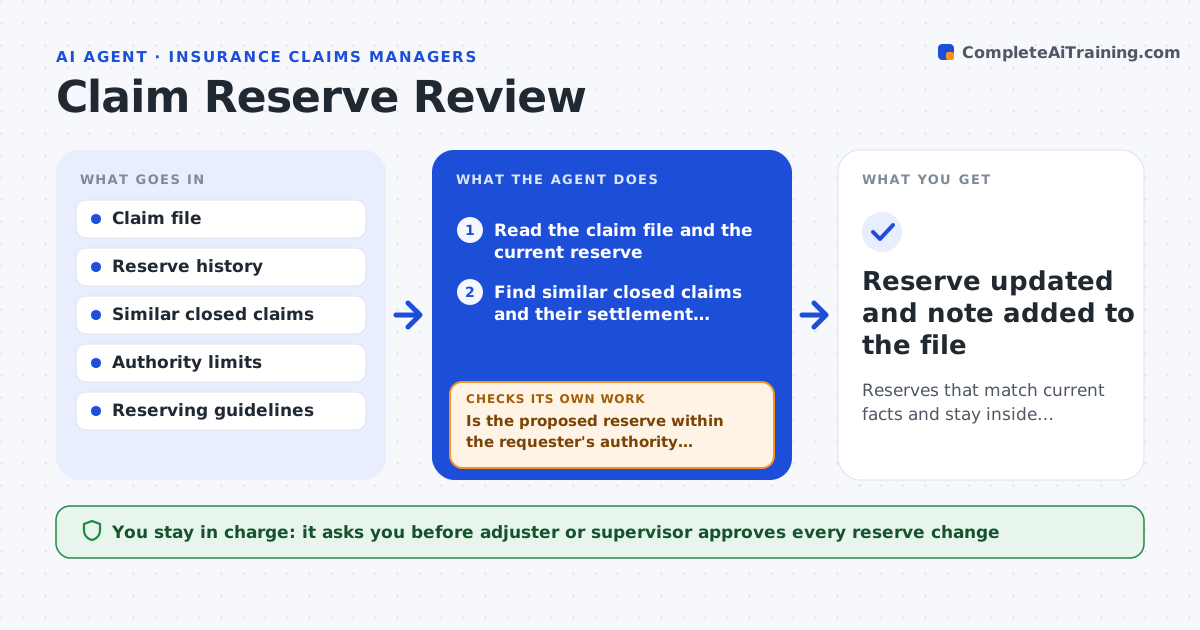
Claim reserves go stale when facts change, and a stale reserve misstates what the company expects to pay. This agent watches for triggers such as a new repair estimate, an injury report or a legal letter. When one arrives, it compares the current reserve with the latest facts and with similar closed claims. It proposes an increase or decrease with its reasons and checks that the new figure is within the approver's authority limit. If it exceeds that limit, it routes the request to the next level. The adjuster or supervisor approves every change. Edge case: a new estimate raises damages but a closed similar claim settled lower, so the agent shows both and explains the difference.
How it works
Follow the arrows from top to bottom. The orange dashed arrow is the loop: when a check fails, the agent goes back and tries again.
Read the steps as a list
- New fact arrives on a claim
- Read the claim file and the current reserve
- Find similar closed claims and their settlement amounts
- Compare the reserve with facts and similar claims
- Propose an increase, decrease or no change with reasons
- Is the proposed reserve within the requester's authority limit?If not: route the request to the next authority level and note why. Back to step 5.
- Do the reasons cite specific facts in the file?If not: rewrite the reasons with file references. Back to step 5.
- Adjuster or supervisor approves the reserve changeThe agent waits here for your OK.
- Reserve updated and note added to the file
How it decides
A change is proposed when current facts differ from the reserve by more than a set share. The approver level depends on the new amount.
- Propose a change when facts differ from the reserve by over 10%
- Use closed claims with the same type and severity
- Route to the next level above the authority limit
- Always cite the file facts behind a change
Make it yours
Every agent is a starting point. You choose these settings for your own situation.
- Trigger events
- Change threshold (default: 10%)
- Authority limits by level
- Closed claim matching rules
What keeps you in control
It always asks you first
- Adjuster or supervisor approves every reserve change
Hard limits
- Never changes a reserve itself
- Never exceeds authority limits
It stops when
- Done: the reserve is approved or confirmed unchanged
- Stop: the claim file lacks current facts
Set it up
We guide you through the set-up, step by step
Members get the full set-up guide for this agent. No technical skills needed: you copy, paste and upload.
- One set of instructions to paste into your AI, with the clicks for ChatGPT, Claude, Microsoft 365 Copilot, Gemini and Grok
- The agent then walks you through connecting your own data, one source at a time
- A downloadable copy with the flow chart, the rules and the full guide