AI agent for patent agents
Claim Set Consistency Check Agent
A claim set free of formal errors and supported by the description
What it does
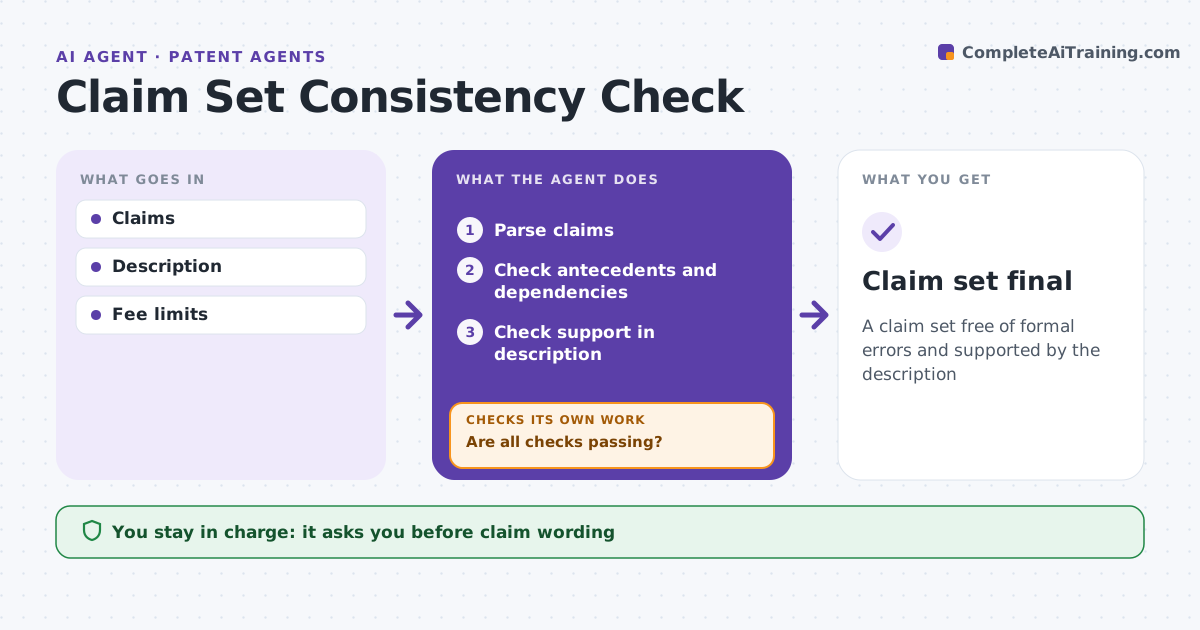
Small drafting errors in patent claims lead to office actions, extra fees or weaker protection. When claims are drafted, this agent checks antecedent basis for every term, claim dependencies and numbering, and confirms each claim term is supported in the description. It flags terms without antecedent and dependent claims that refer to later claims. It checks claim counts against fee limits and notes the extra cost when they are exceeded. It lists each problem with a suggested fix. After the patent agent edits, it rechecks the whole set, not just the changed claims, until every check passes. The patent agent decides all claim wording; the agent only suggests. Edge case: a dependent claim refers to a later claim, which is not allowed, so the agent flags it and suggests renumbering.
How it works
Follow the arrows from top to bottom. The orange dashed arrow is the loop: when a check fails, the agent goes back and tries again.
Read the steps as a list
- Claims drafted
- Parse claims
- Check antecedents and dependencies
- Check support in description
- Are all checks passing?If not: list problems and recheck after edits. Back to step 3.
- Patent agent approves claimsThe agent waits here for your OK.
- Claim set final
How it decides
It parses claims for antecedents, dependencies and support.
- Term without antecedent: flag
- Dependency on later claim: flag
- Claims over fee limit: note cost
Make it yours
Every agent is a starting point. You choose these settings for your own situation.
- Fee limits
- Checks
- Report format
- Terms list
What keeps you in control
It always asks you first
- Claim wording
Hard limits
- Never changes claim scope
- Never files
It stops when
- Done: final
- Stop: description not ready
Set it up
We guide you through the set-up, step by step
Members get the full set-up guide for this agent. No technical skills needed: you copy, paste and upload.
- One set of instructions to paste into your AI, with the clicks for ChatGPT, Claude, Microsoft 365 Copilot, Gemini and Grok
- The agent then walks you through connecting your own data, one source at a time
- A downloadable copy with the flow chart, the rules and the full guide