AI agent for patent agents
Patent Deadline Priority Calendar Agent
A single reliable docket where every deadline is calculated from the source and verified.
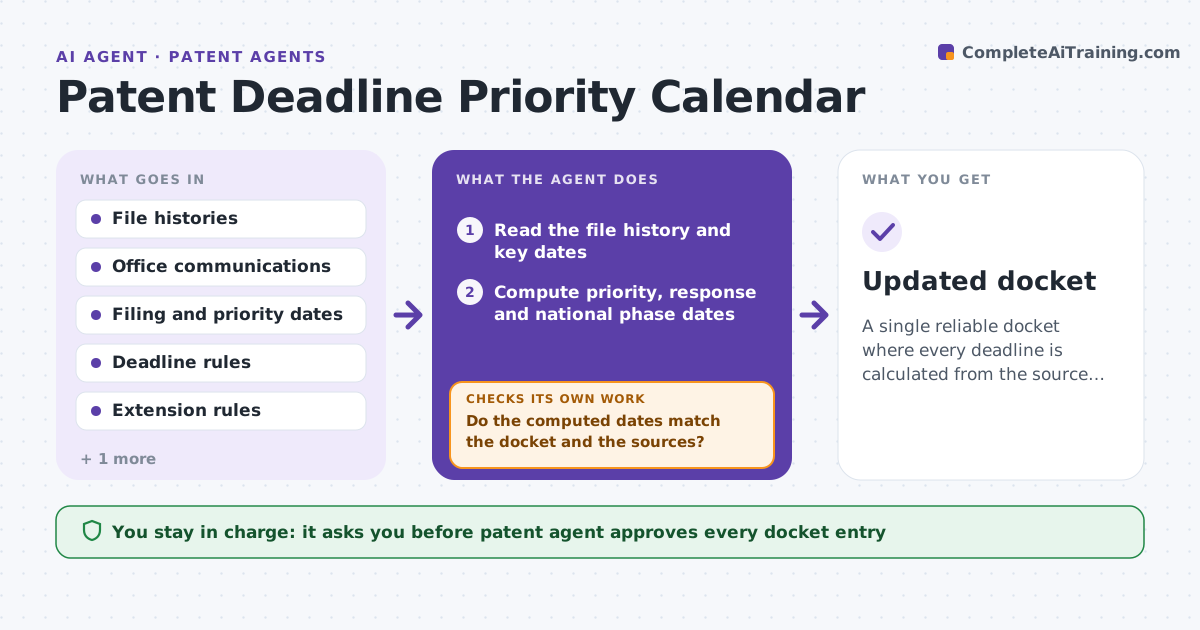
What it does
Response dates, priority deadlines and national phase entries sit in emails and file notes, and a missed date can end a patent. This agent reads file histories and computes deadlines from filing dates and rules. It finds conflicts between sources and extensions that apply, and drafts a docket calendar. After each new office communication it recomputes. It never changes the live docket. It decides from the rules: statutory dates first, then office action response windows and available extensions, and flags any two sources that disagree. Edge case: a response is due in 3 months with a paid extension to 6 months, so the agent shows both dates and the fee needed.
How it works
Follow the arrows from top to bottom. The orange dashed arrow is the loop: when a check fails, the agent goes back and tries again.
Read the steps as a list
- New file or office communication arrives
- Read the file history and key dates
- Compute priority, response and national phase dates
- Add extensions and their costs
- Compare to the existing docket
- Do the computed dates match the docket and the sources?If not: list the differences and recompute with the source date. Back to step 3.
- Draft the calendar with priority order
- Patent agent approves the docket changesThe agent waits here for your OK.
- Updated docket
How it decides
It computes dates from source facts and compares them to the current docket. It marks a conflict when two dates differ.
- Use the earliest date when two sources disagree and flag it
- Show standard and extended dates separately
- Mark any date within 30 days as urgent
- Recompute after each new communication
Make it yours
Every agent is a starting point. You choose these settings for your own situation.
- Jurisdictions
- Urgent window (default 30 days)
- Extensions shown
- Calendar format
- Recompute triggers
What keeps you in control
It always asks you first
- Patent agent approves every docket entry
Hard limits
- Never edit the live docket
- Never drop a date without a source
It stops when
- Done: all dates verified and approved
- Stop: the governing date rule is unclear
Set it up
We guide you through the set-up, step by step
Members get the full set-up guide for this agent. No technical skills needed: you copy, paste and upload.
- One set of instructions to paste into your AI, with the clicks for ChatGPT, Claude, Microsoft 365 Copilot, Gemini and Grok
- The agent then walks you through connecting your own data, one source at a time
- A downloadable copy with the flow chart, the rules and the full guide