AI agent for insurance actuaries
Claims Reserve Review Agent
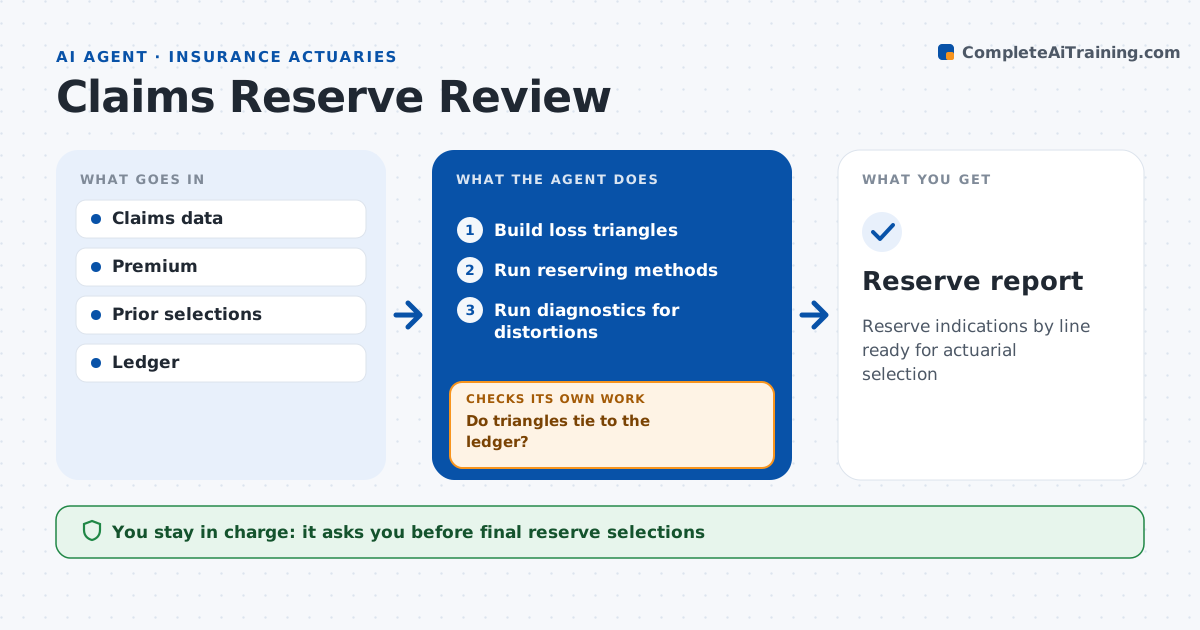
Reserve indications by line ready for actuarial selection
What it does
Reserve reviews take weeks each quarter, and a data gap or one large loss can distort the whole picture. This agent prepares the reserve analysis. It builds loss triangles from claims data and checks that they tie to the general ledger before doing anything else. If they do not, it finds the missing data and rebuilds. It runs standard methods such as chain ladder and Bornhuetter-Ferguson and compares results to last quarter and to actual development. It runs diagnostics for distortions from large losses or process changes, removing large losses for separate handling and testing adjusted factors. It drafts a summary of indications by line. The actuary selects the final estimates. Edge case: the claims department sped up case reserving, so factors from older years may overstate, and the agent flags it.
How it works
Follow the arrows from top to bottom. The orange dashed arrow is the loop: when a check fails, the agent goes back and tries again.
Read the steps as a list
- Quarter closes
- Build loss triangles
- Do triangles tie to the ledger?If not: find missing claims or mapping errors and rebuild. Back to step 2.
- Run reserving methods
- Run diagnostics for distortions
- Draft indications by line
- Actuary selects estimatesThe agent waits here for your OK.
- Reserve report
How it decides
It runs set methods, checks ties and diagnostics, and shows a range for the actuary.
- Large loss over threshold: remove from triangle and handle separately
- Actual development off expected by over 10%: flag
- Case reserve speed change: test adjusted factors
Make it yours
Every agent is a starting point. You choose these settings for your own situation.
- Methods
- Large loss threshold
- Lines in scope
- Diagnostics
What keeps you in control
It always asks you first
- Final reserve selections
Hard limits
- Never books reserves
- Never selects final estimates
It stops when
- Done: report ready
- Stop: data does not tie
Set it up
We guide you through the set-up, step by step
Members get the full set-up guide for this agent. No technical skills needed: you copy, paste and upload.
- One set of instructions to paste into your AI, with the clicks for ChatGPT, Claude, Microsoft 365 Copilot, Gemini and Grok
- The agent then walks you through connecting your own data, one source at a time
- A downloadable copy with the flow chart, the rules and the full guide