AI agent for immigration consultants
Clearance and Medical Validity Window Agent
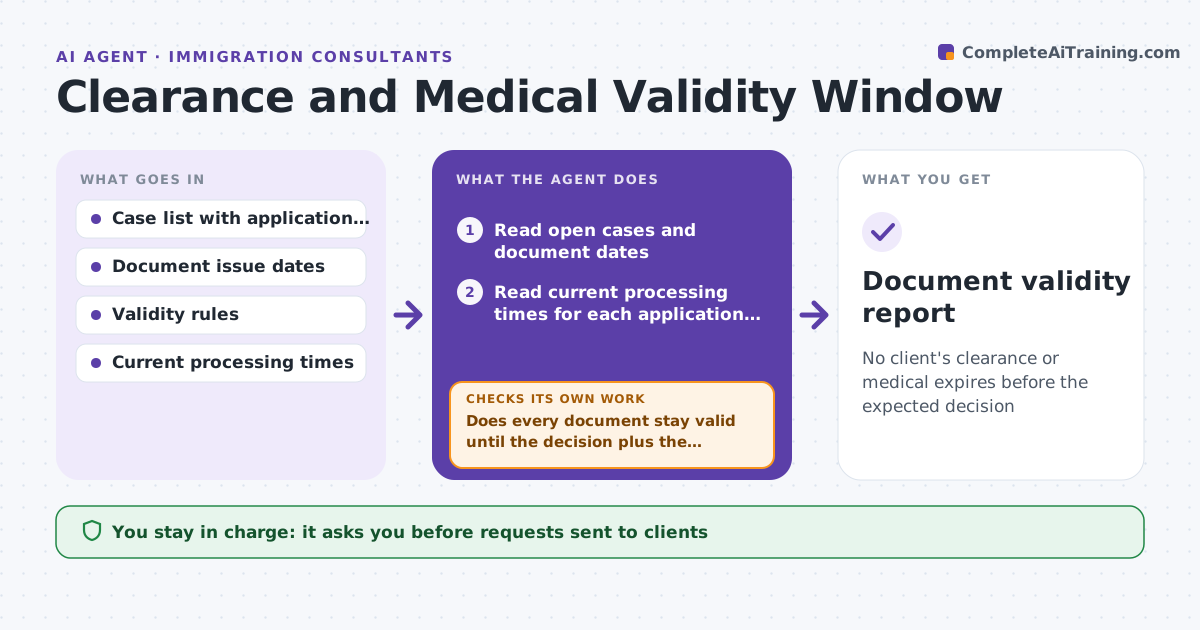
No client's clearance or medical expires before the expected decision
What it does
A police clearance or medical exam can expire while an application waits for a decision, which delays the file or forces new tests. This agent tracks the issue date and validity period of each clearance and medical in every open case. It compares them with current processing times for that application type and office, and predicts the likely decision date. If a document will expire before that date, it flags the case and drafts a renewal task with a suggested start date. When processing times change, it recalculates for all cases. After the client replies and uploads a new document, it checks the dates and updates the case. The consultant approves each request to the client. Edge case: a medical is valid 12 months but the country of exam changes the rules.
How it works
Follow the arrows from top to bottom. The orange dashed arrow is the loop: when a check fails, the agent goes back and tries again.
Read the steps as a list
- Weekly check runs or processing times change
- Read open cases and document dates
- Read current processing times for each application type
- Predict the decision date for each case
- Does every document stay valid until the decision plus the margin?If not: flag the case and set a renewal start date. Back to step 3.
- Draft a renewal task and a client message with the steps and date
- Consultant approves the request to the clientThe agent waits here for your OK.
- Track the client's response and the new document upload
- Is the new document dated correctly and valid long enough?If not: ask for a corrected document and update the prediction. Back to step 3.
- Update the case notes
- Document validity report
How it decides
A document is at risk when its expiry date falls before the predicted decision date plus a safety margin.
- Add a 60-day margin to the predicted decision date
- Recalculate all cases when processing times change by over 10 percent
- Check the rules for the country of issue
- Never schedule a renewal without the client's request
Make it yours
Every agent is a starting point. You choose these settings for your own situation.
- Safety margin (default 60 days)
- Validity rules by country
- Check frequency
- Processing time source
What keeps you in control
It always asks you first
- Requests sent to clients
Hard limits
- Never submits documents to the authority
- Never contacts a client without approval
It stops when
- Done: all documents valid through the decision window
- Stop: processing times are unavailable
Set it up
We guide you through the set-up, step by step
Members get the full set-up guide for this agent. No technical skills needed: you copy, paste and upload.
- One set of instructions to paste into your AI, with the clicks for ChatGPT, Claude, Microsoft 365 Copilot, Gemini and Grok
- The agent then walks you through connecting your own data, one source at a time
- A downloadable copy with the flow chart, the rules and the full guide