AI agent for law students
Clerkship Application Tracker Agent
Make sure every clerkship application is complete, correctly named and submitted on time.
What it does
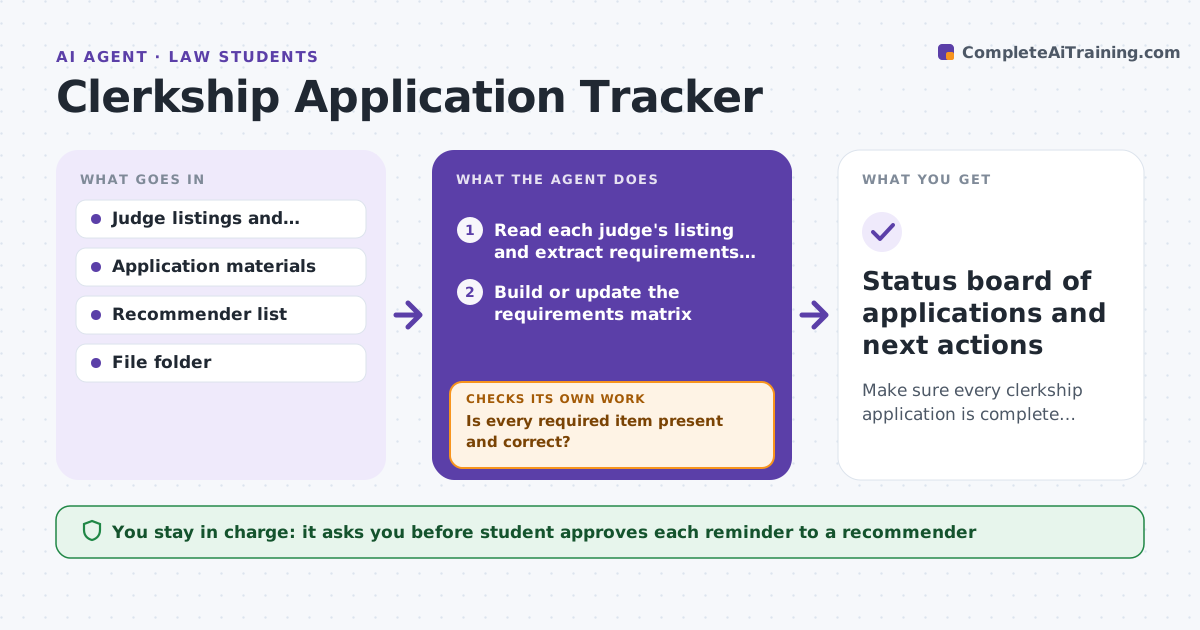
Judicial clerkship applications are a maze: each judge lists different dates, materials and recommenders, and one wrong file name or missing letter can cost an interview. The agent reads each judge's listing and builds a requirements matrix with dates. It then tracks which letters, transcripts and writing samples are ready, and checks that file versions and names match the requirement. It flags gaps and drafts reminders to recommenders on a schedule. When a judge changes a date or a letter arrives, it updates the matrix and checks again. The student approves every submission and every reminder sent to a recommender. Edge case: a judge wants a 10 page writing sample, and the saved version is 12 pages, so it is flagged.
How it works
Follow the arrows from top to bottom. The orange dashed arrow is the loop: when a check fails, the agent goes back and tries again.
Read the steps as a list
- Weekly check, or listing or document changes
- Read each judge's listing and extract requirements and dates
- Build or update the requirements matrix
- Check the file folder for each material, version, length and file name
- Is every required item present and correct?If not: List the gap and the fix needed for each application. Back to step 3.
- Check which recommender letters have arrived
- Draft reminders to recommenders who are late
- Student approves each reminder and each submissionThe agent waits here for your OK.
- Did a listing change or a new document arrive?If not: Update the matrix and re-run the checks. Back to step 2.
- Status board of applications and next actions
How it decides
An application is ready when every required item is present, in the right version and format, and the recommender letters are in. Items are ranked by days to deadline.
- Applications due within 7 days go to the top
- A file with the wrong page length or name is a gap
- A recommender letter is late 5 days before the deadline
- A reminder is sent no more than once a week
Make it yours
Every agent is a starting point. You choose these settings for your own situation.
- Days before deadline to flag (default 7)
- Reminder interval to recommenders (default weekly)
- File naming rule
- Applications to include
What keeps you in control
It always asks you first
- Student approves each reminder to a recommender
- Student approves each submission
Hard limits
- Never sends anything without student approval
- Never edits a student's documents
It stops when
- Done: all applications submitted
- Stop: student withdraws an application
Set it up
We guide you through the set-up, step by step
Members get the full set-up guide for this agent. No technical skills needed: you copy, paste and upload.
- One set of instructions to paste into your AI, with the clicks for ChatGPT, Claude, Microsoft 365 Copilot, Gemini and Grok
- The agent then walks you through connecting your own data, one source at a time
- A downloadable copy with the flow chart, the rules and the full guide