AI agent for law students
Outline Gap and Conflict Agent
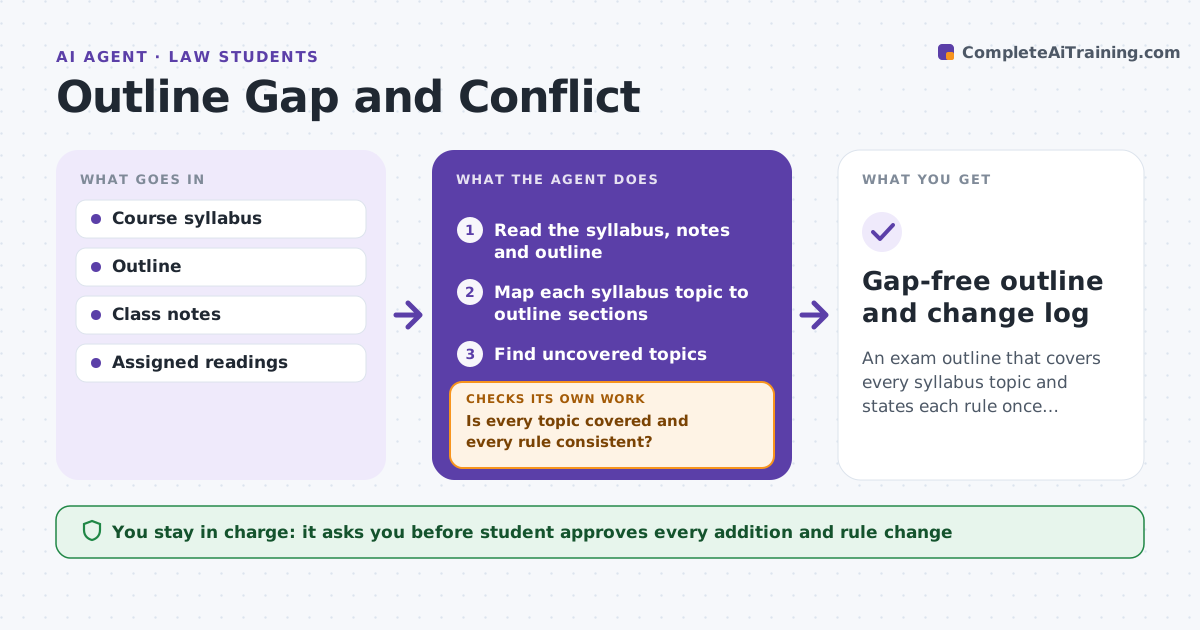
An exam outline that covers every syllabus topic and states each rule once, consistently.
What it does
An exam outline that misses a topic or states two rules that conflict costs points. Students build outlines from many notes and rarely compare them to the syllabus. This agent compares the outline to the syllabus and class notes, finds topics not covered and rules that conflict, and drafts additions. After the student edits, it checks the outline again against the syllabus and notes, because new text can bring new conflicts. It leaves the final text to the student. Edge case: the outline states two different tests for the same claim, one from class notes and one from a supplement, so the agent flags both with their sources.
How it works
Follow the arrows from top to bottom. The orange dashed arrow is the loop: when a check fails, the agent goes back and tries again.
Read the steps as a list
- Student shares the outline
- Read the syllabus, notes and outline
- Map each syllabus topic to outline sections
- Find uncovered topics
- Find conflicting or duplicate rules
- Draft additions and a conflict list
- Student approves what goes into the outlineThe agent waits here for your OK.
- Reread the revised outline against the syllabus and notes
- Is every topic covered and every rule consistent?If not: list the remaining and new problems and repeat. Back to step 3.
- Gap-free outline and change log
How it decides
It marks a topic uncovered when no outline heading matches it. It marks a conflict when two rules for the same claim differ and cites both sources.
- Flag a topic with no matching section
- Flag two rules that differ for the same claim
- Prefer the professor's stated rule over a supplement
- Mark unsourced rules for checking
Make it yours
Every agent is a starting point. You choose these settings for your own situation.
- Syllabus and notes used
- Priority of sources
- Outline format
- Checks to run
- Number of passes
What keeps you in control
It always asks you first
- Student approves every addition and rule change
Hard limits
- Never add text the student has not approved
- Never state a rule without a source
It stops when
- Done: no gaps or conflicts remain
- Stop: sources disagree and the student must ask the professor
Set it up
We guide you through the set-up, step by step
Members get the full set-up guide for this agent. No technical skills needed: you copy, paste and upload.
- One set of instructions to paste into your AI, with the clicks for ChatGPT, Claude, Microsoft 365 Copilot, Gemini and Grok
- The agent then walks you through connecting your own data, one source at a time
- A downloadable copy with the flow chart, the rules and the full guide