AI agent for dietitians
Client Outcomes Audit Agent
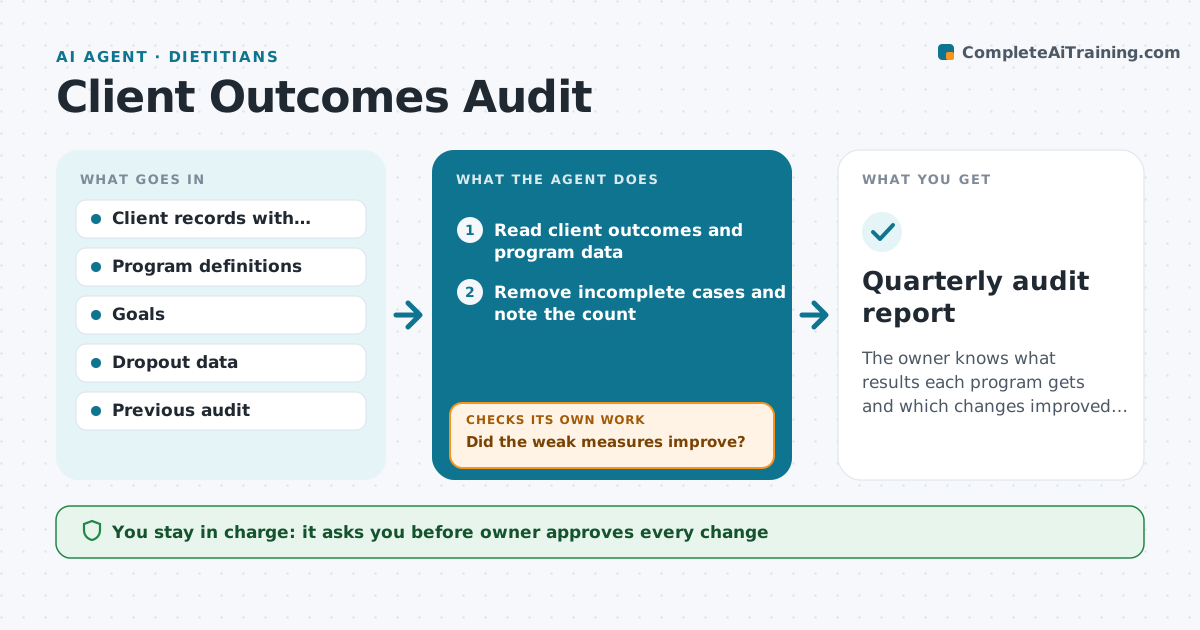
The owner knows what results each program gets and which changes improved them.
What it does
Most practices believe they get good results but do not measure them. Each quarter the agent compiles outcomes by program, such as weight change, lab values or goal achievement, and removes incomplete cases such as clients who started but never returned. It compares the results with the goals and last quarter and finds weak points, for example a program where dropout is 40% in week 3. It proposes changes and tracks them. The next quarter it compares the same measures to see if the change helped. The owner approves every change. Edge case: a program with fewer than 10 clients is shown with a warning that the numbers are too small.
How it works
Follow the arrows from top to bottom. The orange dashed arrow is the loop: when a check fails, the agent goes back and tries again.
Read the steps as a list
- Quarter ends
- Read client outcomes and program data
- Remove incomplete cases and note the count
- Calculate outcomes and dropout by program
- Compare with goals and last quarter
- Find weak points and propose changes
- Owner approves the changesThe agent waits here for your OK.
- Record the changes and the date
- Read the next quarter's data
- Did the weak measures improve?If not: Drop or revise the change and propose another. Back to step 3.
- Quarterly audit report
How it decides
It compares each program's outcome and dropout with goals and the previous quarter and flags the weakest.
- Dropout above 30% is flagged
- A program with under 10 clients is marked low confidence
- Goal gap above 10 points is flagged
- Judge a change after a full quarter
Make it yours
Every agent is a starting point. You choose these settings for your own situation.
- Outcome measures
- Goals
- Dropout threshold
- Minimum program size
- Report format
What keeps you in control
It always asks you first
- Owner approves every change
- Owner approves what is published externally
Hard limits
- Never publish identifiable client data
- Never hide incomplete cases
- Never report small samples as certain
It stops when
- Done: outcomes reported and weak points have a change
- Stop: data is too incomplete to report
Set it up
We guide you through the set-up, step by step
Members get the full set-up guide for this agent. No technical skills needed: you copy, paste and upload.
- One set of instructions to paste into your AI, with the clicks for ChatGPT, Claude, Microsoft 365 Copilot, Gemini and Grok
- The agent then walks you through connecting your own data, one source at a time
- A downloadable copy with the flow chart, the rules and the full guide