AI agent for personal trainers
Plateau Investigation Agent
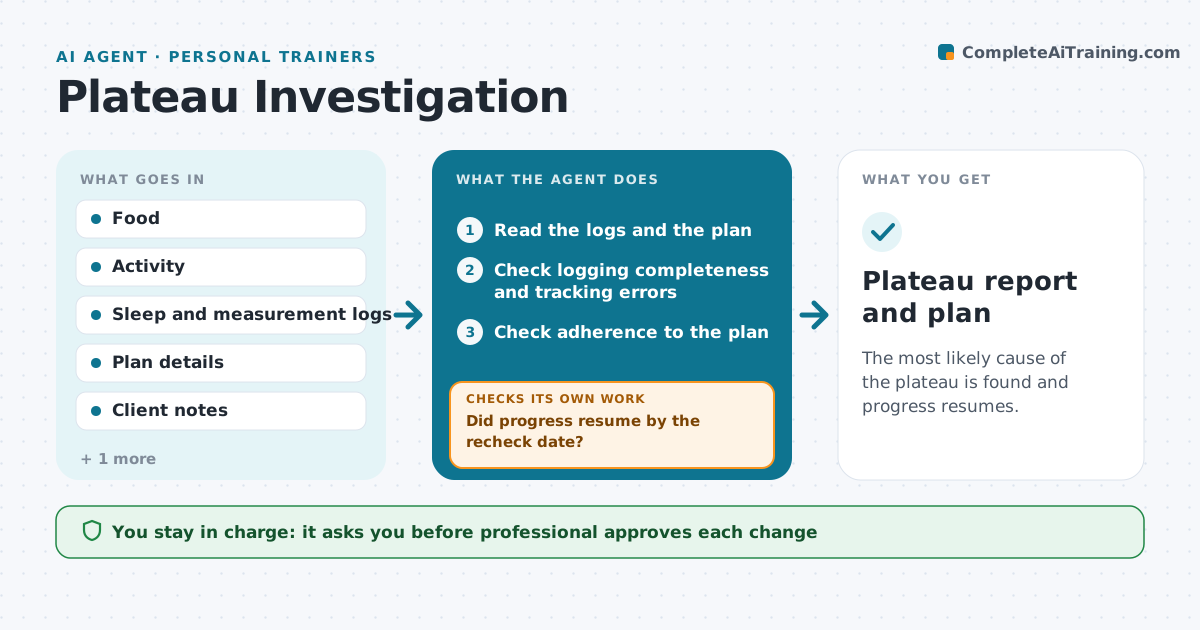
The most likely cause of the plateau is found and progress resumes.
What it does
When a client stops progressing, a coach usually guesses the cause. The agent reads logs of food, activity, sleep and measurements, and tests the likely causes in order. It starts with tracking errors, such as missing days or unlogged snacks, then adherence to the plan, then a mismatch between the plan and the client's current weight or activity, and last, outside factors such as stress or illness. For each cause it states the evidence and whether it explains the stall. It proposes one change at a time with a recheck date, then reads the new data to see whether progress resumed. If it did not, it moves to the next cause. The professional approves each change. Edge case: if the data suggests a medical problem, the agent tells the professional and stops the investigation.
How it works
Follow the arrows from top to bottom. The orange dashed arrow is the loop: when a check fails, the agent goes back and tries again.
Read the steps as a list
- Progress stalls for 3 weeks
- Read the logs and the plan
- Check logging completeness and tracking errors
- Check adherence to the plan
- Check whether the plan still fits the client's weight and activity
- Check sleep, stress and illness notes
- Pick the most likely cause and propose one change with a recheck date
- Professional approves the changeThe agent waits here for your OK.
- Send the change to the client and set the recheck
- Did progress resume by the recheck date?If not: Rule out that cause and test the next one in the order. Back to step 3.
- Plateau report and plan
How it decides
It tests causes in a fixed order and moves on only when the evidence rules a cause out.
- Under 80% of days logged means tracking is first
- Adherence below 70% is the next cause
- Change one thing at a time
- Possible medical signs stop the process
Make it yours
Every agent is a starting point. You choose these settings for your own situation.
- Plateau length in weeks
- Cause order
- Logging threshold
- Recheck period
- Data sources
What keeps you in control
It always asks you first
- Professional approves each change
- Professional approves any referral
Hard limits
- Never diagnose a medical cause
- Never change a plan without approval
- Never change more than one thing at a time
It stops when
- Done: progress resumes or the causes are documented
- Stop: a possible medical cause is found and referred
Set it up
We guide you through the set-up, step by step
Members get the full set-up guide for this agent. No technical skills needed: you copy, paste and upload.
- One set of instructions to paste into your AI, with the clicks for ChatGPT, Claude, Microsoft 365 Copilot, Gemini and Grok
- The agent then walks you through connecting your own data, one source at a time
- A downloadable copy with the flow chart, the rules and the full guide