AI agent for travel agents
Client Preference Profile Update Agent
Keep every client profile current and consistent after each trip
What it does
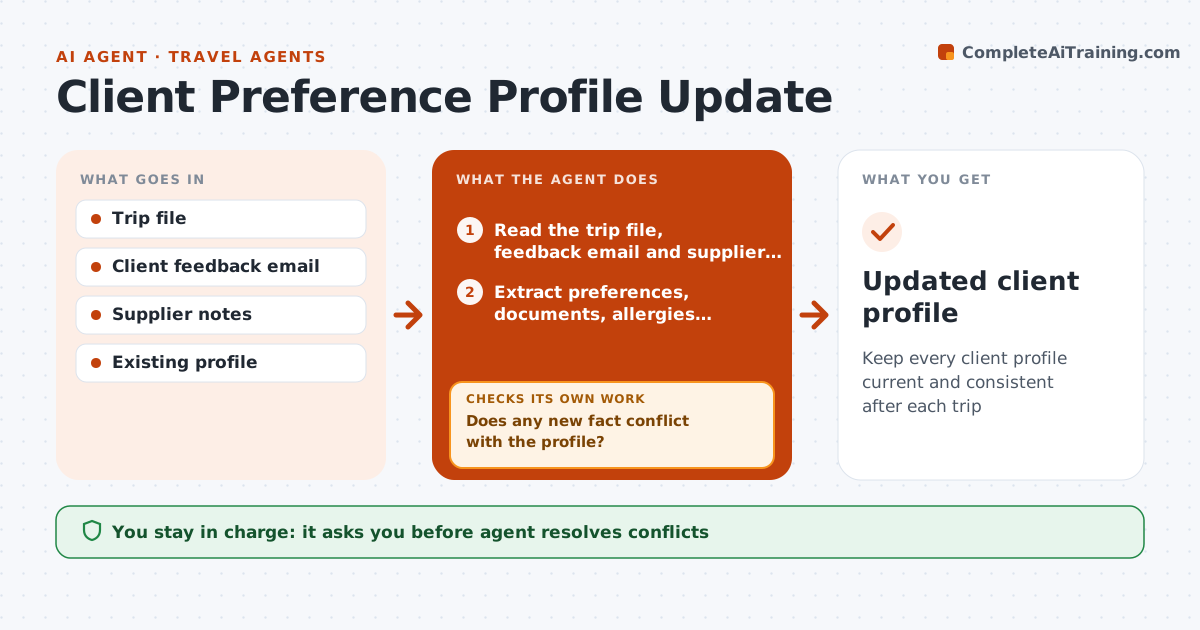
A client mentioned a nut allergy in a 2023 email, a new passport last spring and a dislike of overnight flights after a bad trip, and none of it is in one place. After each trip this agent reads the trip file, the client's feedback email and supplier notes, and drafts updates to the client profile: seat and room preferences, diet and allergies, loyalty numbers, documents, dislikes and praised suppliers. It checks each new fact against what the profile already says. When facts conflict, such as a different passport number or a changed diet, it does not pick one, and flags it for the agent. The travel agent resolves conflicts and approves the saved profile. Edge case: the feedback says the client loved the hotel but also notes a noisy room, so the agent records both.
How it works
Follow the arrows from top to bottom. The orange dashed arrow is the loop: when a check fails, the agent goes back and tries again.
Read the steps as a list
- Trip marked completed
- Read the trip file, feedback email and supplier notes
- Extract preferences, documents, allergies, loyalty numbers and dislikes
- Open the existing client profile
- Compare each new fact with the profile
- Does any new fact conflict with the profile?If not: mark the conflicts and ask the agent to resolve each one before continuing. Back to step 4.
- Draft the profile updates with the source of each
- Check dates on documents such as passports for expiry
- Is every changed document valid for the client's next planned trips?If not: flag the expiry and add a reminder for the client. Back to step 4.
- Agent approves the saved profileThe agent waits here for your OK.
- Updated client profile
How it decides
It adds a fact when it is new and clear, flags it when it conflicts with the profile, and ignores one-off comments with no lasting preference.
- Add a preference when it is stated clearly or repeated in two trips
- Flag conflicts in documents, allergies and diets for the agent
- Record the source and date of each fact
- Ignore one-off comments on weather or delays
Make it yours
Every agent is a starting point. You choose these settings for your own situation.
- Profile fields kept
- Sources read after a trip
- Conflict fields that always need a decision
- Passport warning window (default 6 months)
- Where profiles are stored
What keeps you in control
It always asks you first
- Agent resolves conflicts
- Agent approves the saved profile
Hard limits
- Never save a conflicting fact without the agent's decision
- Never share the profile outside the agency
It stops when
- Done: the profile is updated and approved
- Stop: the trip file or feedback is missing
Set it up
We guide you through the set-up, step by step
Members get the full set-up guide for this agent. No technical skills needed: you copy, paste and upload.
- One set of instructions to paste into your AI, with the clicks for ChatGPT, Claude, Microsoft 365 Copilot, Gemini and Grok
- The agent then walks you through connecting your own data, one source at a time
- A downloadable copy with the flow chart, the rules and the full guide