AI agent for clinical data managers
Clinical Coding Review Agent
Consistent, dictionary-aligned coding proposals with human sign-off
What it does
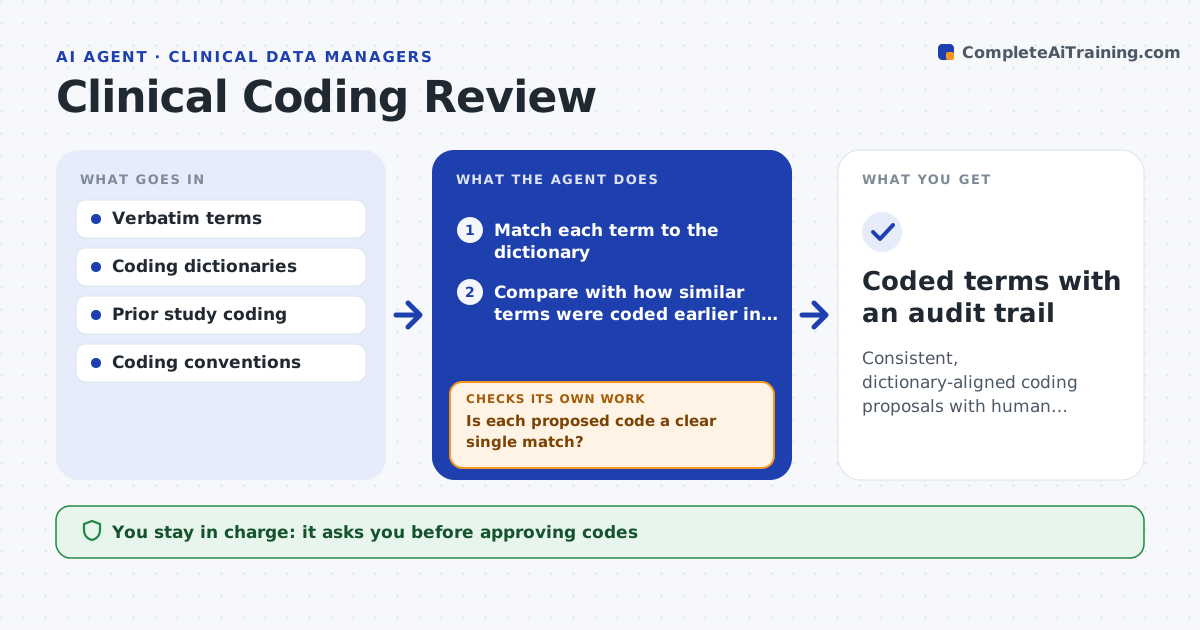
Reported events and medications arrive as free text and must be coded to standard dictionaries, and doing it by hand is slow and inconsistent between coders. This agent proposes a dictionary code for each new term by matching it to the dictionary and to how similar terms were coded before in the study. It marks a code as clear only when there is a single strong match. Close matches with more than one option, and terms that match nothing, go to a human coder with a drafted query where the verbatim term is vague. It then checks that the same term is coded the same way across the whole study and flags conflicts. It never finalizes a code on its own. You approve all codes and queries. Edge case: a term that could mean two very different events always goes to a human.
How it works
Follow the arrows from top to bottom. The orange dashed arrow is the loop: when a check fails, the agent goes back and tries again.
Read the steps as a list
- New terms ready for coding
- Match each term to the dictionary
- Compare with how similar terms were coded earlier in the study
- Propose codes and mark uncertain ones
- Is each proposed code a clear single match?If not: route ambiguous terms to a human coder and draft queries for vague verbatims. Back to step 2.
- Check coding consistency across the study
- Is each term coded the same way everywhere?If not: flag the conflicts for the coder to resolve. Back to step 6.
- Coder approves all codes and queriesThe agent waits here for your OK.
- Coded terms with an audit trail
How it decides
It proposes a code only on a clear single match and routes ambiguous or multi-option terms to a human coder.
- Propose a code only on a clear single match
- Always route ambiguous terms to a human
- Flag inconsistent coding of the same term
Make it yours
Every agent is a starting point. You choose these settings for your own situation.
- Dictionaries and versions
- Match confidence for a clear match
- Coding conventions
- Query templates
What keeps you in control
It always asks you first
- Approving codes
- Sending coding queries
Hard limits
- Never finalizes a code without human approval
- Routes ambiguity to people, not closeness
It stops when
- Done: terms coded or routed with sign-off
- Stop: the dictionary version is not specified
Set it up
We guide you through the set-up, step by step
Members get the full set-up guide for this agent. No technical skills needed: you copy, paste and upload.
- One set of instructions to paste into your AI, with the clicks for ChatGPT, Claude, Microsoft 365 Copilot, Gemini and Grok
- The agent then walks you through connecting your own data, one source at a time
- A downloadable copy with the flow chart, the rules and the full guide