AI agent for medical coders
Coding Accuracy Audit Agent
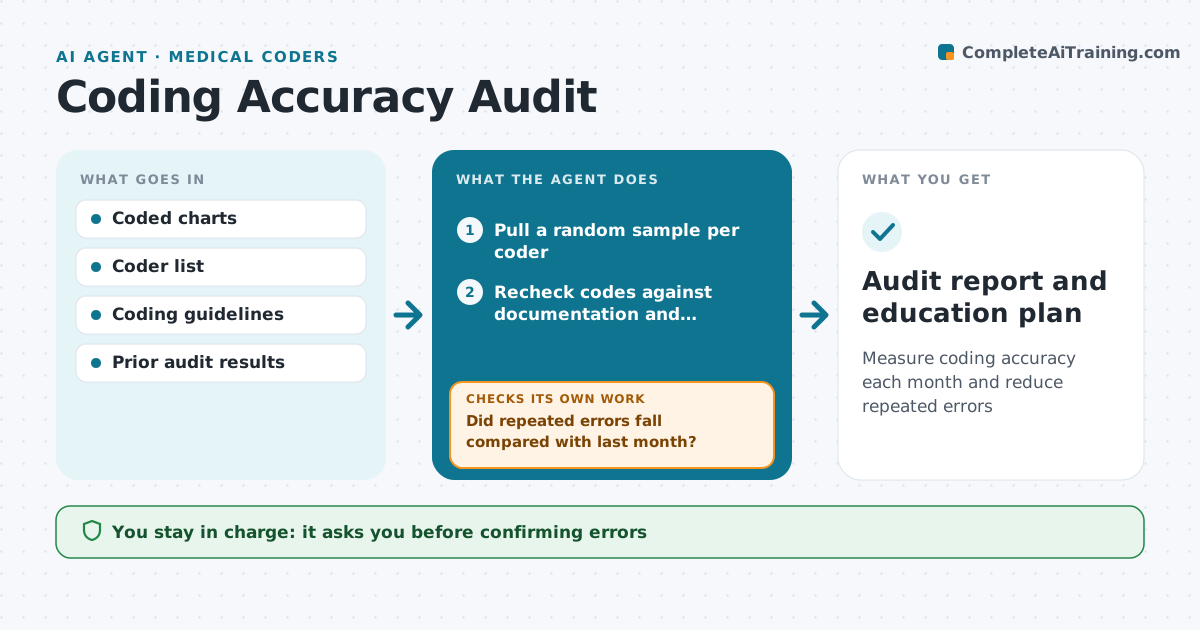
Measure coding accuracy each month and reduce repeated errors
What it does
Coding teams must audit a sample of their own work each month and turn the findings into training. Doing it by hand is slow. This agent pulls a random sample of coded charts per coder, rereads the documentation, and checks diagnosis and procedure codes, modifiers and sequencing against the record and coding rules. It records agreements and differences with the reason for each. Every difference goes to a human auditor, who confirms or overturns it. It then calculates accuracy per coder, finds repeated error types, and drafts short education notes. Next month it checks whether those errors dropped. If they did not, it widens the sample for that error type and flags the coder for one-to-one training. You approve confirmed errors and any rebilling. Edge case: a chart corrected after billing is audited in its final version.
How it works
Follow the arrows from top to bottom. The orange dashed arrow is the loop: when a check fails, the agent goes back and tries again.
Read the steps as a list
- Month ends
- Pull a random sample per coder
- Recheck codes against documentation and guidelines
- Auditor confirms or overturns each differenceThe agent waits here for your OK.
- Calculate accuracy and group error types
- Draft education notes for repeated errors
- Did repeated errors fall compared with last month?If not: widen the next sample for that error type and flag for one-to-one training. Back to step 5.
- Audit report and education plan
How it decides
Each code is compared with documentation and guidelines. Differences are classified by type and confirmed by an auditor before counting.
- At least 10 charts per coder per month
- Accuracy under 95% triggers a focused review
- Billing-impact errors go to rebilling review
Make it yours
Every agent is a starting point. You choose these settings for your own situation.
- Sample size
- Accuracy target
- Error categories
- Report format
What keeps you in control
It always asks you first
- Confirming errors
- Rebilling corrected claims
Hard limits
- Results are not used alone for discipline
- Corrections go through normal billing review
It stops when
- Done: report issued
- Stop: sample too small for a coder, carry over
Set it up
We guide you through the set-up, step by step
Members get the full set-up guide for this agent. No technical skills needed: you copy, paste and upload.
- One set of instructions to paste into your AI, with the clicks for ChatGPT, Claude, Microsoft 365 Copilot, Gemini and Grok
- The agent then walks you through connecting your own data, one source at a time
- A downloadable copy with the flow chart, the rules and the full guide