AI agent for demand planners
Collaborative Forecast Sharing Agent
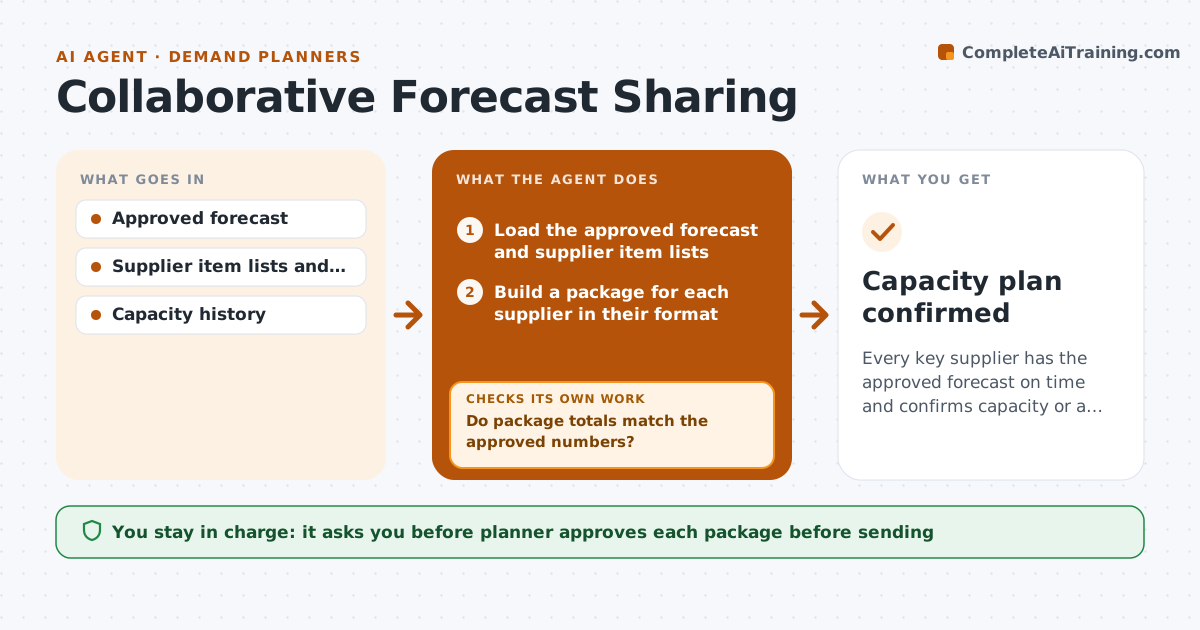
Every key supplier has the approved forecast on time and confirms capacity or a plan for shortfalls.
What it does
Planners email suppliers spreadsheets in different layouts days after the forecast is final, so suppliers cannot promise capacity until the last minute. After each forecast sign-off, this agent builds a supplier version for every key supplier in their preferred format, with only the items they make. It checks that the version matches the approved numbers, tracks acknowledgement and asks for capacity replies by a set date. If a supplier cannot meet a week, it models the shortfall, shows what it does to service, and proposes a shift or a second source. The planner approves each package before sending. Edge case: a supplier acknowledges but never states capacity.
How it works
Follow the arrows from top to bottom. The orange dashed arrow is the loop: when a check fails, the agent goes back and tries again.
Read the steps as a list
- Forecast signed off
- Load the approved forecast and supplier item lists
- Build a package for each supplier in their format
- Do package totals match the approved numbers?If not: find the difference, fix the package and recheck. Back to step 2.
- Planner approves each package before sendingThe agent waits here for your OK.
- Send the packages with a reply date
- Track acknowledgements and capacity replies
- Has each supplier confirmed capacity within 10 percent of the plan?If not: chase the reply, then model the shortfall and its effect on service. Back to step 7.
- Propose a shift in timing, volume or a second source
- Planner approves any plan changeThe agent waits here for your OK.
- Capacity plan confirmed
How it decides
It builds each package from the approved forecast and escalates when a supplier's confirmed capacity is more than 10 percent below the plan for any week.
- Match each package to the approved forecast exactly.
- Chase replies after 2 business days.
- Escalate when capacity is more than 10 percent below plan.
- Prefer a timing shift before a second source.
Make it yours
Every agent is a starting point. You choose these settings for your own situation.
- Supplier formats
- Reply deadline (default 3 days)
- Capacity gap threshold (default 10 percent)
- Suppliers included
What keeps you in control
It always asks you first
- Planner approves each package before sending
- Planner approves any plan change
Hard limits
- Send only items the supplier makes
- Never change the approved forecast
It stops when
- Done: all suppliers confirmed.
- Stop: a supplier does not reply after 3 chases, so the planner escalates.
Set it up
We guide you through the set-up, step by step
Members get the full set-up guide for this agent. No technical skills needed: you copy, paste and upload.
- One set of instructions to paste into your AI, with the clicks for ChatGPT, Claude, Microsoft 365 Copilot, Gemini and Grok
- The agent then walks you through connecting your own data, one source at a time
- A downloadable copy with the flow chart, the rules and the full guide