AI agent for chefs
Covers Forecast Prep Planning Agent
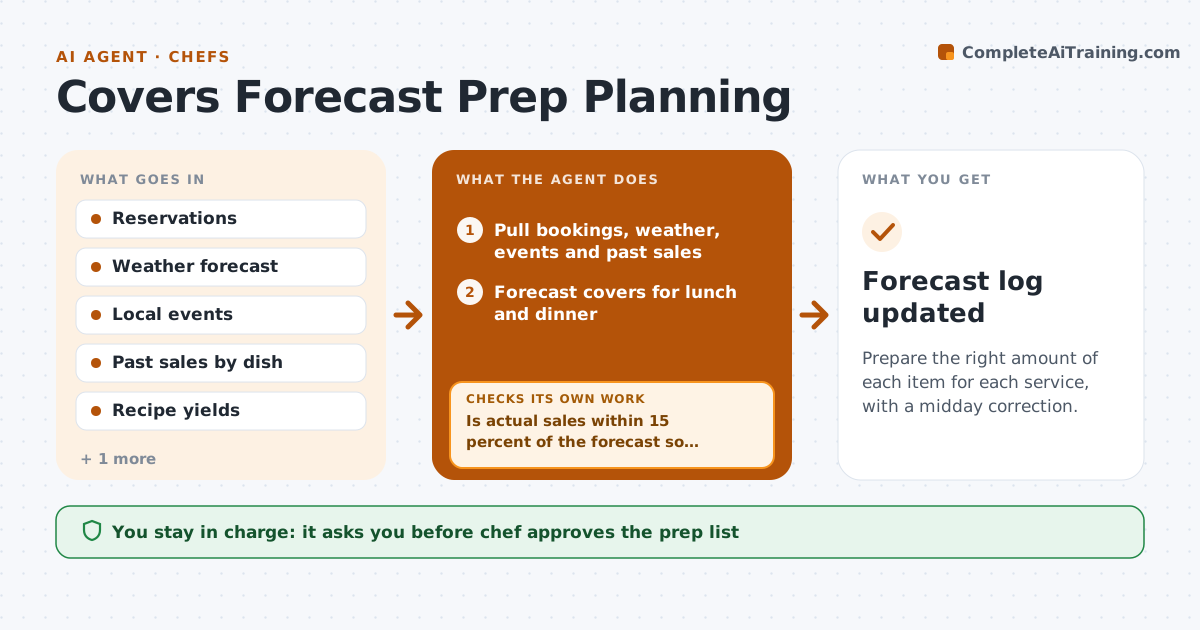
Prepare the right amount of each item for each service, with a midday correction.
What it does
The prep list is the same every Friday, even though a big party is booked and rain is forecast, so the kitchen runs out of one dish and throws away another. Each morning the agent forecasts covers from bookings, the weather, local events and past sales for the same weekday. It converts the forecast to prep quantities using the menu mix and recipe yields, minus what is already prepped. At midday it compares actual sales and walk-ins with the forecast. If sales run well above or below, it adjusts the evening prep, for example asking for 20 more portions of the top seller, within what the kitchen can do before service. It records the forecast error to learn from. Edge case: a large booking cancelled at noon. The chef approves the prep list and any change.
How it works
Follow the arrows from top to bottom. The orange dashed arrow is the loop: when a check fails, the agent goes back and tries again.
Read the steps as a list
- Morning planning starts
- Pull bookings, weather, events and past sales
- Forecast covers for lunch and dinner
- Convert covers to prep quantities using menu mix and yields
- Subtract stock already prepped
- Chef approves the prep listThe agent waits here for your OK.
- At midday, read actual sales and new bookings
- Is actual sales within 15 percent of the forecast so far?If not: recalculate the evening forecast and prep quantities. Back to step 3.
- Chef approves changes to the evening prepThe agent waits here for your OK.
- After service, record forecast against actual covers and waste
- Forecast log updated
How it decides
The forecast uses past covers for the same weekday adjusted for bookings and weather. The midday check changes prep when actual sales differ from the forecast by more than 15 percent.
- Adjust when actual sales differ from forecast by more than 15 percent
- Add 10 percent for rain on patio days if the restaurant has outdoor seating
- Do not increase prep beyond what can be finished before service
- Count a booking for 8 or more as a separate event
Make it yours
Every agent is a starting point. You choose these settings for your own situation.
- Adjustment threshold (default 15 percent)
- Forecast inputs
- Services covered
- Prep list format
- Waste tracking
What keeps you in control
It always asks you first
- Chef approves the prep list
- Chef approves midday changes
Hard limits
- Never order ingredients itself
- Do not exceed what the kitchen can prep safely
It stops when
- Done: service ends and the forecast is logged
- Stop: reservation data is missing, use last week's numbers and tell the chef
Set it up
We guide you through the set-up, step by step
Members get the full set-up guide for this agent. No technical skills needed: you copy, paste and upload.
- One set of instructions to paste into your AI, with the clicks for ChatGPT, Claude, Microsoft 365 Copilot, Gemini and Grok
- The agent then walks you through connecting your own data, one source at a time
- A downloadable copy with the flow chart, the rules and the full guide