AI agent for automation engineers
Commissioning Test Agent
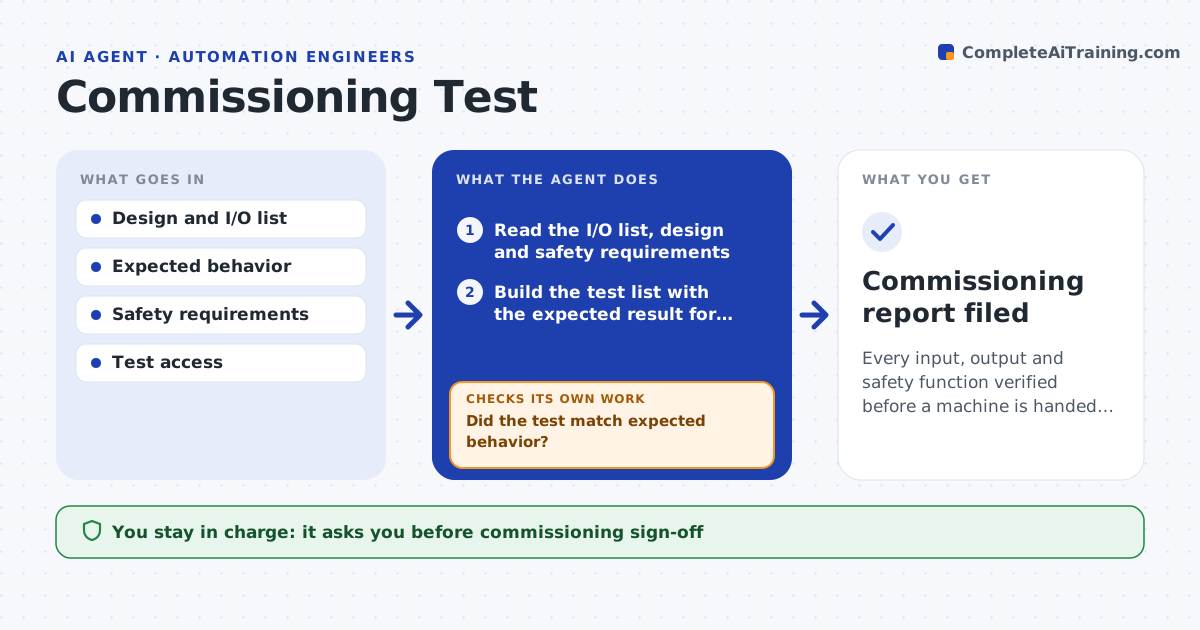
Every input, output and safety function verified before a machine is handed over
What it does
Commissioning a machine means verifying every input, output, motion and safety function before handover, and skipped steps show up as faults once production starts. This agent builds the test list from the design and the I/O list, guides each test and records the result: does each sensor read correctly, does each actuator move the right way, does each safety stop work. It compares each result with the expected behavior. When a test fails, it uses the pattern to suggest a wiring, configuration or mechanical cause, records it and reruns the test after the fix. It tracks remaining tests and will not mark the machine ready until every safety test passes. It drafts the commissioning report. You approve sign-off. Edge case: an actuator moving the wrong way is a blocking issue even if it otherwise works.
How it works
Follow the arrows from top to bottom. The orange dashed arrow is the loop: when a check fails, the agent goes back and tries again.
Read the steps as a list
- Machine ready to commission
- Read the I/O list, design and safety requirements
- Build the test list with the expected result for each item
- Run each test and record the result
- Did the test match expected behavior?If not: identify the wiring, configuration or mechanical cause, fix and rerun. Back to step 4.
- Track remaining tests and safety status
- Have all safety tests passed?If not: hold sign-off and rerun the open safety tests. Back to step 4.
- Draft the commissioning report
- Engineer approves commissioning sign-offThe agent waits here for your OK.
- Commissioning report filed
How it decides
A machine is ready only when every functional and safety test passes; safety failures block sign-off regardless of other results.
- Block sign-off on any failed safety test
- Flag reversed actuator direction as blocking
- Rerun a test after each fix
Make it yours
Every agent is a starting point. You choose these settings for your own situation.
- Test list and expected behavior
- Safety tests required
- Pass criteria
- Report format
What keeps you in control
It always asks you first
- Commissioning sign-off
Hard limits
- Never bypasses a safety test
- Does not sign off on its own
It stops when
- Done: all tests pass and report filed
- Stop: safety circuits are not yet installed
Set it up
We guide you through the set-up, step by step
Members get the full set-up guide for this agent. No technical skills needed: you copy, paste and upload.
- One set of instructions to paste into your AI, with the clicks for ChatGPT, Claude, Microsoft 365 Copilot, Gemini and Grok
- The agent then walks you through connecting your own data, one source at a time
- A downloadable copy with the flow chart, the rules and the full guide