
Learning path
Learning AI as a Robotics Engineer
A guided path for robotics engineers who want to use AI in daily work. Learn to set up your AI, connect it to your tools, and practice prompts for control code, sensors, simulation, and testing.
Your path
Everything in the Robotics Engineer AI kit, in the order that makes sense. Members tick off each step and see their progress.
Set up your AI
We guide you through each click.
Let skills do your everyday tasks
Connect your apps and pick your AI apps
Hand whole tasks to AI agents
Build your own tools
Keep growing
Everything for robotics engineers
All the courses, certifications, AI tools, MCP servers and apps for robotics engineers, most relevant first. Open any list to see more.
Take the prompt courses
A short framework course to learn how to ask, then 9 lessons with ready-to-use prompts for robotics engineers.
Start with this framework: how to talk to AI
This framework helps you decompose robot arm motion planning into subproblems, compare alternative grasp routes, and document each step.
Then your prompt course for robotics engineers- 1Learn Robotics Fundamentals3 prompts
- 2Draft Control System Code3 prompts
- 3Plan Motion and Paths2 prompts
- 4Integrate Sensors and Actuators2 prompts
- 5Simulate Before You Build3 prompts
- 6Troubleshoot Robot Behavior3 prompts
- 7Test Prototypes Systematically2 prompts
- 8Optimize Cycle Time2 prompts
- 9Document and Communicate2 prompts
Watch the video courses or add them to your Favorites for later
82 video courses our AI picked for robotics engineers, most useful first. Save the ones you want to watch later with the heart.
Favorites are saved to your account: sign in or get your AI kit first.
Show all 82 video courses
Get certified, or add certifications to your Favorites
Every course ends in an exam and a certificate you can add to LinkedIn. Save the certifications you are aiming for with the heart.
Favorites are saved to your account: sign in or get your AI kit first.
More certifications for robotics engineersShow all 24 certifications
Try the AI tools for robotics engineers
24 AI tools our AI matched to the work of robotics engineers, best fit first. Each review shows what it does, its alternatives and the jobs it suits.
Favorites are saved to your account: sign in or get your AI kit first.
Show all 24 AI tools
Connect your AI to the apps robotics engineers use
MCP servers let ChatGPT, Claude or Copilot look things up and get work done in other apps, like your email, calendar or bookkeeping software. These 12 fit the work of robotics engineers best, well-known apps first.

TopicForge MCP server
by yaniswavLets your AI look at a ROS 2 robot's topics, nodes, recordings and network settings, without ever changing anything.
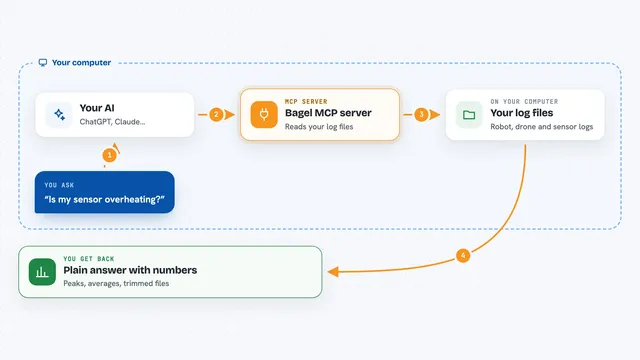
Bagel MCP server
by Extelligence-aiAsk plain-English questions about robot, drone and IoT logs and get real answers back.

Isaac Sim MCP server
by omni-mcpControl NVIDIA Isaac Sim robot simulations with plain English commands through your AI assistant.

ROS 2 MCP server
by wise-visionLets your AI look at and control a ROS 2 robot: list topics, read sensor data, and send commands.

MATLAB MCP server
by HanSur94Let your AI write and run MATLAB code, make interactive plots, and run long jobs for you.

arXiv MCP server
by andybrandtLets your AI search arXiv for research papers and pull up their details and full text.
ResearchNo installShow all 12 MCP servers

ROS MCP server
by lpigeonLet your AI send commands to a robot and read back what the robot is doing, in plain words.

RIGShare MCP server
by RPER2001Search, quote and book rental equipment like GPUs, robots and excavators right from your AI chat.

fw-context MCP server
by turbyhoLets your AI read your firmware the way the compiler sees it, so it can trace calls, callbacks and dead code.
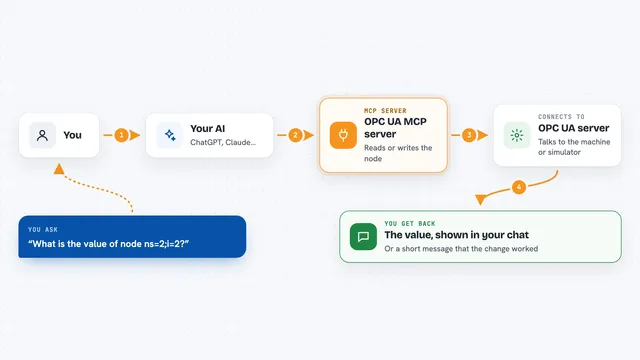
OPC UA MCP server
by kukapayLet your AI read and change live values on industrial machines that speak OPC UA.

Scholar Feed MCP server
by YGao2005Lets your AI search 600k+ computer science and AI papers, follow citations, and export BibTeX.

SheetsData MCP server
by octoco-ltdLets your AI look up electronic component specs, pinouts and package info from datasheets without opening a PDF.
ResearchNo installBuild your own AI apps for robotics engineers
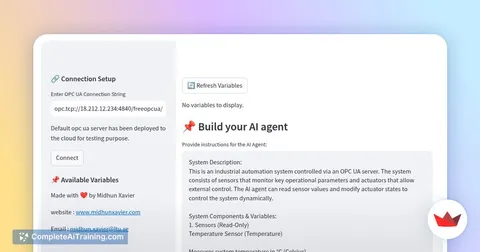
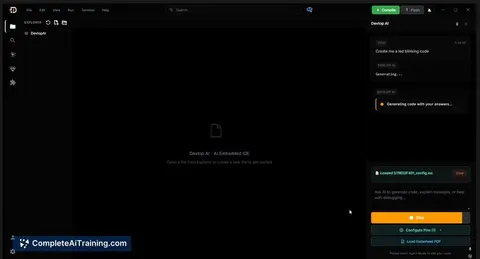
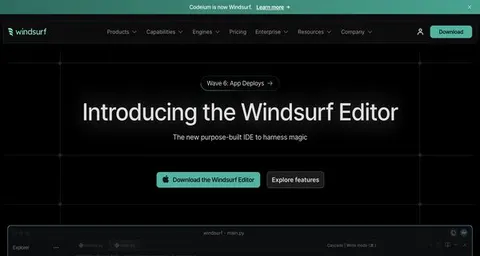
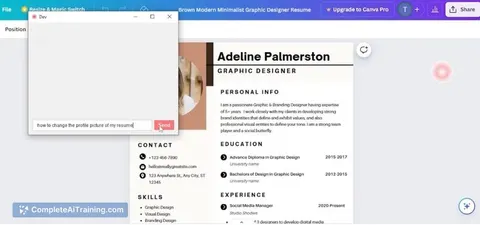
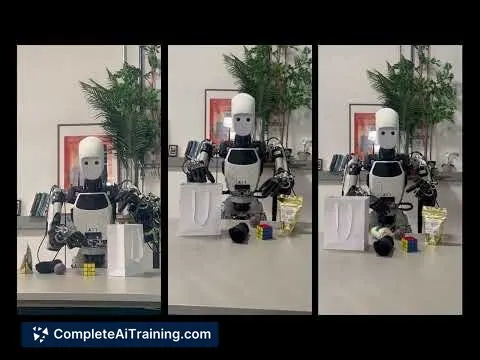
Apps you build yourself with your own AI, no coding needed and no monthly fee. Our AI picked the one that fits the work of robotics engineers.















































































About this learning path
6 topicsA practical AI path for robotics engineers
Robotics work moves fast. You design, build, test, and document, often on tight timelines. This path shows you how to use AI as a steady helper for the thinking parts of that work.
You will start with setup questions, connect your AI to the tools you already use, and then work through prompts built for robotics tasks. Short video courses picked for your job come next, along with the certifications that go with them.
Why AI matters for robotics now
Robots are getting more capable, and the systems around them are getting more complex. AI can help you read datasheets faster, draft control logic, plan motion, and make sense of logs without losing your engineering judgment.
Teams that use AI well spend less time on repetitive drafting and more time on the physical build, the safety checks, and the hard problems that need a human eye.
What the path includes
You begin with setup questions to get your AI ready. Then you connect your AI to the tools you use, and learn skills for the job inside your AI. The prompt course comes next, with lessons on control code, motion, sensors, simulation, troubleshooting, testing, and documentation.
After that, you get video courses picked for robotics engineers, plus the certifications of those courses so you can show what you have learned.
How it saves you time
You will use prompts to turn requirements into starter code, work through kinematics, and set up simulation worlds. When a robot behaves oddly, you can turn logs and photos into ranked hypotheses instead of staring at a screen.
Test plans, pass or fail findings, and stakeholder summaries come together faster, so you can spend the time you win back on the robot itself.
How it protects your career
AI does not replace your judgment. It helps you check your thinking, catch mistakes earlier, and keep your documentation clear. That makes you more valuable on the team, not less.
You stay in charge of safety, hardware choices, and final decisions. The path shows you where to trust the AI and where to slow down and verify by hand.
How to start
Begin with the setup questions. Then connect your AI and try one prompt from the course on a small task you already have, like drafting a ROS node or summarizing a sensor datasheet.
Move at your own pace. Each lesson builds on the last, so you can practice a little each day and see the difference in your own work.
Frequently asked questions
Do I need to know how to code to use this path?
You should be comfortable reading code and working with robotics tools, but you do not need to be a software expert. The prompts help you draft and check code, not write it for you from scratch. You stay in control of the final version.How much time does the path take?
Most people move through the setup and prompt course over a few weeks, fitting it around their regular work. The video courses and certifications can be done at your own pace. You can start with just ten minutes a day.Will this replace my engineering judgment?
No. The path is built around your judgment. AI helps you explore options, draft documents, and spot patterns in logs, but you decide what is safe and correct. You still test on hardware and sign off on the final design.What if my robot uses a specific framework or language?
The prompts are written to adapt to your setup. You can tell the AI which framework, language, or sensor you use, and it will shape the answer around that. The lessons show you how to give that context clearly.