AI agent for human resources specialists
Compensation Letter Consistency Agent
Every compensation letter matches the approved records exactly.
What it does
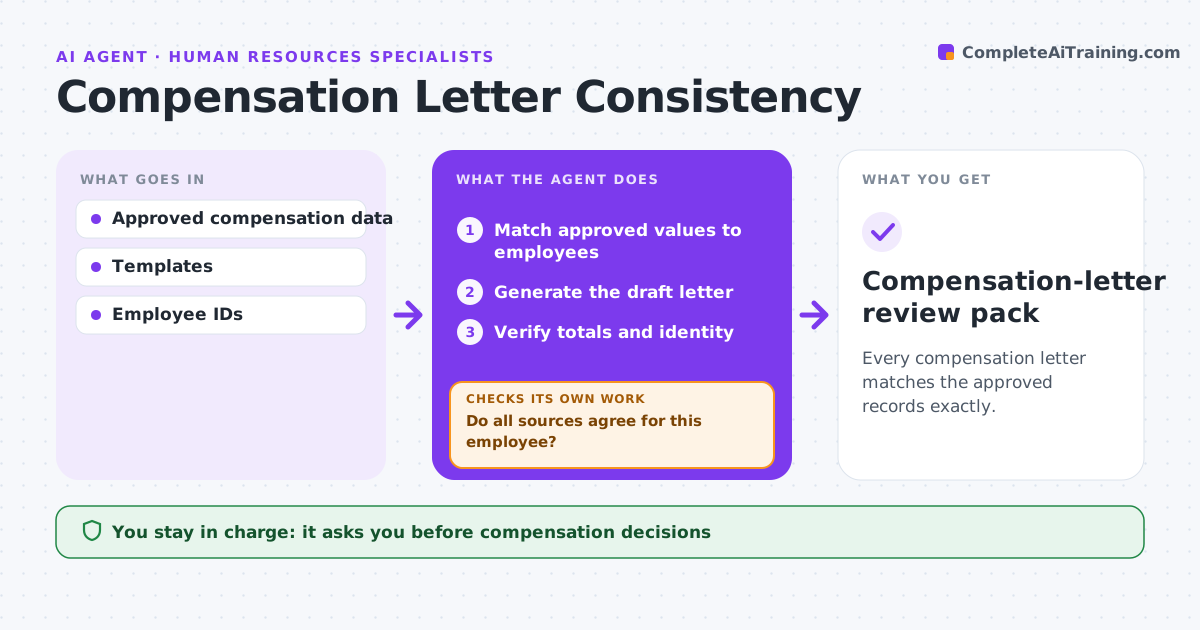
Compensation letters sometimes disagree with the approved records, showing the wrong salary, bonus or effective date. Errors like these damage trust and can create legal exposure. After a compensation cycle is approved, this agent matches each employee to their approved values from authorized records only. If two sources disagree for an employee, it stops generating that letter and flags the conflict instead of choosing a convenient value. For the rest, it generates draft letters and verifies totals and identity details against the records. The compensation administrator approves delivery. Edge case: the payroll system shows a raise effective April 1 but the approved cycle file says May 1, so the agent blocks that letter and lists both dates for the administrator.
How it works
Follow the arrows from top to bottom. The orange dashed arrow is the loop: when a check fails, the agent goes back and tries again.
Read the steps as a list
- Cycle approved
- Match approved values to employees
- Do all sources agree for this employee?If not: stop generation and flag the conflict. Back to step 2.
- Generate the draft letter
- Verify totals and identity
- Compensation administrator approves deliveryThe agent waits here for your OK.
- Compensation-letter review pack
How it decides
It uses only authorized values and blocks letters when sources disagree.
- Values come only from authorized records.
- Any conflict between sources blocks that employee's letter.
- Totals in the letter must equal the sum of approved components.
Make it yours
Every agent is a starting point. You choose these settings for your own situation.
- Authorized record sources and their priority
- Fields verified in every letter (default salary, bonus, effective date, name, ID)
- Letter template and language
- Who approves delivery (default compensation administrator)
What keeps you in control
It always asks you first
- Compensation decisions
- Employee delivery
Hard limits
- Strict access control.
It stops when
- Done: letters verified or blocked.
Set it up
We guide you through the set-up, step by step
Members get the full set-up guide for this agent. No technical skills needed: you copy, paste and upload.
- One set of instructions to paste into your AI, with the clicks for ChatGPT, Claude, Microsoft 365 Copilot, Gemini and Grok
- The agent then walks you through connecting your own data, one source at a time
- A downloadable copy with the flow chart, the rules and the full guide