AI agent for human resources specialists
Job Description Consistency Agent
Job descriptions that match the approved role framework.
What it does
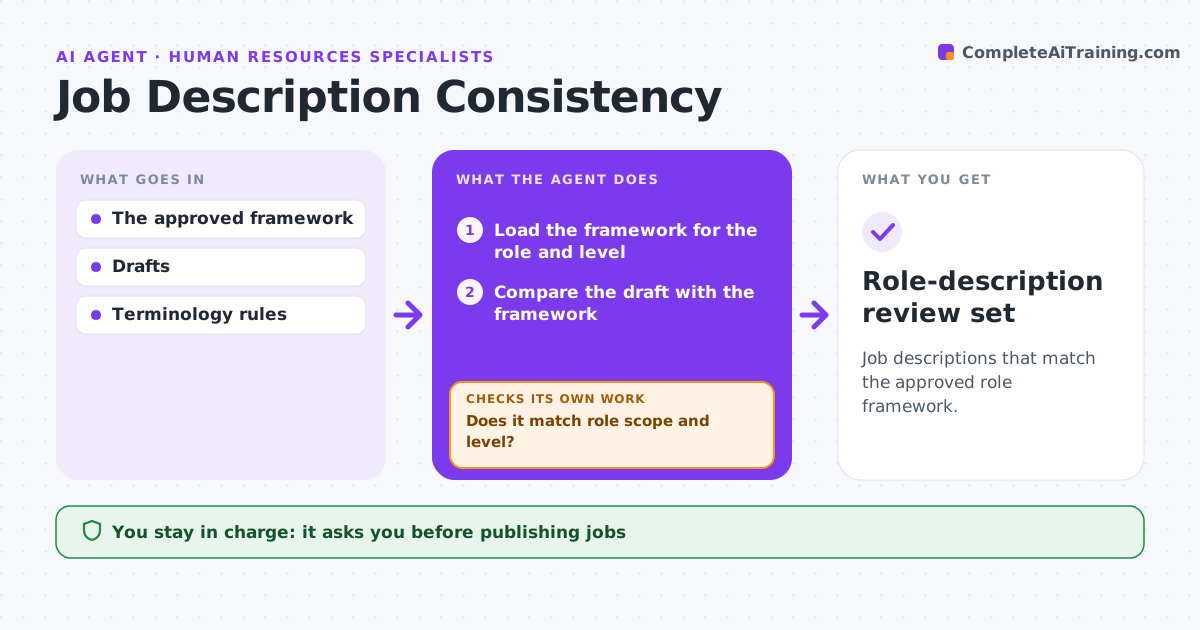
Job descriptions drift from the approved role framework as managers add duties or change levels. When a description is drafted, this agent compares it with the framework for that role and level. It looks closely at passages that contradict the framework, such as people management in an individual contributor role or a degree requirement the framework does not set. It drafts an aligned version, removing unauthorized responsibilities. When the scope of an addition is unclear, it asks the role owner instead of deciding. It rechecks the revised draft. HR approves publishing, and requirement changes stay with HR. Edge case: a manager adds a tool that is new but fits the role, so the agent asks the owner rather than removing it.
How it works
Follow the arrows from top to bottom. The orange dashed arrow is the loop: when a check fails, the agent goes back and tries again.
Read the steps as a list
- Job description drafted
- Load the framework for the role and level
- Compare the draft with the framework
- Does it match role scope and level?If not: draft an aligned passage or ask the owner. Back to step 3.
- Collect owner answers on unclear additions
- Does the revised draft now match?If not: revise again or escalate to HR. Back to step 5.
- HR approves publishingThe agent waits here for your OK.
- Role-description review set
How it decides
It corrects from the framework and asks the owner when scope is unclear.
- The framework decides scope and level.
- Unclear additions go to the role owner.
- Duties above the level are removed.
- Requirement changes are decided by HR.
Make it yours
Every agent is a starting point. You choose these settings for your own situation.
- Role framework and levels to compare against
- Requirements HR always reviews (degrees, years of experience)
- Who answers scope questions
- Who approves publishing
- Review format (tracked changes or side-by-side)
What keeps you in control
It always asks you first
- Publishing jobs
- Changing requirements
Hard limits
- No requirement changes.
It stops when
- Done: aligned.
Set it up
We guide you through the set-up, step by step
Members get the full set-up guide for this agent. No technical skills needed: you copy, paste and upload.
- One set of instructions to paste into your AI, with the clicks for ChatGPT, Claude, Microsoft 365 Copilot, Gemini and Grok
- The agent then walks you through connecting your own data, one source at a time
- A downloadable copy with the flow chart, the rules and the full guide