AI agent for insurance data analysts
Competitor Rate Filing Monitor Agent
A current view of competitor rate changes in key markets
What it does
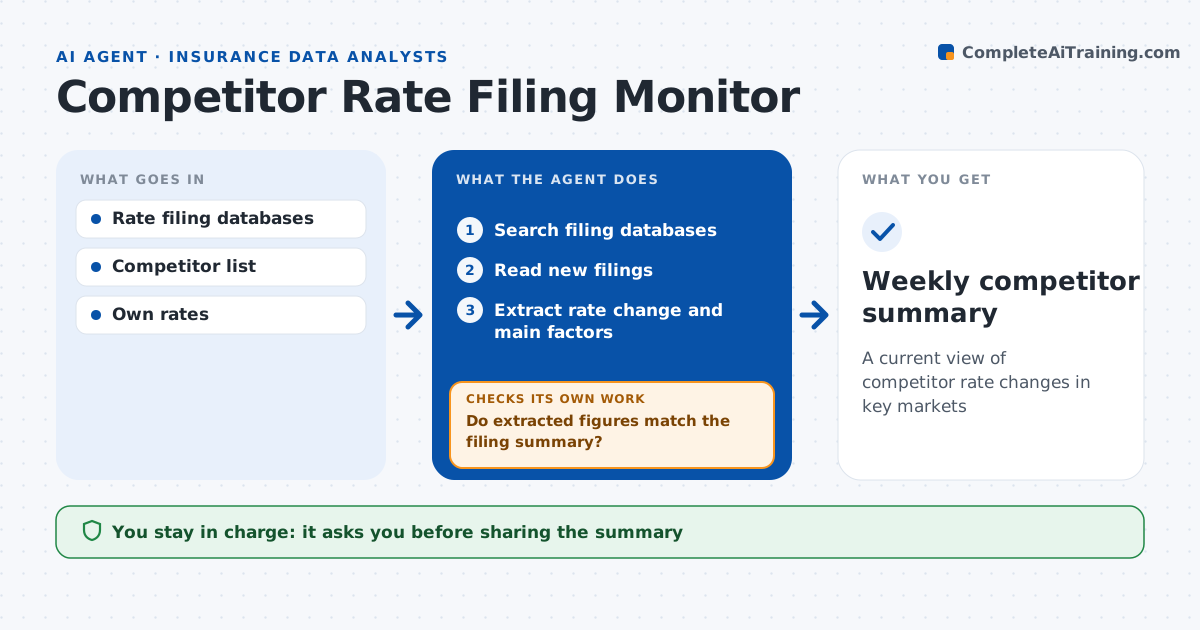
Pricing teams need to know when competitors change rates, but reading filings across many states takes hours. Each week this agent searches public rate filing databases for competitor filings in the company's states and lines. It reads new filings and extracts the overall rate change, effective date and main rating changes, including any new rating factor. It checks each extracted figure against the filing summary page. If a filing is unclear or the figures do not match, it marks it for manual review and uses the summary value. It compares the changes to the company's own rates and flags changes over 5% in key states. The analyst approves the summary before it goes to pricing. Edge case: a filing withdraws an earlier one, so the agent updates the earlier entry.
How it works
Follow the arrows from top to bottom. The orange dashed arrow is the loop: when a check fails, the agent goes back and tries again.
Read the steps as a list
- Weekly filing check
- Search filing databases
- Read new filings
- Extract rate change and main factors
- Do extracted figures match the filing summary?If not: re-read or mark for manual review. Back to step 4.
- Compare to own rates and flag big changes
- Analyst approves summaryThe agent waits here for your OK.
- Weekly competitor summary
How it decides
It flags competitor changes in key markets above a set size or with new rating factors.
- Change over 5% in a key state: flag
- New rating factor: describe
- Withdrawn filing: update record
Make it yours
Every agent is a starting point. You choose these settings for your own situation.
- Competitors
- States and lines
- Flag thresholds
- Summary format
What keeps you in control
It always asks you first
- Sharing the summary
Hard limits
- Never uses non-public data
- Never changes rates
It stops when
- Done: summary shared
- Stop: database unavailable
Set it up
We guide you through the set-up, step by step
Members get the full set-up guide for this agent. No technical skills needed: you copy, paste and upload.
- One set of instructions to paste into your AI, with the clicks for ChatGPT, Claude, Microsoft 365 Copilot, Gemini and Grok
- The agent then walks you through connecting your own data, one source at a time
- A downloadable copy with the flow chart, the rules and the full guide