AI agent for pharmacists
Compounding Batch Record Review Agent
Every batch record is complete, correct and has a justified beyond-use date before the pharmacist releases it.
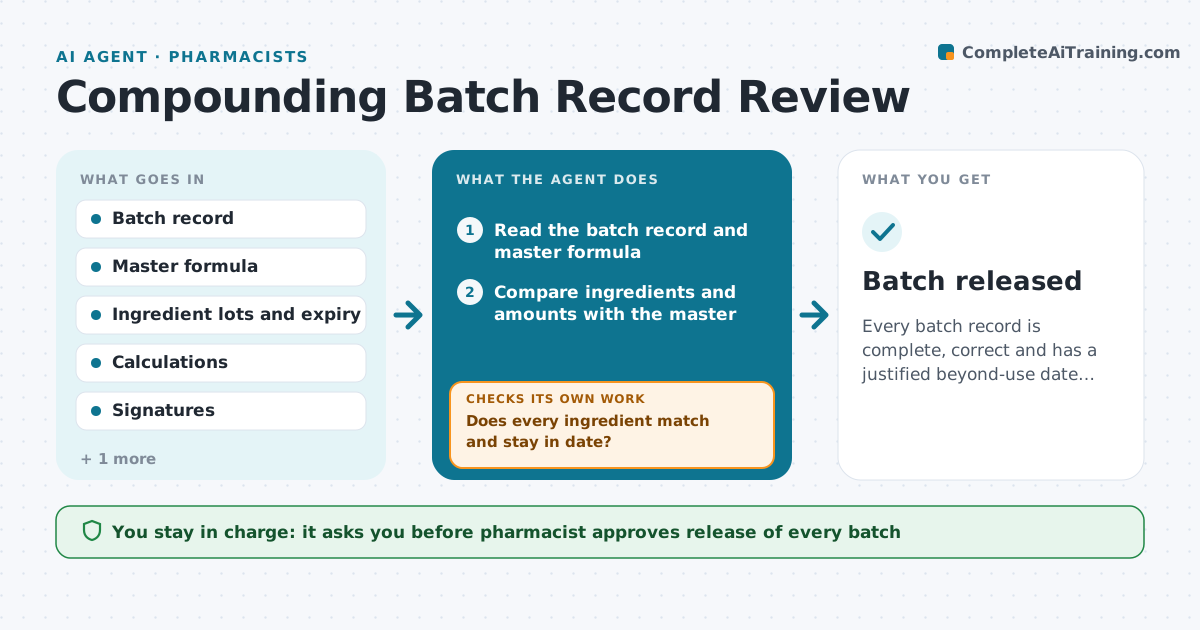
What it does
A compounded medicine cannot be released until the batch record is complete and correct, and checking it by hand is slow. The agent reads each batch record and checks the formula against the master record, the lot numbers and expiry dates of every ingredient, the calculations and the signatures. It then sets the beyond-use date from the rules for that preparation. If any item fails, it returns the record with a clear note, and rechecks it after correction. The pharmacist approves release. Edge case: an ingredient lot that expires before the planned beyond-use date, which must be replaced.
How it works
Follow the arrows from top to bottom. The orange dashed arrow is the loop: when a check fails, the agent goes back and tries again.
Read the steps as a list
- Batch record submitted
- Read the batch record and master formula
- Compare ingredients and amounts with the master
- Check lot numbers and expiry dates
- Does every ingredient match and stay in date?If not: Return the record with a note listing the items to fix. Back to step 4.
- Verify calculations and signatures
- Set the beyond-use date from the preparation rules
- Do all checks pass after correction?If not: Rerun all checks on the corrected record. Back to step 4.
- Pharmacist approves releaseThe agent waits here for your OK.
- Record the approval and date in the log
- Batch released
How it decides
It accepts a record only when each ingredient, amount, signature and date matches the master formula, and sets the beyond-use date from the shortest applicable limit.
- Amounts must match the master within the allowed tolerance
- An ingredient must be in date past the beyond-use date
- Missing signatures return the record
- Use the shortest beyond-use limit that applies
Make it yours
Every agent is a starting point. You choose these settings for your own situation.
- Calculation tolerance
- Beyond-use rules by preparation type
- Required signatures
- Who receives returned records
What keeps you in control
It always asks you first
- Pharmacist approves release of every batch
Hard limits
- Never release a batch itself
- Do not change a master formula
It stops when
- Done: record complete and release approved
- Stop: a formula or standard is in doubt and the pharmacist must decide
Set it up
We guide you through the set-up, step by step
Members get the full set-up guide for this agent. No technical skills needed: you copy, paste and upload.
- One set of instructions to paste into your AI, with the clicks for ChatGPT, Claude, Microsoft 365 Copilot, Gemini and Grok
- The agent then walks you through connecting your own data, one source at a time
- A downloadable copy with the flow chart, the rules and the full guide