AI agent for pharmacists
Immunization Administration and Reporting Agent
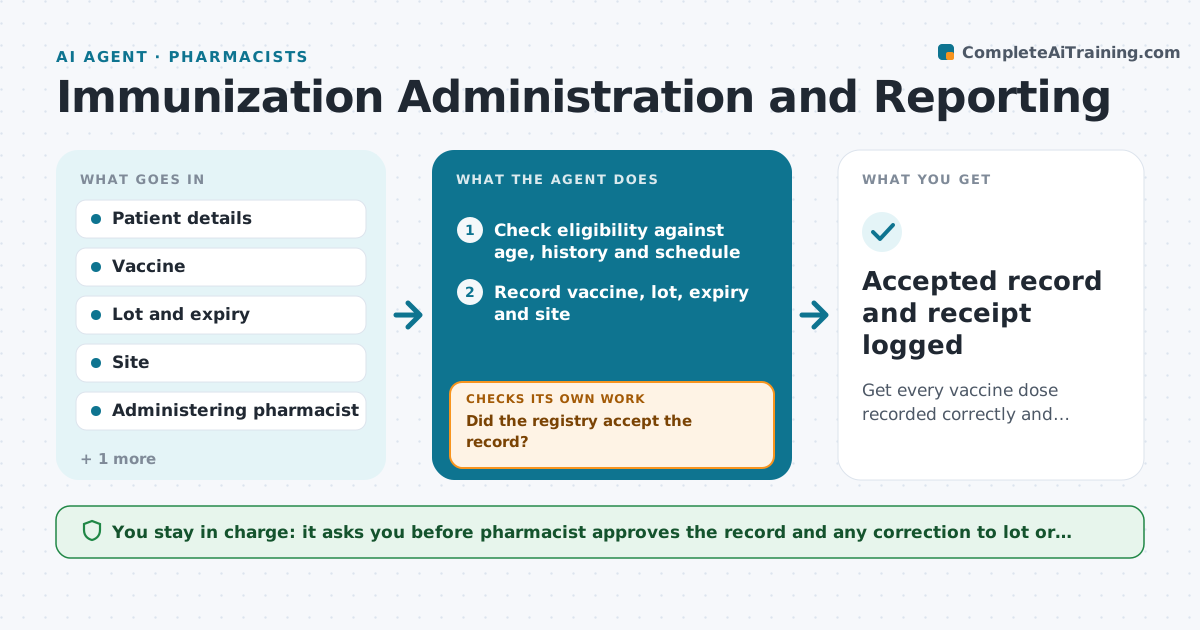
Get every vaccine dose recorded correctly and accepted by the registry.
What it does
Every shot given at the pharmacy must be recorded and reported to the state registry, and rejected records are easy to lose. This agent starts after each shot. It checks the patient's age and history against the eligibility rules, then records the vaccine, lot number, expiry, site and who gave it. It prepares the registry submission and, after the pharmacist approves, sends it. It then reads the acceptance response. If the registry rejects a field, such as a date format or a missing lot, it fixes the field from the pharmacy record and resubmits, repeating until accepted. Edge case: the lot number was typed wrong, so the agent compares it with the stock record and asks the pharmacist to confirm.
How it works
Follow the arrows from top to bottom. The orange dashed arrow is the loop: when a check fails, the agent goes back and tries again.
Read the steps as a list
- A vaccine is given
- Check eligibility against age, history and schedule
- Record vaccine, lot, expiry and site
- Check the lot against the stock record
- Pharmacist approves the recordThe agent waits here for your OK.
- Submit to the registry
- Did the registry accept the record?If not: read the error, fix the field from the pharmacy record, and resubmit. Back to step 6.
- Does the registry show the dose under the right patient?If not: correct the match fields and resend. Back to step 3.
- Accepted record and receipt logged
How it decides
It checks eligibility before recording and checks each registry response. A record is done only when accepted.
- Hold the record if the lot is expired
- Resubmit up to 5 times before asking a person
- Flag possible duplicates with the same patient and date
- Report within the registry's required time
Make it yours
Every agent is a starting point. You choose these settings for your own situation.
- Registry deadline (default 7 days)
- Resubmission limit (default 5)
- Vaccines tracked
- Duplicate rule
What keeps you in control
It always asks you first
- Pharmacist approves the record and any correction to lot or site
Hard limits
- Never alter a patient identity without the pharmacist
- Never submit before approval
It stops when
- Done: registry accepted
- Stop: registry down, retry next day and tell the pharmacist
Set it up
We guide you through the set-up, step by step
Members get the full set-up guide for this agent. No technical skills needed: you copy, paste and upload.
- One set of instructions to paste into your AI, with the clicks for ChatGPT, Claude, Microsoft 365 Copilot, Gemini and Grok
- The agent then walks you through connecting your own data, one source at a time
- A downloadable copy with the flow chart, the rules and the full guide