AI agent for credit analysts
Concentration Limit Monitor Agent
Keep exposures within limits and catch breaches before approvals are signed
What it does
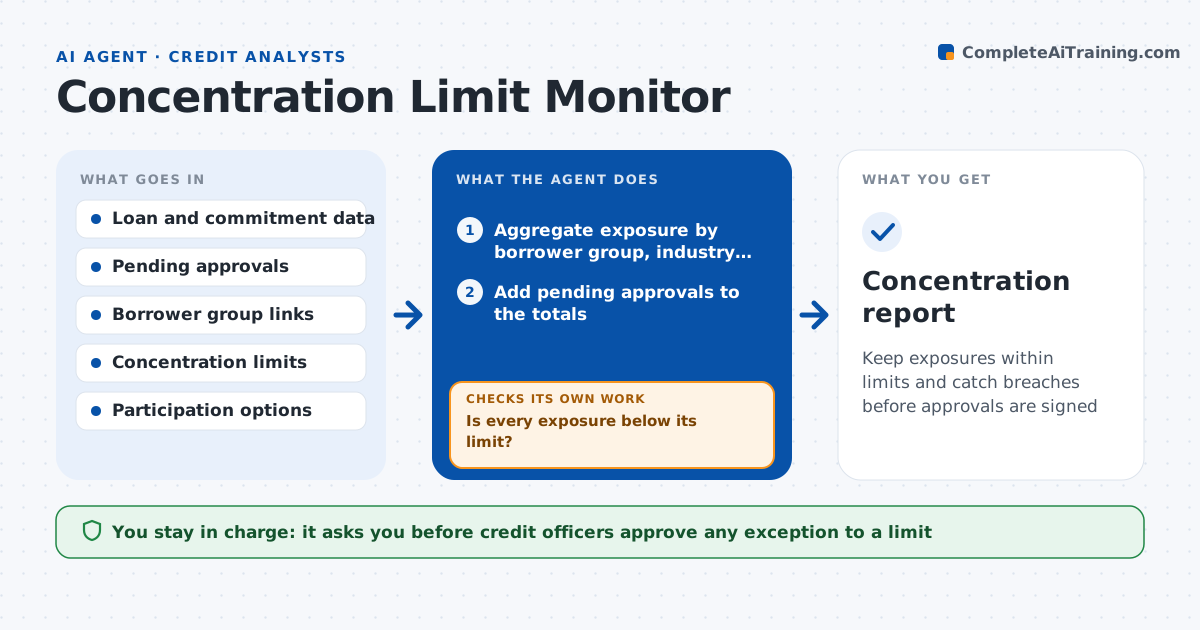
A bank can end up with 22 percent of its book in one industry because each loan looked fine alone. This agent aggregates exposures every day by borrower, industry and region and checks them against the limits. It models pending approvals to see what would breach if they close, and shows the headroom left. When something would breach, it proposes options such as selling a participation, reducing the commitment or waiting for a payoff, and recalculates the exposure with each option. It continues checking after each change. Credit officers approve any exception to the limits. Edge case: a borrower group with linked entities is aggregated as one, even when the entities have different names.
How it works
Follow the arrows from top to bottom. The orange dashed arrow is the loop: when a check fails, the agent goes back and tries again.
Read the steps as a list
- Daily run or new approval proposed
- Aggregate exposure by borrower group, industry and region
- Add pending approvals to the totals
- Is every exposure below its limit?If not: Identify the exposure and the loans that cause it. Back to step 2.
- Model options: participation, smaller commitment or wait
- Does at least one option bring exposure under the limit?If not: Prepare an exception request with the numbers. Back to step 5.
- Draft the recommendation with headroom
- Credit officers approve any exceptionThe agent waits here for your OK.
- Update the monitor and notify the lender through the officers
- Concentration report
How it decides
It aggregates linked borrowers, compares with limits, and warns at 90 percent of a limit and flags a breach above 100 percent.
- Warn at 90 percent of a limit
- Flag a breach above 100 percent
- Aggregate linked borrowers as one group
- Include pending approvals in every test
Make it yours
Every agent is a starting point. You choose these settings for your own situation.
- Warning level (default 90 percent)
- Limits table (default the board-approved limits)
- Dimensions monitored (default borrower, industry, region)
- Run frequency (default daily)
What keeps you in control
It always asks you first
- Credit officers approve any exception to a limit
Hard limits
- Never approve or decline a loan
- Never ignore pending approvals
- Use the approved limit table
It stops when
- Done: Exposure below limits or exception approved
- Stop: Data source is incomplete, so hand to the analyst
Set it up
We guide you through the set-up, step by step
Members get the full set-up guide for this agent. No technical skills needed: you copy, paste and upload.
- One set of instructions to paste into your AI, with the clicks for ChatGPT, Claude, Microsoft 365 Copilot, Gemini and Grok
- The agent then walks you through connecting your own data, one source at a time
- A downloadable copy with the flow chart, the rules and the full guide