AI agent for loan officers
Collateral and Insurance Verification Agent
Keep every collateral file current on valuation and insurance.
What it does
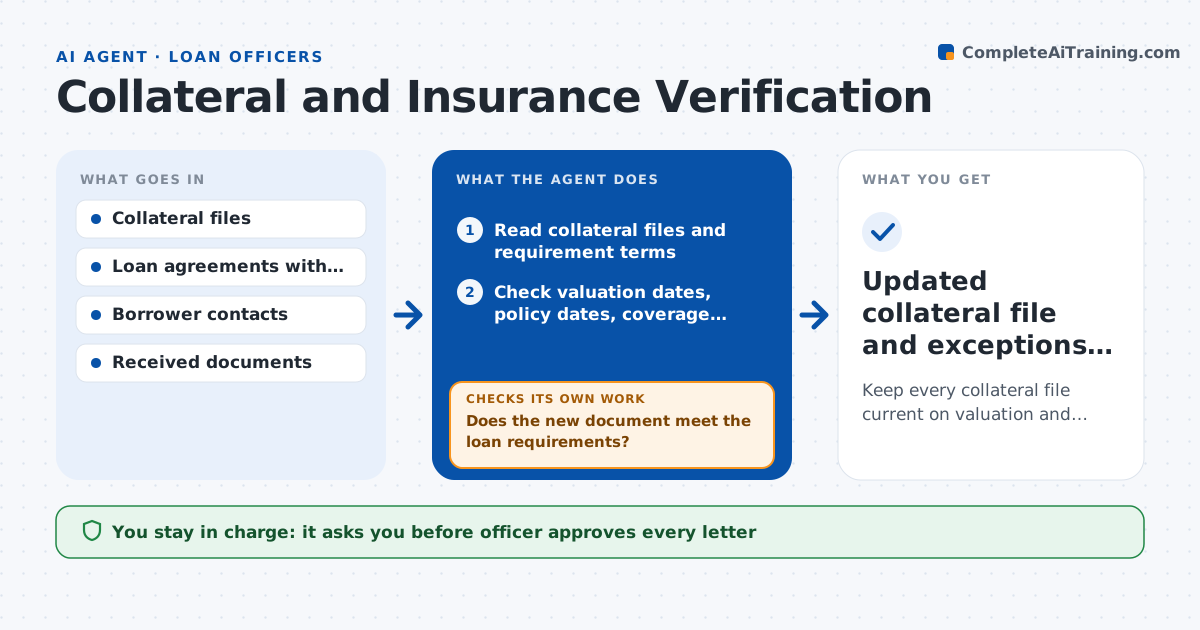
A loan is only as safe as its collateral, and valuations and insurance policies quietly expire. This agent reads each collateral file and checks the valuation date, the insurance policy dates, the insured amount and the named loss payee. It lists what is expired or due within 60 days, drafts a request letter to each borrower, and tracks responses. When a document arrives, it checks that it covers the right asset, the right amount and the right dates before marking the item cleared. If something is still missing after the deadline, it escalates to the officer with a second letter. Edge case: a policy that renews with a lower coverage is flagged. The officer approves every letter.
How it works
Follow the arrows from top to bottom. The orange dashed arrow is the loop: when a check fails, the agent goes back and tries again.
Read the steps as a list
- Weekly scan begins
- Read collateral files and requirement terms
- Check valuation dates, policy dates, coverage amounts and loss payee
- List items expired or due within 60 days
- Draft a request letter to each borrower
- Officer approves every letter before sendingThe agent waits here for your OK.
- Track replies and received documents
- Does the new document meet the loan requirements?If not: draft a letter explaining what is short and request a corrected document. Back to step 4.
- Was the item cleared before its deadline?If not: escalate to the officer with a second letter draft. Back to step 6.
- Updated collateral file and exceptions list
How it decides
It flags an item when a date is expired or within the warning window and clears it only when the new document meets the loan agreement requirements.
- Warn 60 days before an expiry
- Require coverage at least equal to the loan agreement amount
- Check that the lender is named as loss payee
- Escalate items 15 days past the deadline
Make it yours
Every agent is a starting point. You choose these settings for your own situation.
- Warning window (default 60 days)
- Escalation days (default 15)
- Document types accepted
- Letter wording
- Scan schedule
What keeps you in control
It always asks you first
- Officer approves every letter
- Officer approves any waiver of a requirement
Hard limits
- Never sends a letter without officer approval
- Does not waive any loan requirement
It stops when
- Done: all items cleared or escalated
- Stop: loan agreement requirements are missing from the file
Set it up
We guide you through the set-up, step by step
Members get the full set-up guide for this agent. No technical skills needed: you copy, paste and upload.
- One set of instructions to paste into your AI, with the clicks for ChatGPT, Claude, Microsoft 365 Copilot, Gemini and Grok
- The agent then walks you through connecting your own data, one source at a time
- A downloadable copy with the flow chart, the rules and the full guide