AI agent for chief strategy officers
Conference and Event Target List Agent
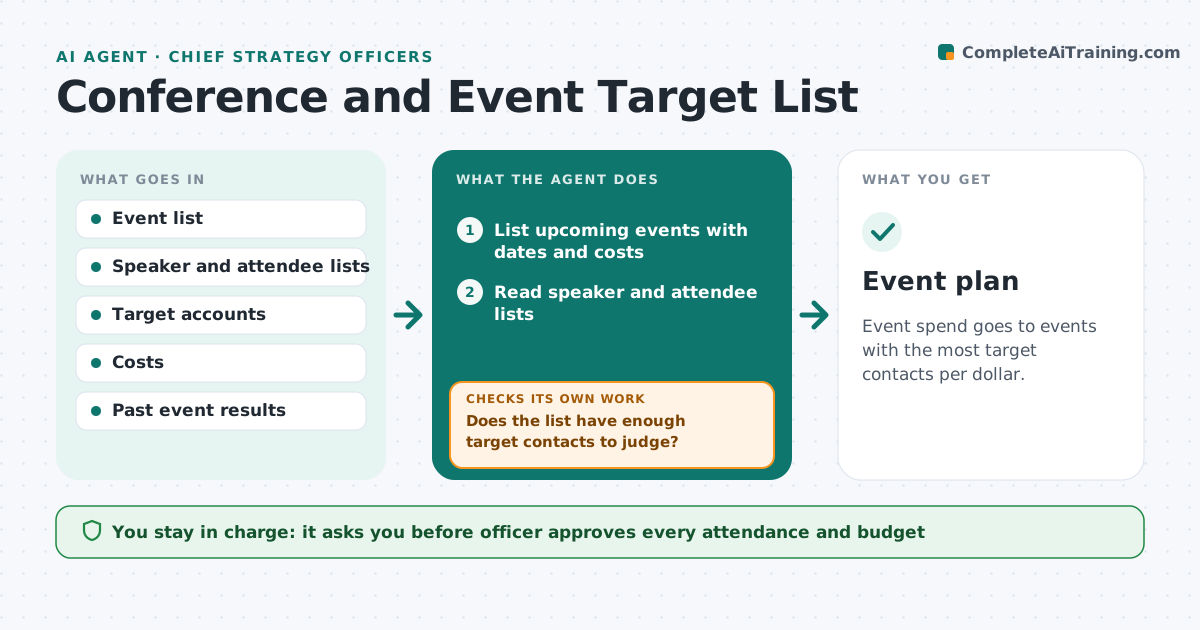
Event spend goes to events with the most target contacts per dollar.
What it does
Event budgets go to conferences with no list of the contacts to meet. Teams return with business cards and no deals. This agent reads upcoming events, speakers and attendee lists, matches them to target accounts, scores value against cost, drafts a plan and updates it as lists change. It decides by the number of target contacts and the cost per contact. The officer approves attendance and budget. If an event has no usable attendee list, it marks the event unscored and tries other sources before dropping it. It updates the ranking whenever organizers publish new lists, and it leaves registration and contact with attendees to the officer. Edge case: an event has many speakers from target accounts but few attendees, so the agent suggests speaking instead of exhibiting.
How it works
Follow the arrows from top to bottom. The orange dashed arrow is the loop: when a check fails, the agent goes back and tries again.
Read the steps as a list
- Quarterly planning begins
- List upcoming events with dates and costs
- Read speaker and attendee lists
- Match names to target accounts
- Compute cost per target contact
- Does the list have enough target contacts to judge?If not: find more data or mark the event unscored. Back to step 2.
- Rank events and draft the plan
- Officer approves attendance and budgetThe agent waits here for your OK.
- Update as lists change
- Event plan
How it decides
It counts target contacts per event and divides cost by contacts. It ranks events by cost per target contact.
- Rank by cost per target contact
- Mark an event unscored when no list exists
- Prefer events with decision makers from target accounts
- Compare to past event results
Make it yours
Every agent is a starting point. You choose these settings for your own situation.
- Target accounts
- Cost per contact limit
- Event types
- Planning cycle
- Data sources
What keeps you in control
It always asks you first
- Officer approves every attendance and budget
Hard limits
- Never register for an event
- Never contact attendees
It stops when
- Done: a ranked plan with budget is approved
- Stop: no event has a usable list
Set it up
We guide you through the set-up, step by step
Members get the full set-up guide for this agent. No technical skills needed: you copy, paste and upload.
- One set of instructions to paste into your AI, with the clicks for ChatGPT, Claude, Microsoft 365 Copilot, Gemini and Grok
- The agent then walks you through connecting your own data, one source at a time
- A downloadable copy with the flow chart, the rules and the full guide