AI agent for warehouse managers
Construction Material Delivery Reconciliation Agent
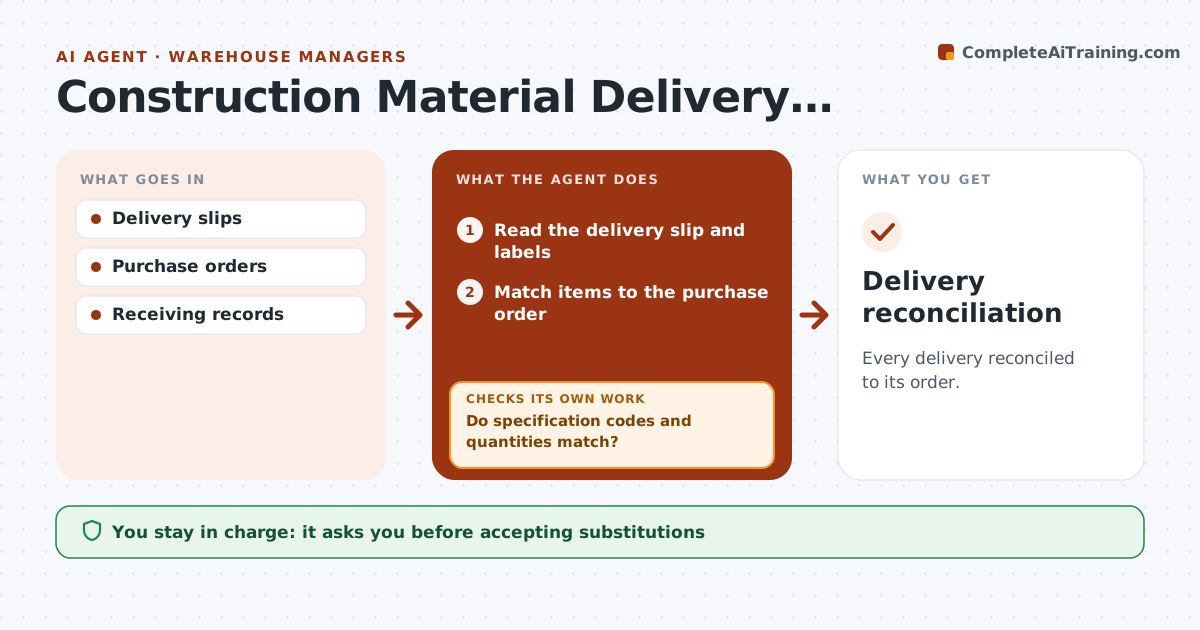
Every delivery reconciled to its order.
What it does
Materials delivered to site do not always match what was ordered, and a wrong product installed is expensive to remove. This agent compares each delivery slip with the purchase order. It matches item identity, specification code, size and quantity, and records every difference as a discrepancy. Similar product names are never treated as approved substitutes; only a substitution in the approved register counts. It photographs or reads the labels when the slip is unclear, then prepares a reconciliation packet for site logistics, who decides whether to accept, reject or hold the delivery. The agent never accepts goods itself. Edge case: a short delivery is recorded as a partial, and the open quantity stays on the order.
How it works
Follow the arrows from top to bottom. The orange dashed arrow is the loop: when a check fails, the agent goes back and tries again.
Read the steps as a list
- Delivery received
- Read the delivery slip and labels
- Match items to the purchase order
- Do specification codes and quantities match?If not: check the substitution register and record a discrepancy. Back to step 3.
- Prepare the reconciliation packet
- Site logistics accepts or rejectsThe agent waits here for your OK.
- Update open quantities on the order
- Delivery reconciliation
How it decides
It matches by specification code, not name.
- Similar names are not substitutes unless the register says so.
- Short deliveries are recorded as partials.
- Every difference becomes a discrepancy line.
- The agent never accepts goods on its own.
Make it yours
Every agent is a starting point. You choose these settings for your own situation.
- Which fields must match (default: item, spec code, size, quantity)
- Quantity tolerance (default 0%)
- Approved substitution register to check
- Who decides on acceptance (default: site logistics lead)
- Supplier notification template
What keeps you in control
It always asks you first
- Accepting substitutions
- Supplier claims
Hard limits
- No substitution acceptance.
It stops when
- Done: reconciled.
Set it up
We guide you through the set-up, step by step
Members get the full set-up guide for this agent. No technical skills needed: you copy, paste and upload.
- One set of instructions to paste into your AI, with the clicks for ChatGPT, Claude, Microsoft 365 Copilot, Gemini and Grok
- The agent then walks you through connecting your own data, one source at a time
- A downloadable copy with the flow chart, the rules and the full guide